Enabling Inventory Handling Recovery Fee
Three configuration steps are required to enable the IHRV system:
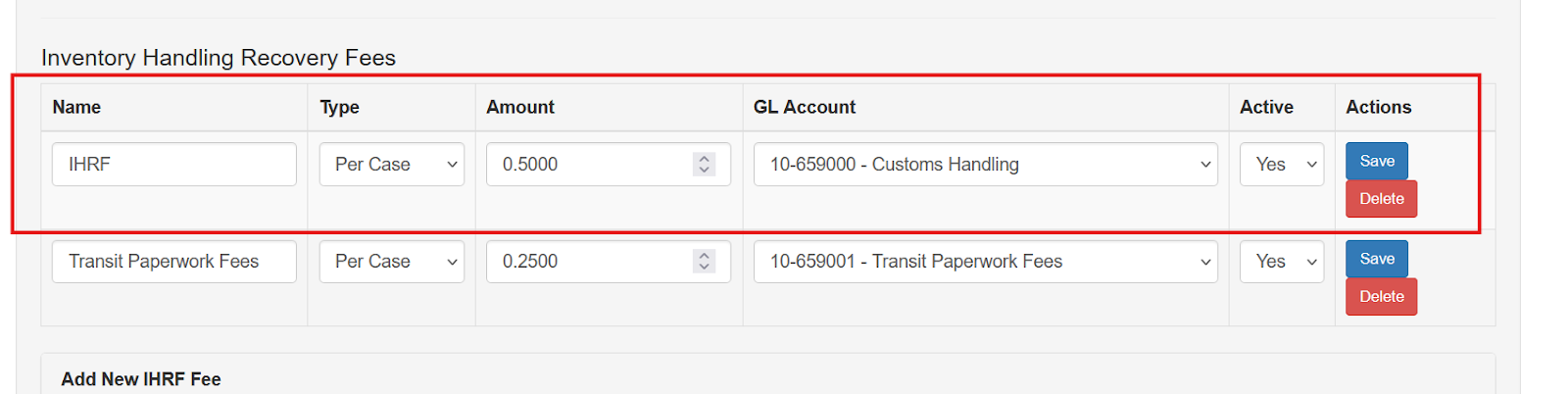
- Configure the Company Site
- Configure the Vendor
- Assign a General Ledger account to the item
Company Site Setup
To enable the Inventory Handling Recovery Fee feature:
- Navigate to System → Company Sites.
- Edit the company site where the feature should be enabled.
- Select the Enable Handling Recovery Fee checkbox.
- Enter the per-unit fee amount.
- Save the changes.
Multicurrency System Considerations
In systems that use multiple currencies, the recovery fees are applied in the local or default currency.
These fees are added directly to the inventory receipt cost.
Vendor Setup
After enabling the feature at the company site level, vendors must be configured to apply the appropriate recovery fees.
To configure a vendor:
- Locate the vendor record.
- Select the applicable fee types for that vendor.
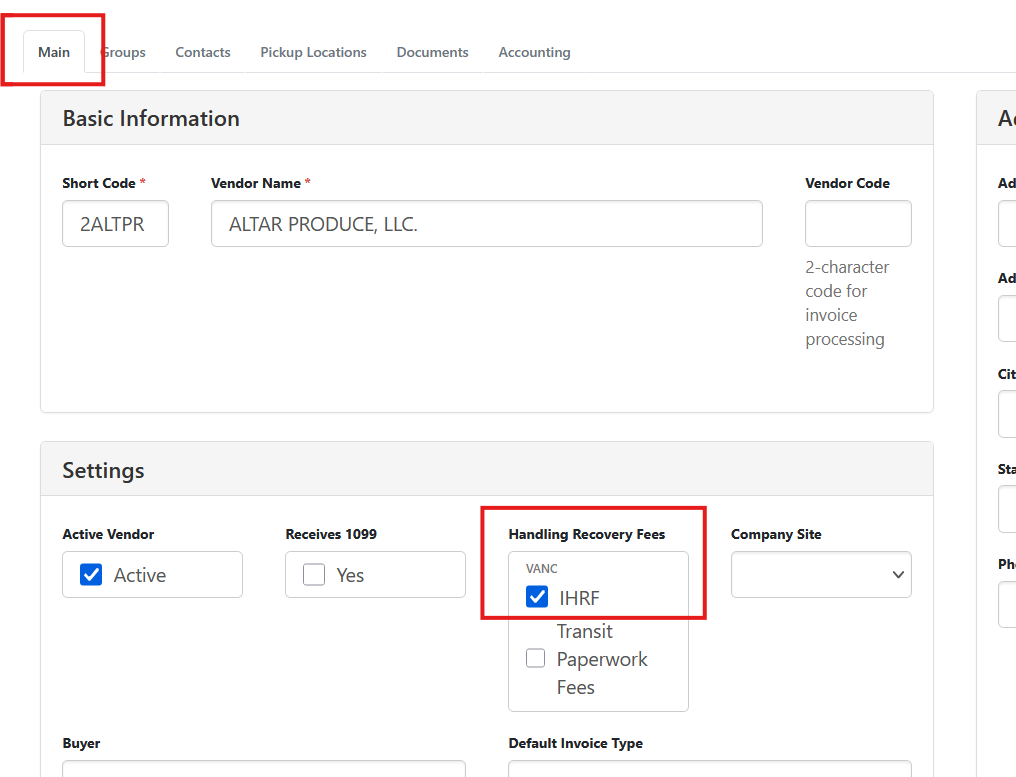
Multiple fee types can be assigned to a single vendor if necessary.
When purchase orders are created for this vendor, the configured recovery fees will be applied automatically.