Multi-currency AP Aging Report
Multi-currency AP Aging
Systems using multi-currency have additional needs to see vendor again in both default currency as well as the invoices native, or foreign currecy. The AP Aging report allows the report to be shown using these options. The report is accessible using the regular AP Aging report - AP - Reports - Aging By Vendor.
In this example the company is Canadian (CAD) currency by default with US Dollars (USD) as an optional currency.
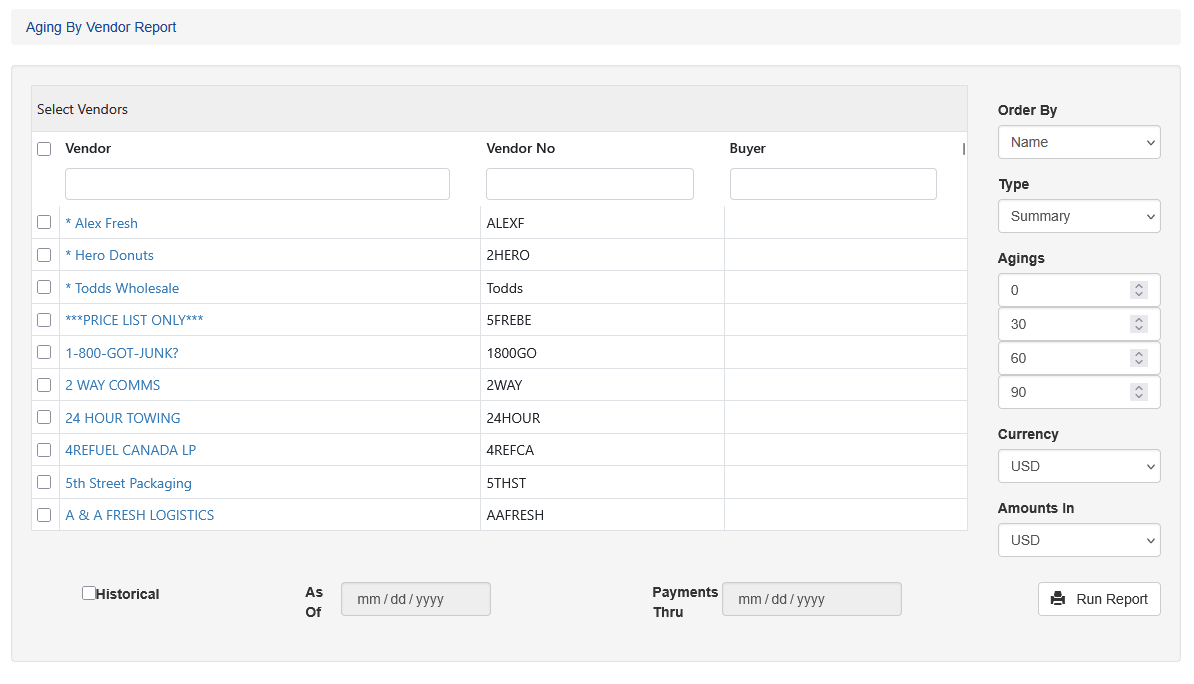
In addition to the standard selection, such as vendor selection, ordering options, etc the report also shows Currency and Amounts In.
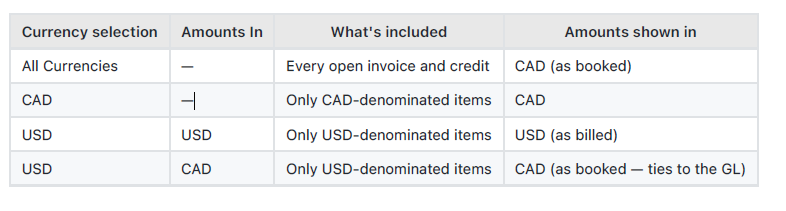
Currency: Choose which invoices are included. All invoices, only CAD or only USD-denominated invoices
Amounts In: This shows how the aging is presented. If USD, for example, is selected, the report prints the amounts in USD as billed. If CAD is selected it presents the aging as booked in the ledger.
Running The Report
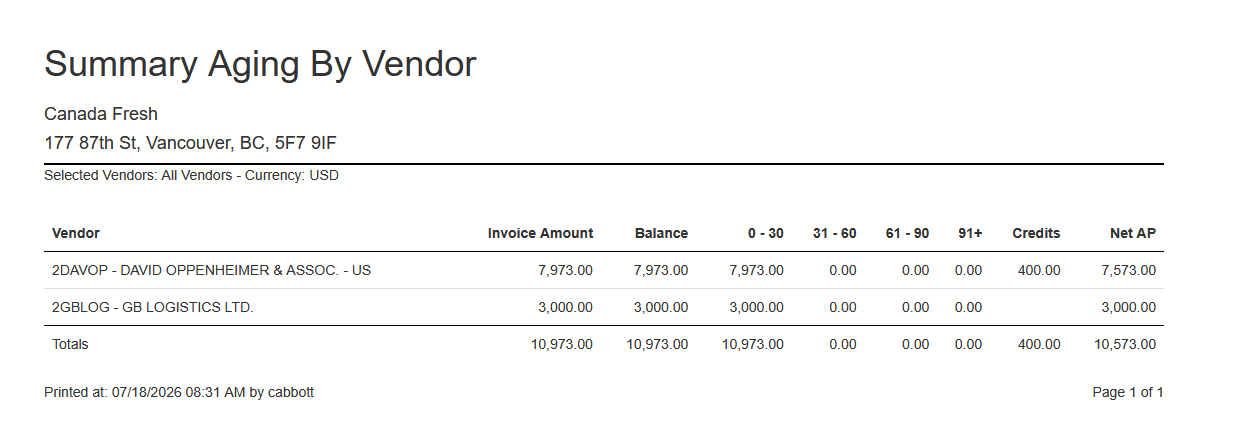
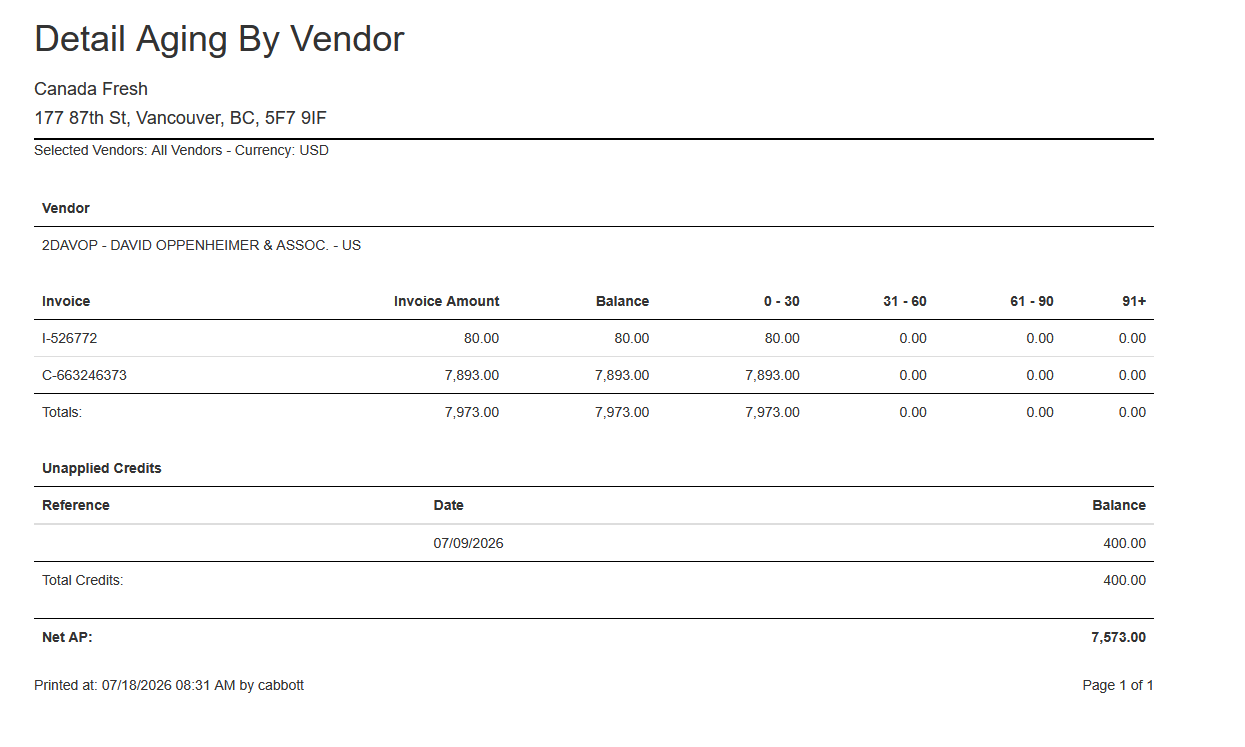
First select the vendor(s), choose the currency and what currency to present the aging in. In this example we will use USD presented in USD. This will show the aging exactly how the vendor billed them. All amounts are presented in USD.
The same report criteria, but presented in CAD as booked to the ledger.
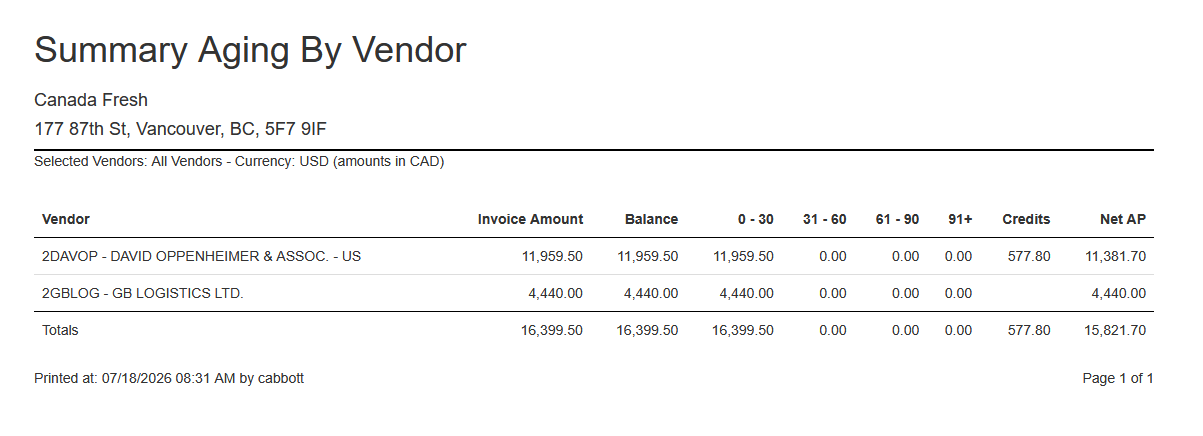
The detail report also uses the currency selections.
Quick Reference
The following table shows the selections and what the output is