Setting Vendors for Alternate Currencies
Initial Setup
When multiple currencies are first enabled, support will set all vendors to the default currency.
Configure Vendor Specific Currency
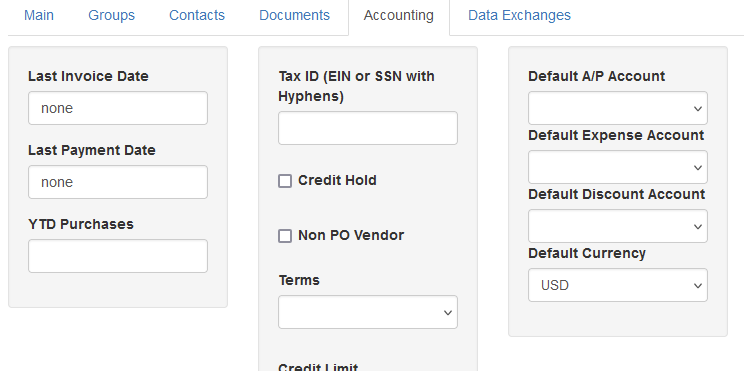
To change a vendor’s currency to an alternate currency go to Vendors and edit the vendor. Under the accounting tab edit Default Currency, set the currency and then save the vendor.
Restrictions On Vendors
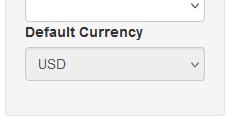
If a vendor has any existing purchase orders the currency can not be changed. The currency will show, but it will be grayed out
If a change is needed, contact support for options
New Vendors
When a new vendor is added the default currency is automatically applied to the new vendor. If the vendor uses an alternate currency it must be changed once it is initially set up by following the steps above.