Account Types
Account types are used to sort financial reports. All general ledger accounts must be assigned a type. This also is used to identify accounts that are on the income statement or balance sheet.
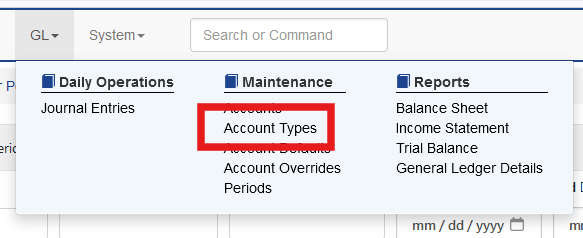
Sprout comes preloaded with account types and can be viewed by selecting GL - Account Types.
Account Type Codes
Account codes start with a letter followed by a number 1 through 9. 0 is reserved for header records.
Definitions for each code in Sprout are as follows
- A - Assets
- C - Cost of Sales
- E - Equity
- I - Other Income
- L - Liabilities
- S - Sales
- T - Taxes
- X - Expenses
Account Type Grouping
Each account type can also be configured with a numerical value for subgrouping. For each subgroup a subtotal is displayed in their financial statements.
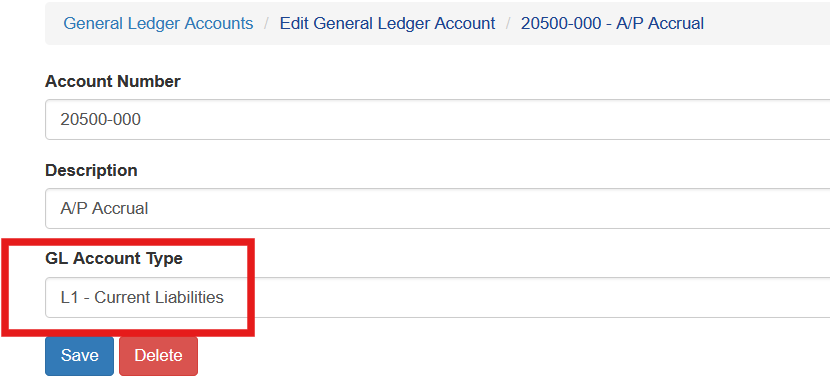
For example, A liability account is assigned type L1 - Current Liabilities.
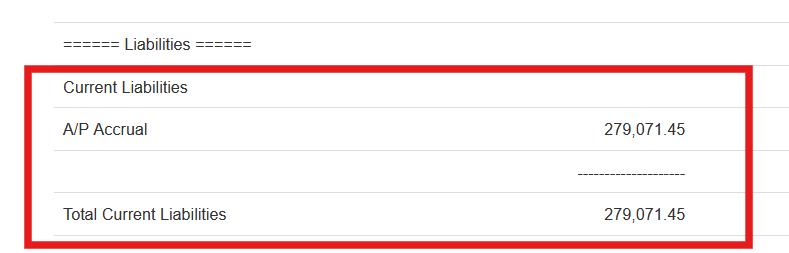
When the balance sheet is run a section for Current Liabilities is displayed within liabilities and sub totaled.
Creating Account Type Codes
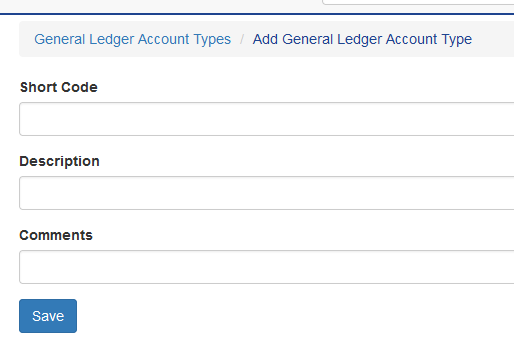
On the account type screen select Create New Account Type

Enter a short code using the account type definitions and a number for sequencing. Enter a description. Comments are optional.