Bank Account Setup
Bank Account Setup
Bank Account Creation
Before any cash transactions can occur at least one bank account is required. Bank account maintenance is located under AP - Bank Accounts
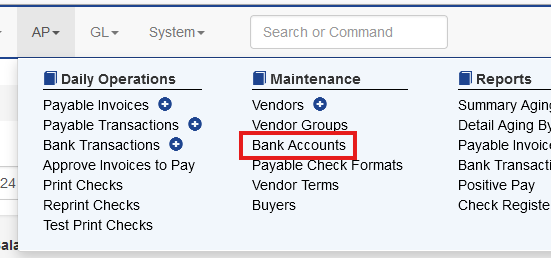
On the Bank Accounts screen choose Add Bank Account. (Note, before creating a bank account the user should first create the associated general ledger account). This is covered in a previous document.
The bank account setup has multiple sections. Sprout has the ability to print the full check on blank stock - including MICR, authorized signatures, etc. Fields marked with * are required.
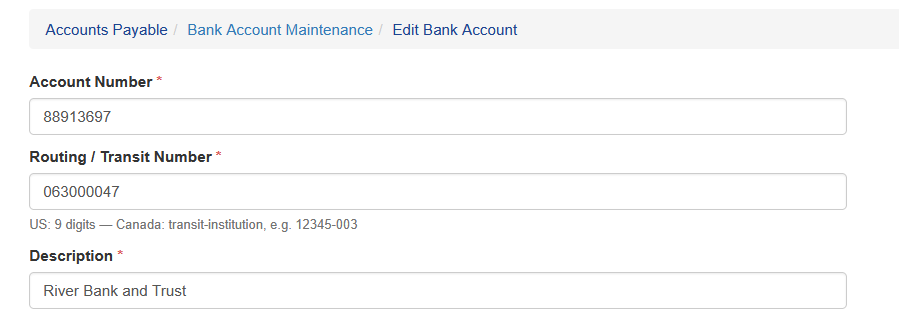
General Account Details
The general account fields are used to identify the account.
Account Number: The banking account number
Routing / Transit Number: This is the bank accounts routing number.
Description: A friendly description
Bank Details
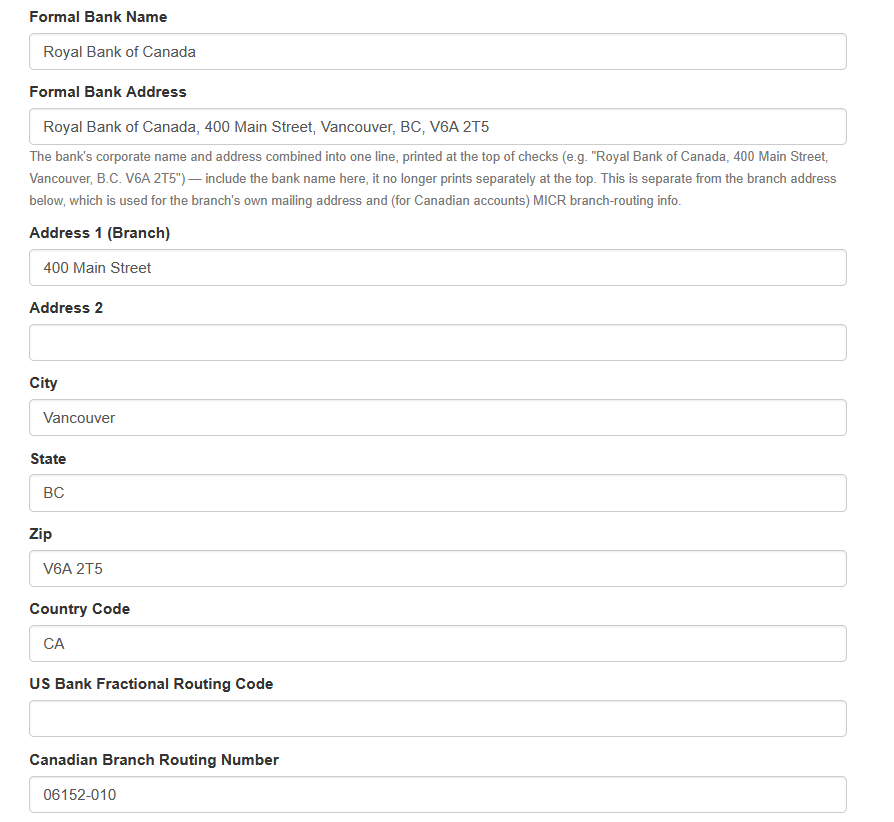
The bank account details are all options. This is required for any account that is printing on blank stock. All address information should exist on existing preprinted check stock and be verified with the banking institution.
Formal Bank Name: This is the legal name of the financial institution
Formal Bank Address: This is the banks official address that is printed on the check.
Address 1, 2 City, State, ZIP and Country: This is typically the bank's local branch address for a given regions
US Bank Fractional Routing Code: This is a required code that can be provided by the banking institution and only required for USD accounts.
Canadian Branch Routing Code: This is a required code that can be provided by the banking institution and only required for CAD accounts.
Sprout Bank Setting Details
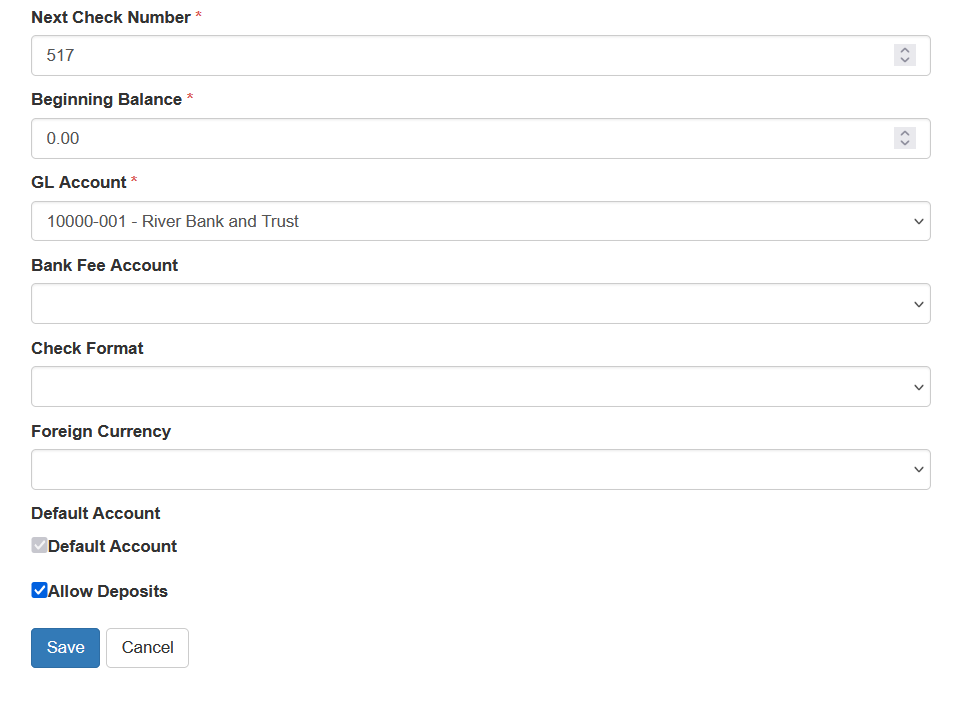
These settings are used by Sprout for tracking the bank account details.
Beginning Balance: This is the current balance of the account for the starting point
Next Check Number: This is the number of the first check in your preprinted forms
GL Account: General ledger account number
Check Format: This is the layout of the printed check. It is covered later in this document.
Currency: If the company uses multiple currencies for transactions this is set here.
Make Default Account: Setting an account as the default account is optional. The default account is the account used if no other account is specified when entering a payable invoice.
Allow Deposits: For a deposit to accept deposits, the Allow Deposits check must be checked. This enables the account to show up in the deposit screen.
Check Formatting
Before a check can be printed the physical check format must be created. Sprout has the ability to print on any format, such as two section, three section, blank stock, preprinted forms, etc. Anovys will assist in the initial formatting. Any new formats should be submitted to Anovys Support for assistance.
Initial Balance
To open your bank account for the first time you must create one manual GL entry debiting the newly created bank account general ledger.