CPM to Sprout Harvest
Setup CPM Harvest
Certain items must be configured before CPM can harvest, or when new items are added.
Printers
The settings for the pallet tag printer and the PTI label printer tell Sprout where these labels are automatically printed. This is maintained in the Company Site CPM Pallet and PTI Label Printer Option

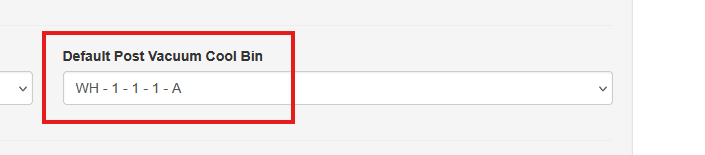
Default Post Vacuum Cool Bin
Once a pallet leaves the vacuum cool process and is completed Sprout automatically places this pallet in a WMS location based on the defaul post vacuum cool bin. This is maintained in Company Sites
Item Pallet Count
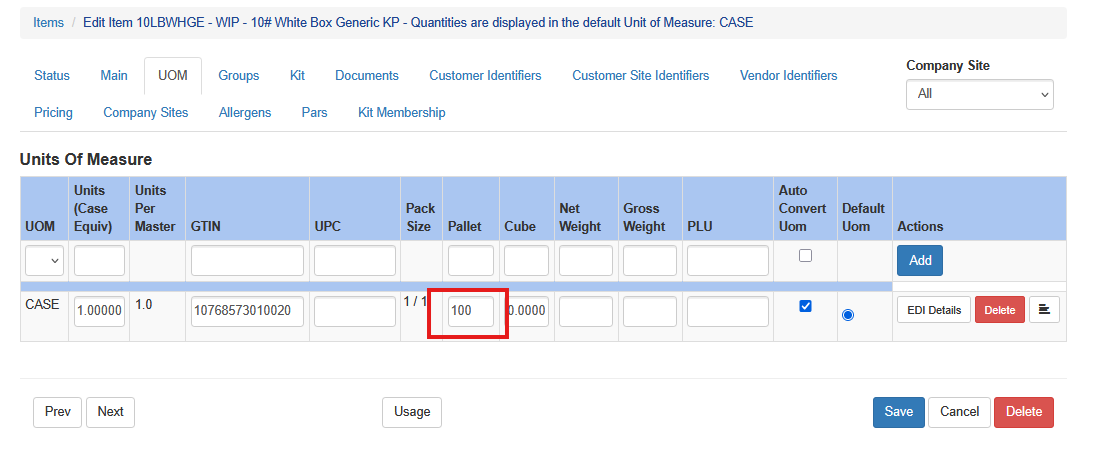
Sprout starts new pallets for WIPs and finished goods based on the harvested items Default Unit of Measure’s pallet count. This is the number of cases that fit on a full pallet. This is configured at the Item unit of measure level
PTI Labels
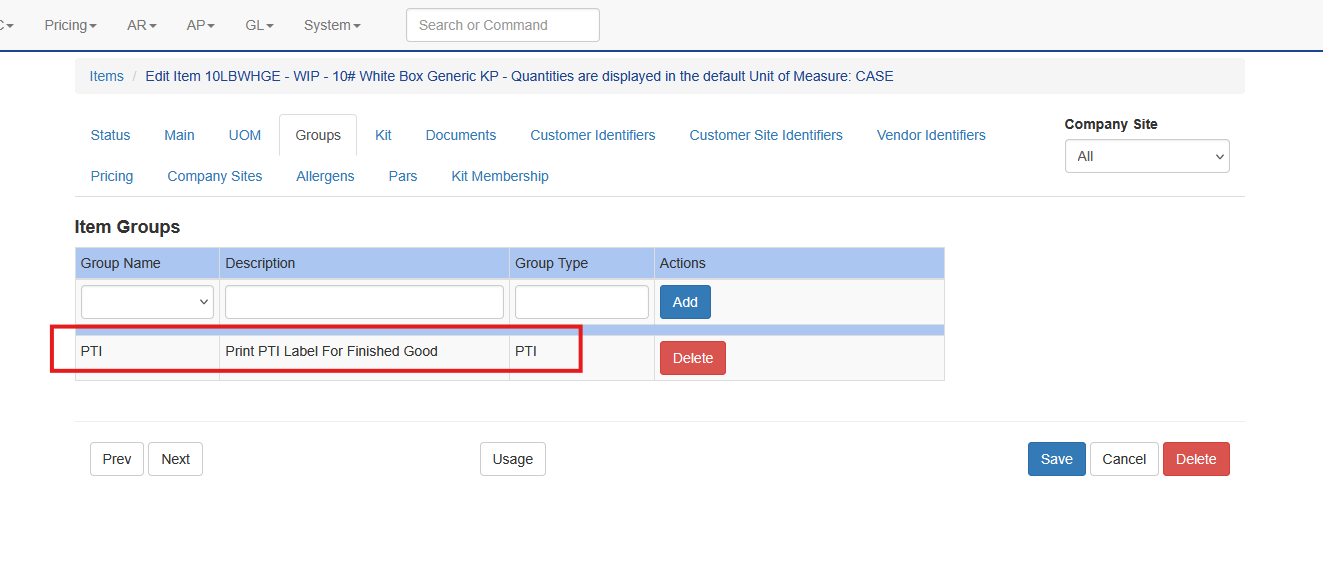
Certain items are packed directly into finished goods. This is triggered when an item is a member of the PTI group. Configure this by visiting the item and Groups. When an item is palletized the PTI label, when required, will automatically print to the PTI label printer in palletization.
Additionally, for the PTI label to properly print the item’s GTIN must be configured under Item - UOM for the unit of measure being built. More on this can be found in the inventory documentation as well.
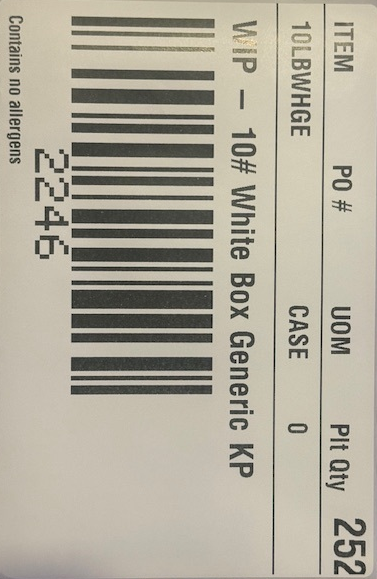
When a harvested item has either no pallets for that item, or when current pallet is within five of the total count a pallet tag will automatically print in the palletization area, signifying that a new pallet is soon to be needed.
Pallet tags look like this. The pallet ID ties back to the lot. It is also used for future WMS options.
Harvest Process
When CPM harvests an item that data is sent to Sprout via an API call. In that API call CPM sends the following information:
- Item ID - This tells Sprout what item is being made
- Room - This tells Sprout what source lot to use
- Unique Box ID - This is for traceability. It also is scanned to tell Sprout what is on each pallet (more on that later)
- Picker ID -This is for traceability
- Crop ID - This is for traceability
- Break - This is for traceability
- Net Weight - This is used to calculate the pre-vacumn cooled weight
That case is held in a temporary lot as it travels the conveyor belt

Once that case comes down to the palletization station a worker starts the Palletization Process