Component COGS Allocation
In Sprout, by default, when an invoice is billed the cost of goods sold, or COGS, associated with that sale are allocated to either the default COGS GL that is setup in Account Defaults, or if the item has a COGS override set then Sprout uses that COGS.
When building components a user may want to allocate COGS by component item. For example, the item may be a ready to eat sandwich allocated to a specific GL but contain packaging that the company may wish to allocate to a specific packaging COGS account. This is achieved by turning on the Component COGS Allocation option.
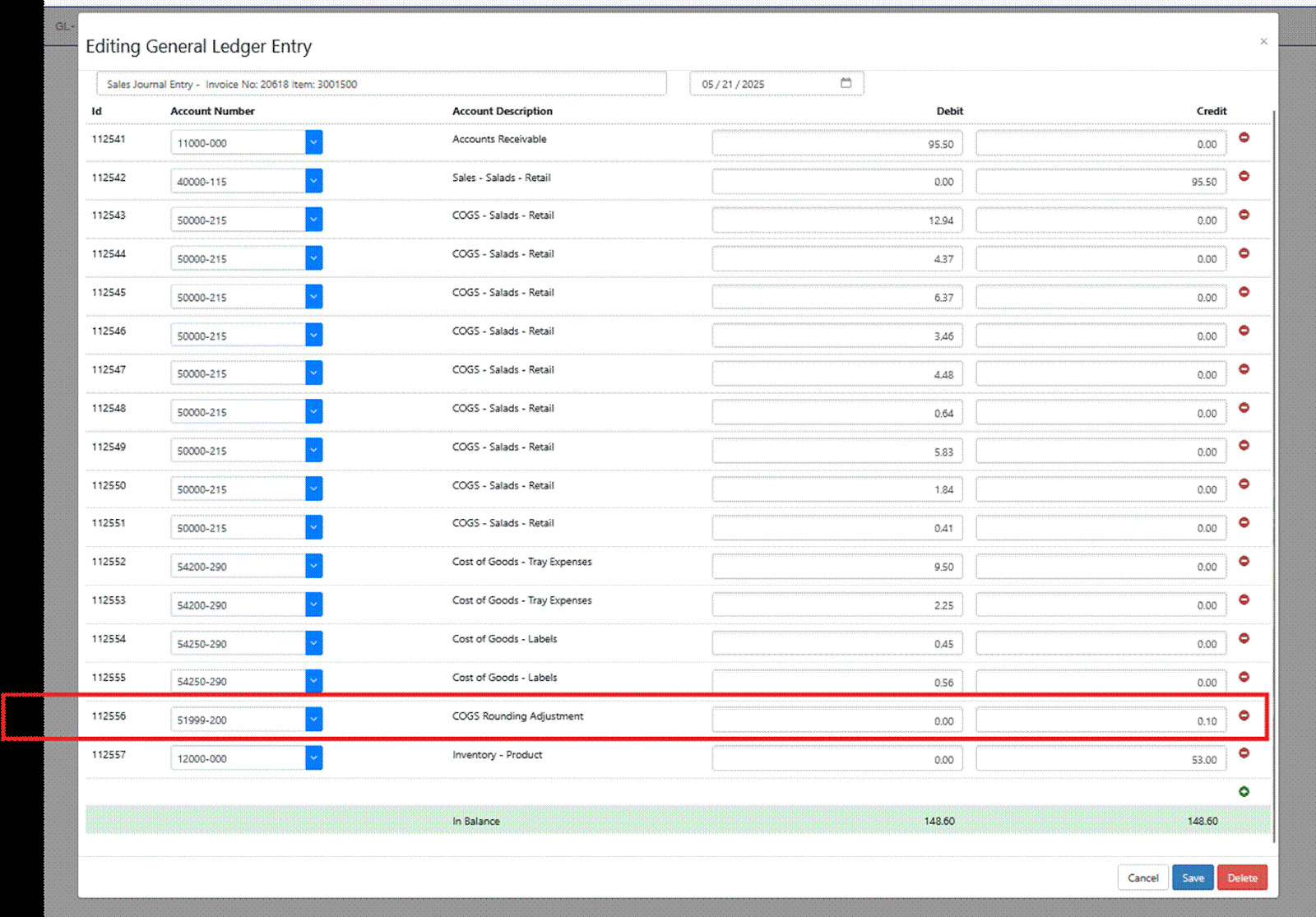
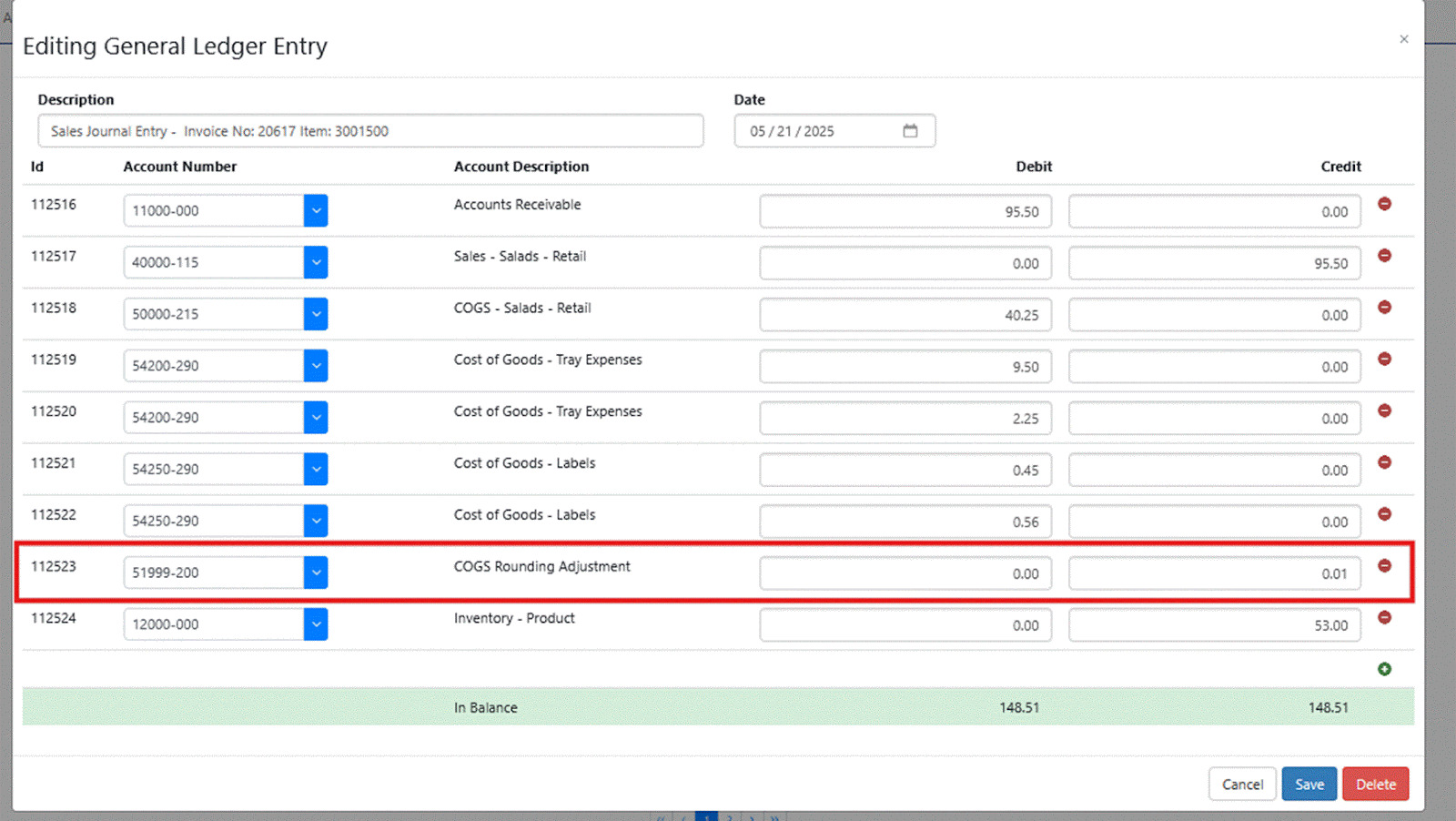
This level of detail will often create a need to round. When rounding occurs the results are allocated to the COGS Rounding Adjustment account that is set in the GL Account Defaults section in Sprout.
Recursive Use of Component COGS Allocation
If an item is set for Component COGS Allocation the system will check every item used in the Kit/BOM. If that item has a COGS GL Override set, that GL account is used. Sprout also looks at components to determine if that is also a Kit. If it is, Sprout checks to see if Component COGS Allocation is checked and repeats the process until every level is evaluated.
One Level Component COGS Allocation
When only the item that appears on the sales invoice is set for Component COGS Allocation only the components on that Kit/BOM are separated out. If rounding is required to balance the account it appears as well.
Recursive Component COGS Allocation
When components that are also kits/BOMs are contained in a finished good and those items are set for Component COGS Allocation even greater detail is created. This can result in a slightly higher rounding entry since components are often created at fractions of cents when they are lower cost items.