Create Receiving Clerks
A receiving clerk is a special user in Sprout that has login access on a WMS handheld device. This is separate from a regular Sprout user. If a receiving clerk has a regular Sprout login they will still need a Receiving Clerk login to access WMS.
Adding a Receiving Clerk
To add a user go to System - Maintenance - Receiving Clerks
Here you will see receiving clerk users and the company site they are assigned to.
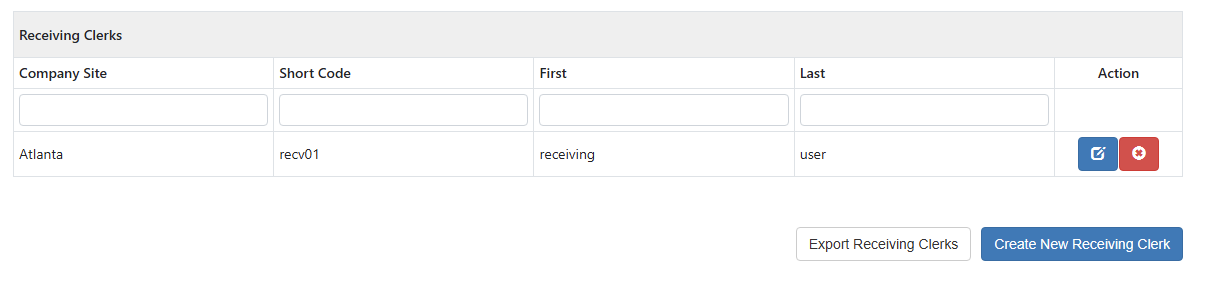
To add a new one choose Create New Receiving Clerk
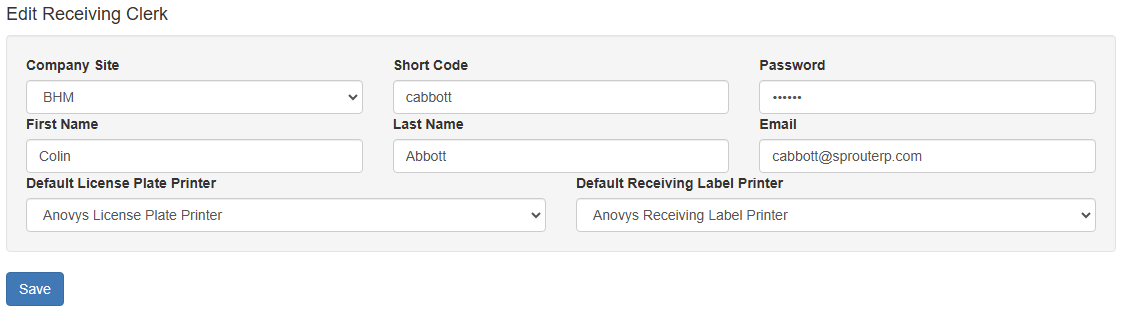
Here you choose the company site and create a short code - this is also the username the receiving clerk will use on the handheld. Assign a password and enter the rest of the information.
Setting Default Printers
The default license plate and receiving label printer are printers that exist in Sprout already. Here you must choose both types of printers. This tells the handhelds where to print certain label types to. These are not printers that are added to your local computer, but set up directly in Sprout under System - Printers.
License Plate Printer Use
A license plate, sample below, is a four by six inch label with a sequential number that identifies a pallet of a single item. It could be a full or partial pallet.
It show the item number, the PO it was on, the UOM, the pallet quantity, the item name and a barcode with the license plate ID. The number in the top right, in this case 189, is the julian date for the date the PO was received.
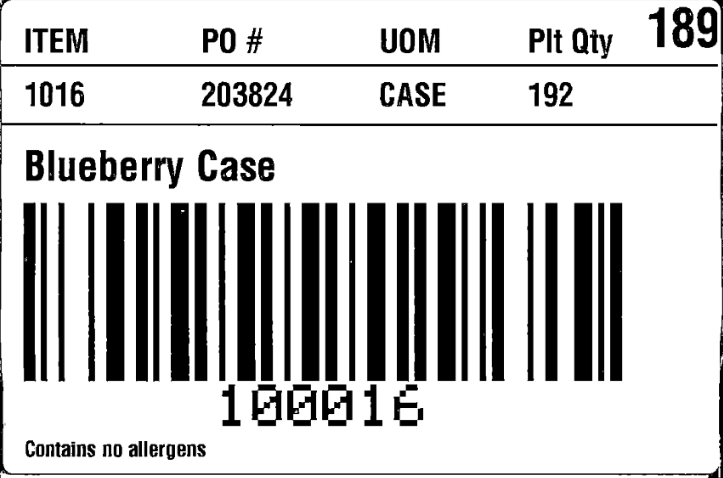
The license plate typically goes on the bottom corner of the pallet so it is easily identified and also stays with the pallet until the last case is pulled.
Receiving Label Printer Use
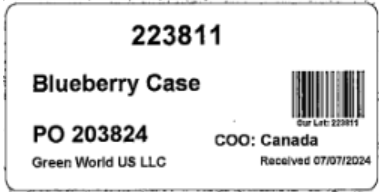
A receiving label, sample below, is a four by two inch label used to identify the lot information on a single case. This is more frequently used for items that a small number was received or for items used in a production or processing facility so source lots are easily captured at production stations.