RFID Printing In Sprout
RFID Printer Maintenance
Certain tasks in Sprout use RFID labels. These labels, when encoded by Sprout, often require special tasks.
RFID Radio Calibration
When changing from one label manufacture to another the RFID encoder must be re-calibrated. This is not done via the standard calibration that occurs when the head is opened and closed. A user will know a calibration is needed when VOID is printed over labels.
To properly calibrate the RFID radio telnet to the printer on port 9100.
To test the current calibration enter the following command, followed by two enter key strokes
^XA
^RS8
^RFW,H^FD523130433030303030303031^FS
^FO50,50^A0N,40,40^FDTEST RFID^FS
^XZ
If VOID is printed on the label a calibration is needed. Ensure the label and ribbon, if applicable are loaded, and send the following command, followed by two enter key strokes
^XA
^HR
^XZ
The printer will eject and rewind the label slowly. This can take 5 minutes. Upon completion a layout as determined by the calibration will display. This just confirms the calibration completed
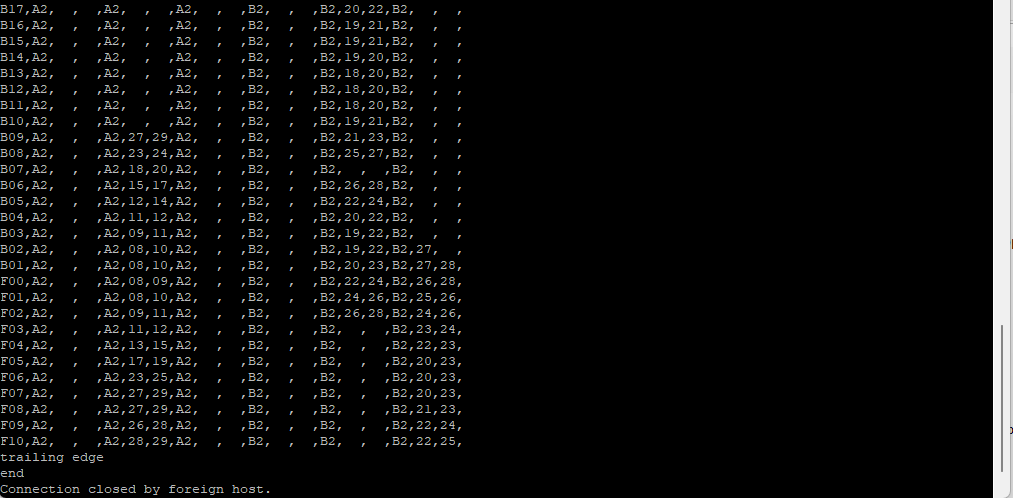
Once complete attempt the same test again, ensuring VOID is not printed across the label.
^XA
^RS8
^RFW,H^FD523130433030303030303031^FS
^FO50,50^A0N,40,40^FDTEST RFID^FS
^XZ
If the label prints successfully the printer is re-calibrated.