Creating Production Stations
Production Stations
The production station is an individual work station for a task. This could be slicing, mixing, assembling, etc. Production stations are what the user interacts with on the production floor. Production Stations have default settings for bins, printers, etc.
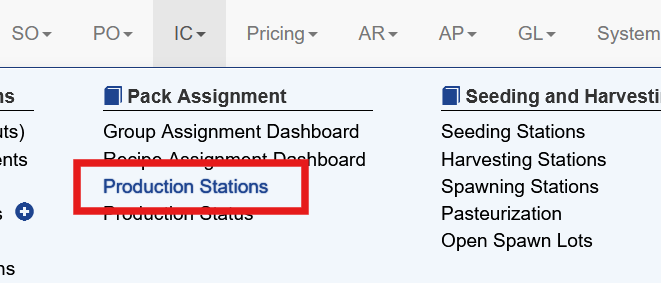
Production station maintenance is under IC - Production Stations
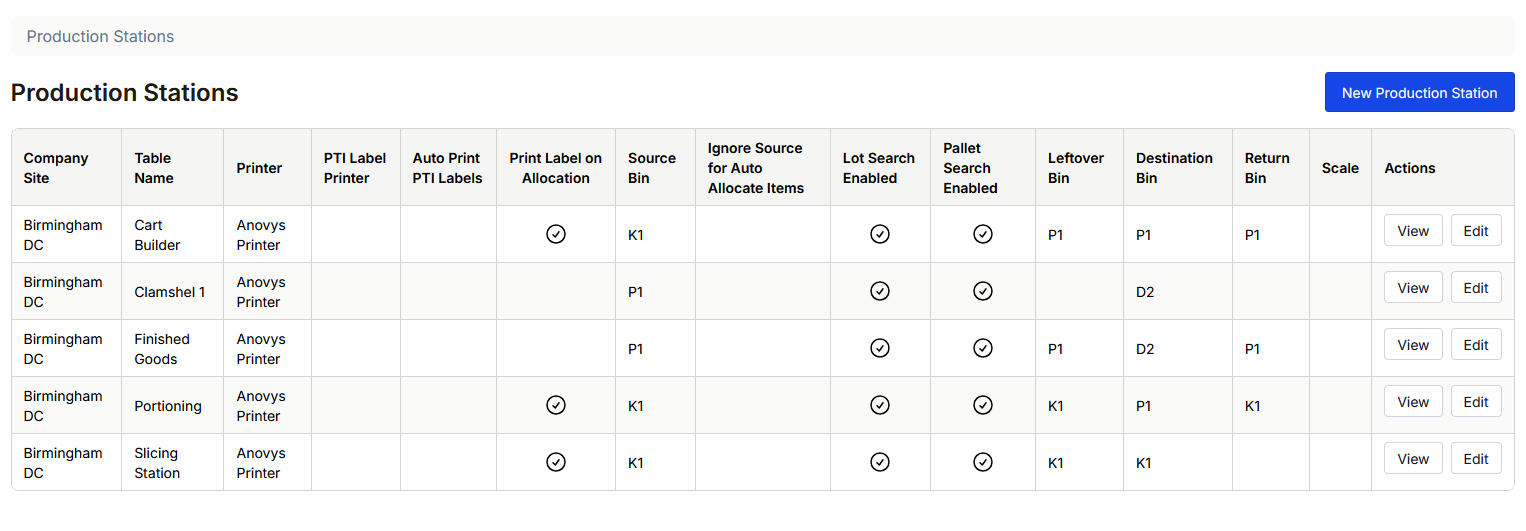
This screen shows all existing production stations and their current settings.
Creating a Production Station
To create a new production station select the New Production Station button.
The top section shows the name and location details for the station
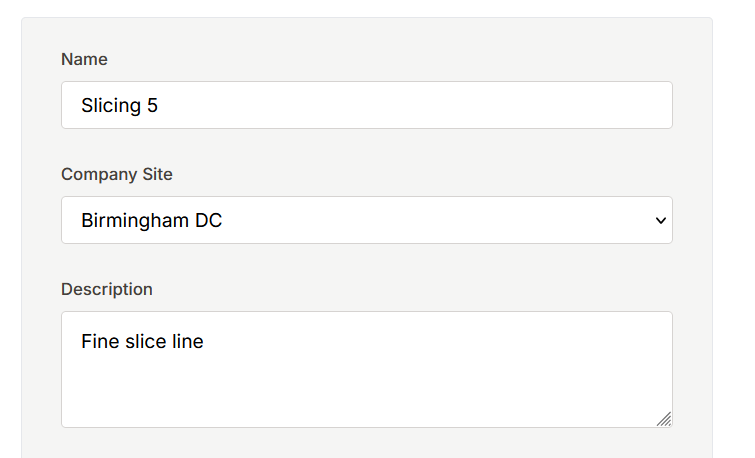
Name: The name of the production station
Company Site: Which company site uses this station
Description: An optional description of this station
The label printing section defines what printers are assigned to the station and how printing operates.
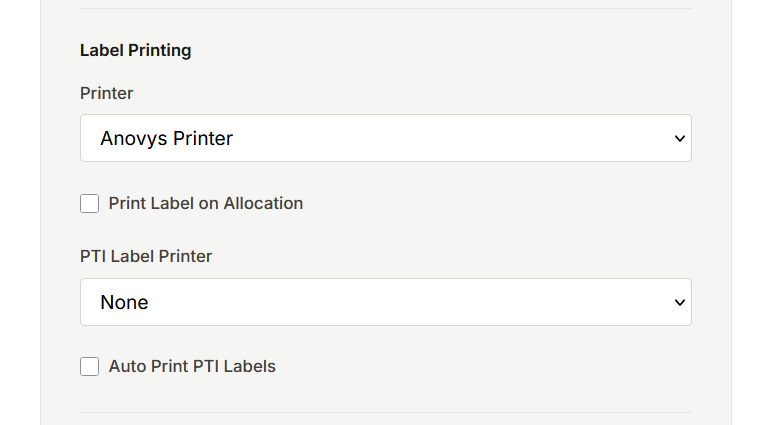
Printer: This is the default printer used to print production and inventory labels as needed. This is often for woks in progress for lot traceability during further production
Print Label On Allocation: This tells the system to automatically print a label when the inventory is allocated to a particular job. This is often used with assembling raw materials so all lots are tracked through its movement.
PTI Label Printer: This allows a station to define where PTI labels are printed. This is typicaly for finished goods
Auto Print PTI Label: When this box is checked the PTI label required by customer is automatically printed to the printer.
The Location Defaults are where the inventory bins, within WMS, are defined.
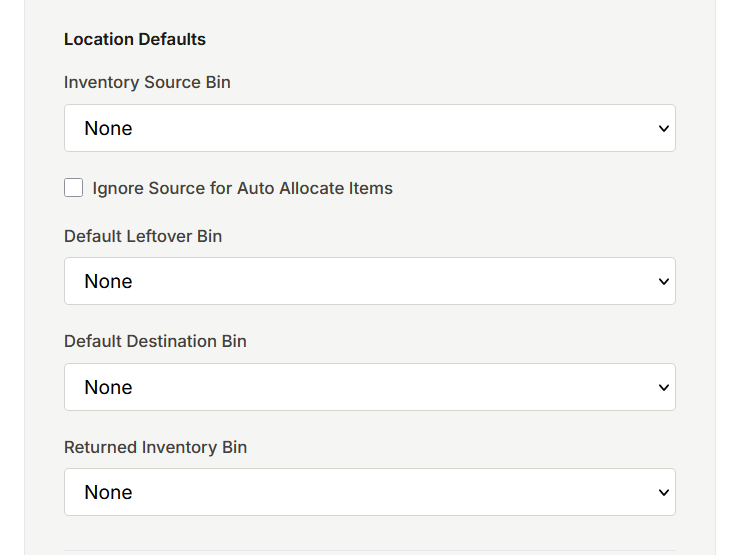
Inventory Source Bin: This bin is where the production station expects to find its source inventory - more on this below
Ignore Source for Auto Allocate Items: more info from matt here
Default Leftover Bin: This bin is where left over inventory remains once a job is finished more info from matt here
Default Destination Bin: Once a job is complete this is the bin the newly created inventory is assigned to - more on this below
Returned Inventory Bin: When excess inventory remains after completing a job and it is processed back in using the Return Inventory function the system retuns that inventory to this storage bin.
Additional Station Configuration
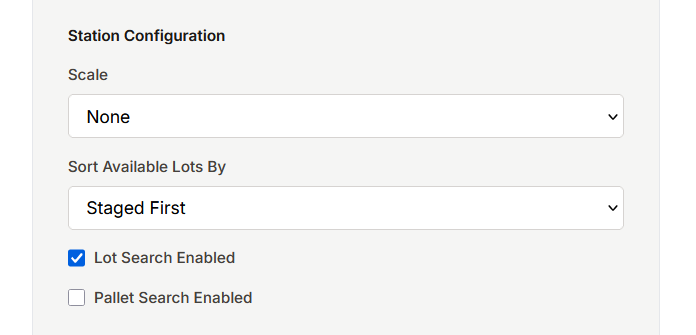
Scale: When a production station has an IP scale to weight product, this options chooses which scale to use. Scares are configured in System - Scale
Sort Available Lots By: This controls the order that avaialble lots are shown.
Staged First: This shows source inventory that is staged first, followed by all other inventory, oldest first
Oldest First: Available inventory is shown oldest first, regardless of location
Lot Search Enabled: This allows production stations to allocate raw materials by lot number
Pallet Search Enabled: This allows production stations to allocate raw materials by pallet number
Item Priority
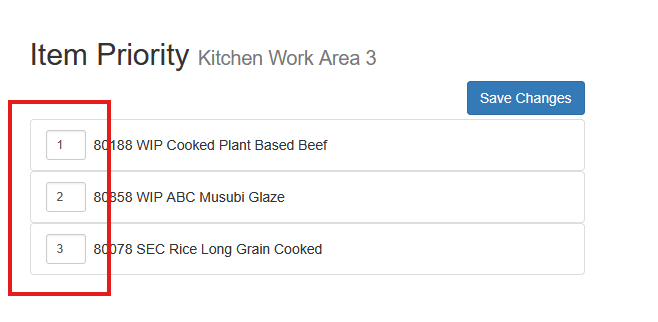
Item Priority allows a user to order the items that are assigned to this station.
To use item priority the item's kit must be assigned to a default production station.
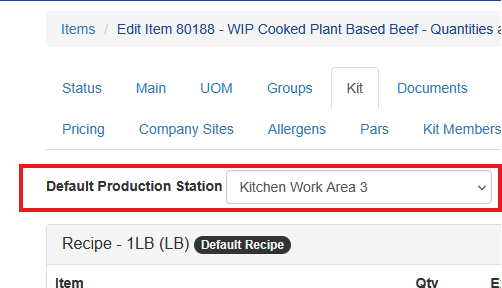
Once that is assigned choose Item Priority on the station maintenance screen
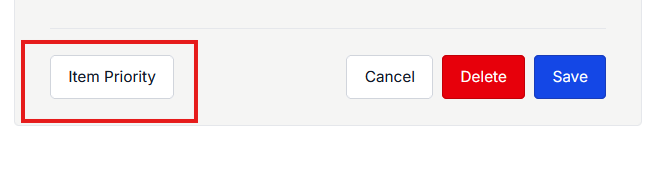
All items assigned to that station will show. Changing the numbers reorders the items with the new priority. Be sure to click Save Changes when complete.
Default Source Bin
The default source bin helps the production station know what lots to use for cost calculation and traceability.
When source inventory is staged the staging module is typically configured to place the inventory in a staging bin that corresponds to the station that will use it.
When WIP items are made at prior stations, that stations Destination Bin is typically configured to the the source bin where the item will be used next.
The Ignore Source for Auto Allocate Items is a setting that can be turned on as needed for certain stations.
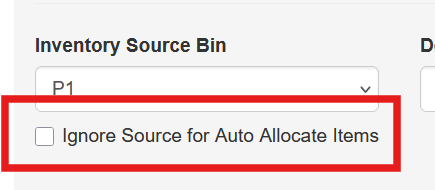
When this station is set to ignore source for auto allicating items, any item configured for Auto Allocate in Item Maintenance will not be checked to determine ready status. More on the Ready status in subsequent sections.
Default Destination Bin
The default destination bin tells the production system where to place this newly created item when it is completed. This works in tandem with the Default Source Bin for the next station.
When the item is a finished good the default destination bin is often configured to be a dock or shipping bin.