Direct To Bin Receiving
Direct To Bin Receiving Configuration
In item maintenance an item can be configured for Direct To Bin receiving. Traditional receiving has the user scan the item's license plate and then scan the bin location. For certain items, especially items in gravity/FIFO flow racking, this creates unnecessary steps because the item is always going to the same bin.
Sprout can be configured to eliminate unnecessary steps by enabling direct to bin receiving.
Enabling Direct To Bin
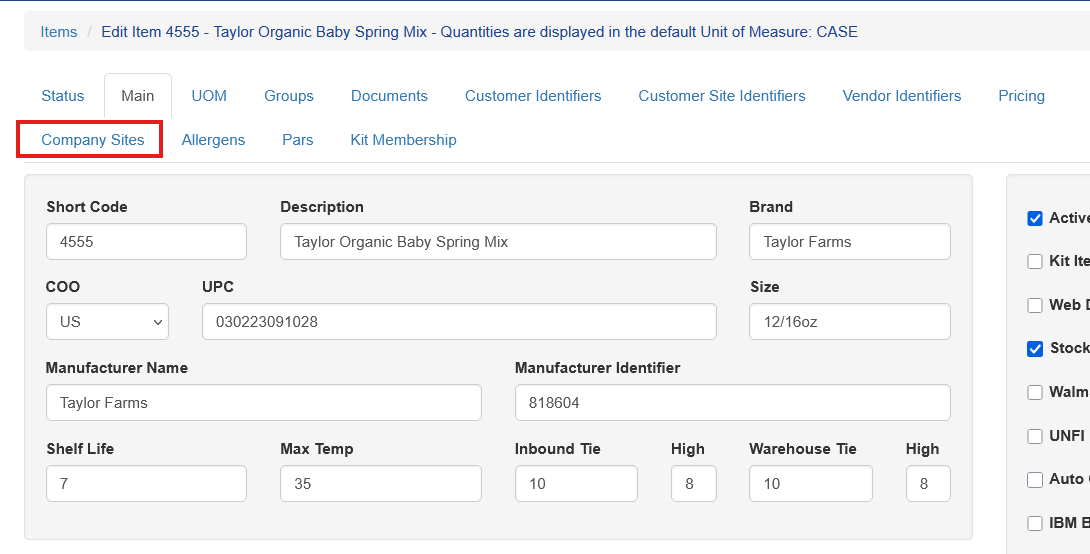
To configure direct to bin select the item and choose the Company Sites tab
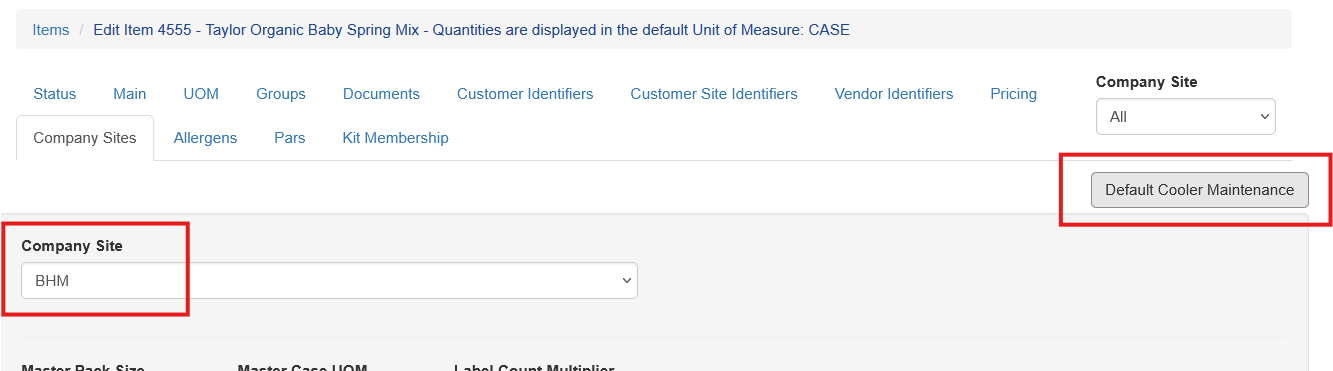
Select the company site and click Default Cooler Maintenance
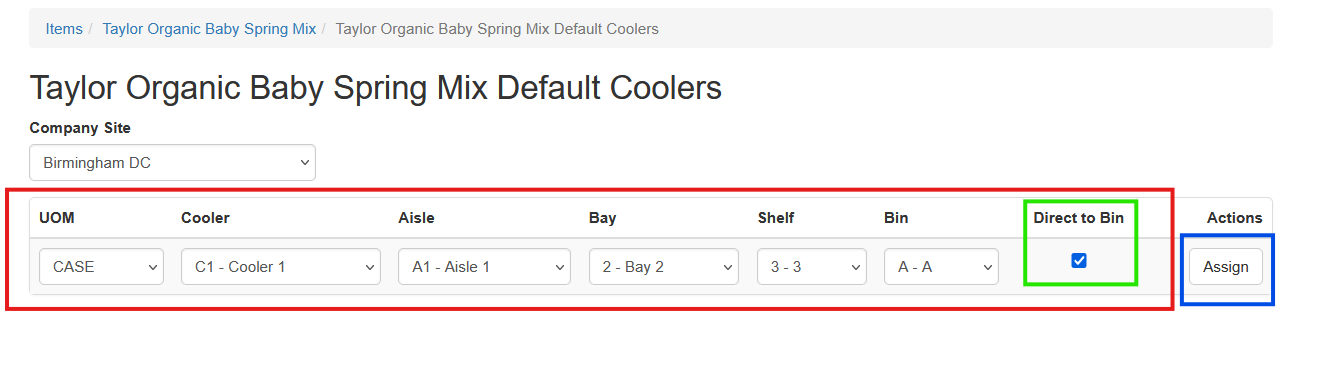
For the received unit of measure, typically the case UOM, choose the location the item is stored and check Direct to Bin, in green, and click Assign, in blue.
When this item is received the user will receive it normally, capturing truck details, lot numbers, quantity, etc and place it directly in this bin for the order selection process.
Direct to Bin Reporting
A direct to bin report will show all current items marked as direct to bin as well as their location. The item number can be clicked to take the user directly to the configuration.
