Entering Payable Credits
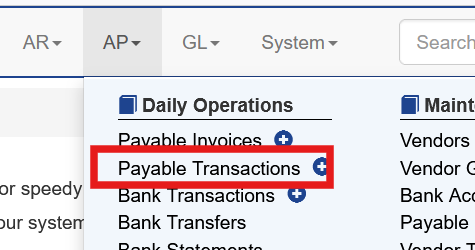
When a credit is provided by a vendor the user can enter in the system by selecting AP - Payable Transaction
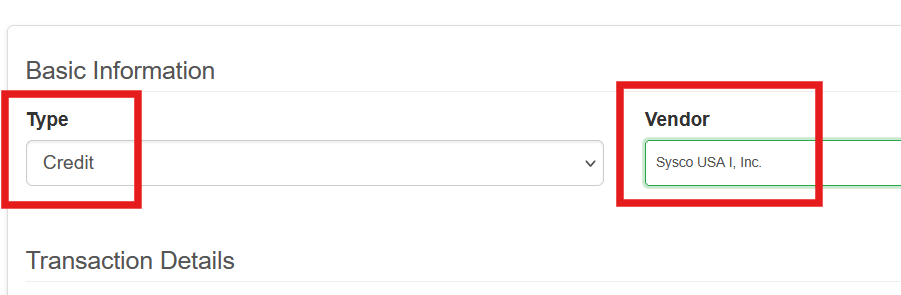
Set the type to Credit and choose the Vendor
Enter any description details in the description and reference.
Then enter the amount, date and select the invoice(s) and amount(s) to credit
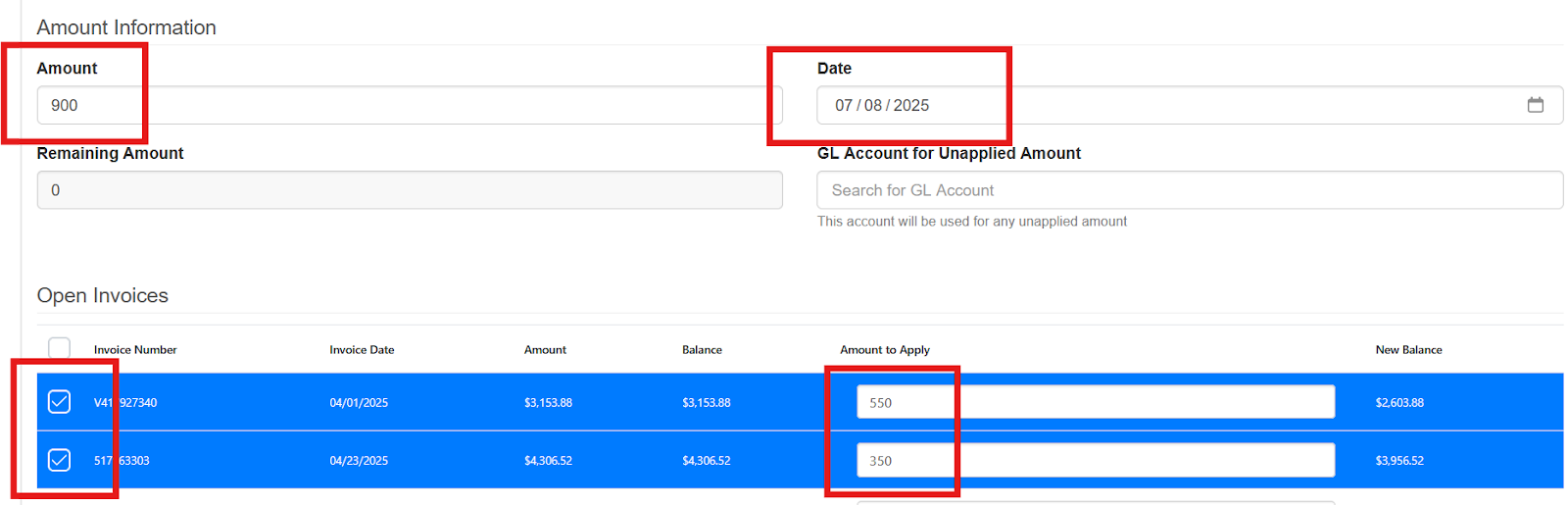
The system will apply the amount to the invoices and update the balance due
Before:

After:

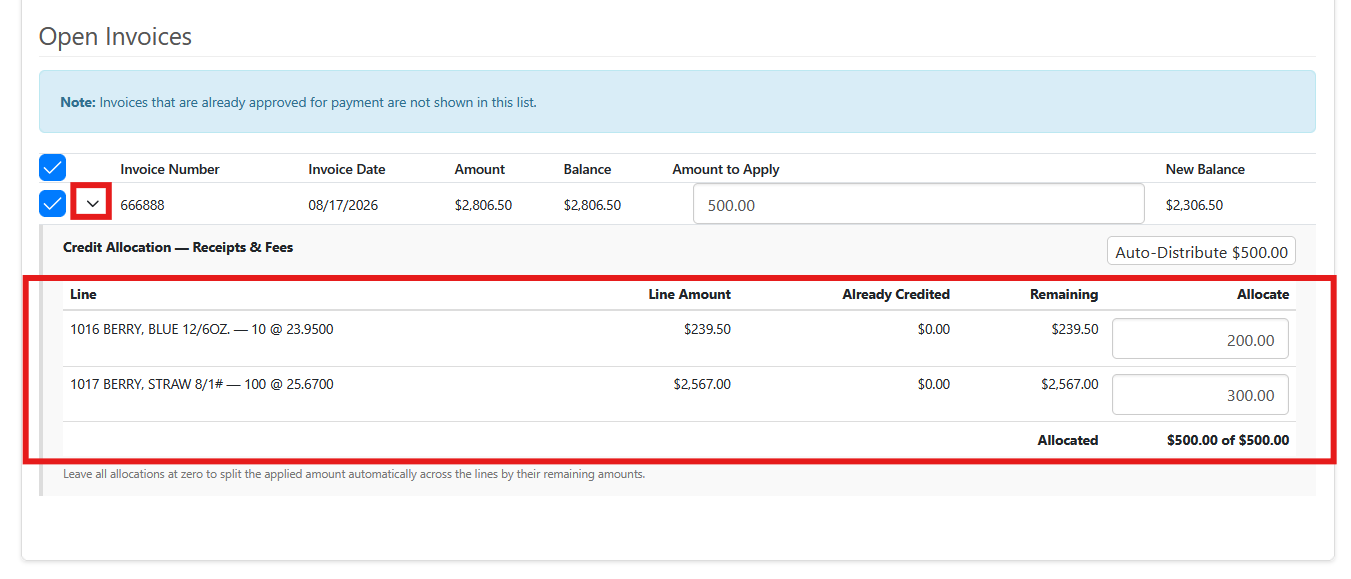
Credits on Individual Line Items
By expanding an individual Payable Invoice for a vendor credits can be issued for individual items on that invoice.
Void Existing Payable Credits
If an applied credit needs to be voided, choose AP - Payable Transactions. Next to the credit choose Void.

This removes allocations to the selected invoice(s) and the credit can be reentered as needed. A saved and applied credit can’t be edited.
Voided credits remain in the system with a status of Voided.