Receive Items
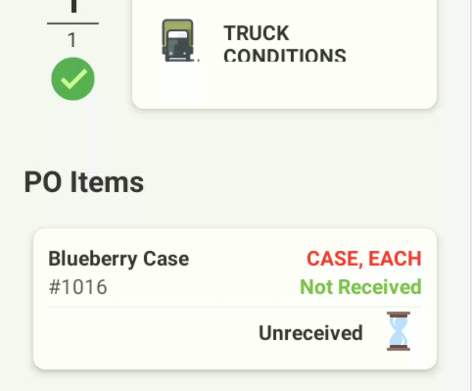
After Truck Conditions are saved, you will return to the PO Screen. Scroll down to see the items on the purchase order.. Choose the first item to receive:
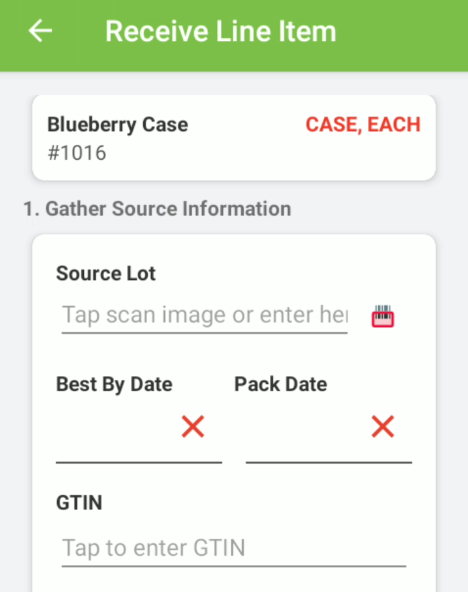
Item source information
This is the line item screen. Here you can scan or key in the source lot, the best by date or the pack date and the GTIN.
GS1-128 Label Information
If the item has a GS1-128 label, scan the barcode to capture all the data automatically. You are looking for a label similar to this:
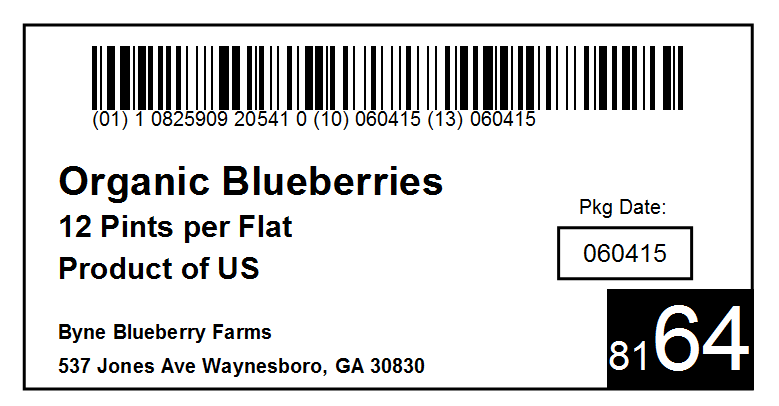
The label may look a little different, however the barcode you are looking for typically is numbers in parentheses followed by a longer number, followed by another number in parenthesis, and the process repeats. For example:
(01) 10825909205410 (10) 060415 (13) 060415
Scan the barcode or key in the source information
Initiate the scanning system by clicking the scanner icon:

And scan the GS1-128 barcode. The available information will automatically be filled in.
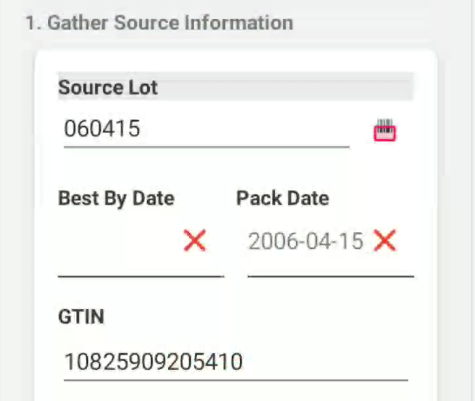
Additional information on dates
It is normal to have either best by or a pack date, but not both. For data not captured via the scan, key it in.
Country of Origin
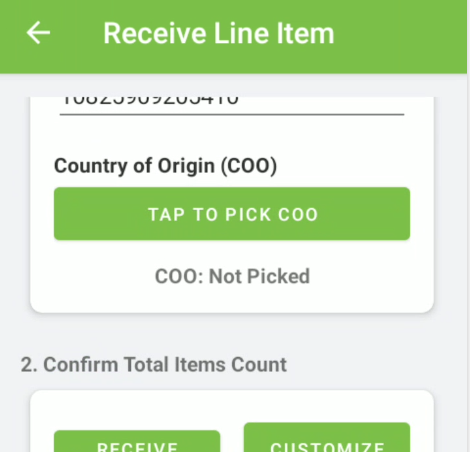
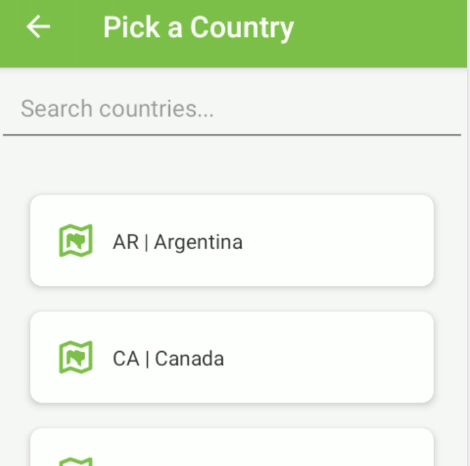
Choose the Country of Origin by tapping “Tap to Pick COO”. Available Country of Origin codes for your company will populate. If you are missing the one you need please see a manager.
Verify quantities
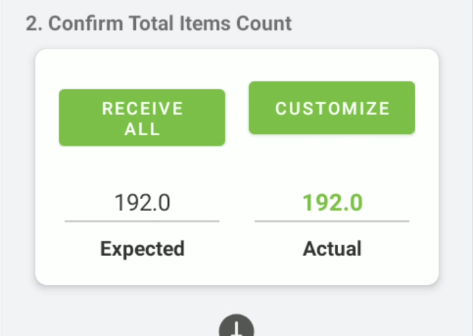
Once the COO is selected, verify the amount in the “Expected” field, which is the amount on the PO. If the Actual amount is equal to Expected, click Receive All. Otherwise, click “Customize” and enter the actual amount received. This will update the PO in Sprout.
Optional Direct To Bin Receiving
At this point in the receiving process the item may be setup for Direct To Bin Receiving. Screens will vary if a particular item is direct to bin. For more informaton, please visit Direct To BIn
Verify pallet counts
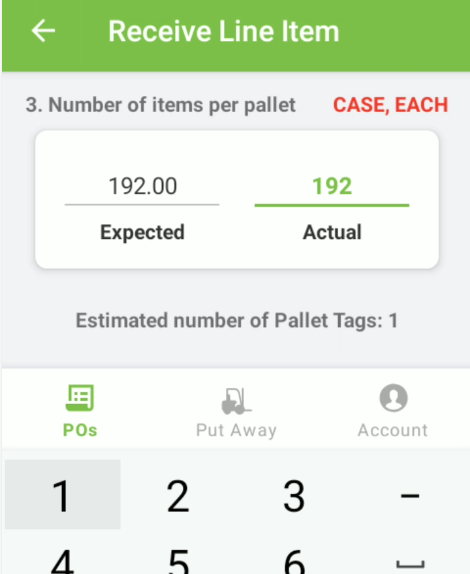
Next verify the number per pallet. This will be the number that is assigned to each pallet tag (also called license plate). If you have unequal numbers, such as a partial pallet, a pallet tag will print with the remaining amount for the last pallet as well.
Print Pallet Tags
Then click Print Pallet Tags (also called license plates)
Pallet Tag Example
You will get a pallet tag similar to this.
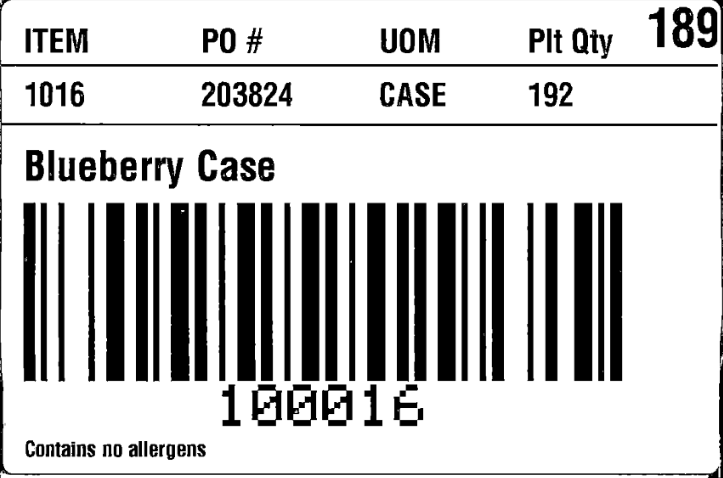
It shows the item, details about the item and PO, the number of items on the pallet and in the top right the 189 is the Julian date that it was received. This will be used during put away. NOTE: You can reprint pallet tags back on the main screen if you lose one.
Julian Date
A Julian date is often used in food. It is a number that represents the number of days since January 1st of a given year. For example, February 5 would be a Julian date of 36 because it is the 36th day of the calendar year. December 31st of a non-leap year would be 365.