Tax Rate Setup
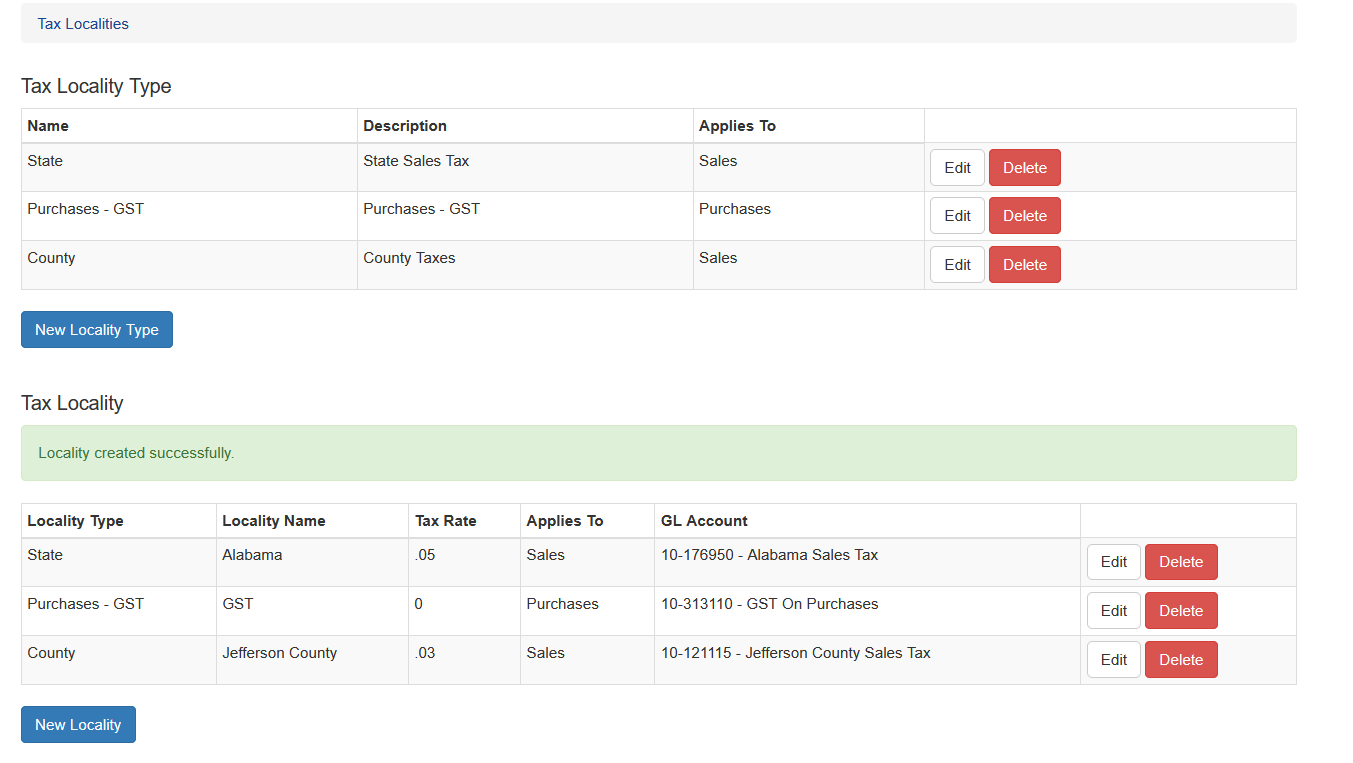
Under System select Tax Localities. This screen will show all the current localities and rates for
each locality.
Tax Locality Type
A tax locality type is the largest, similar jurisdiction. This could be a state, province, county, or city. It can also be used for VAT (value added tax) or similar national taxes.
The tax locality is used to group jurisdiction types together. Typically a customer will only have one instance of any Tax Locality Type assigned to a customer site.
Locality Types must also be set to apply to Sales or Purchases
Add a New Locality Type
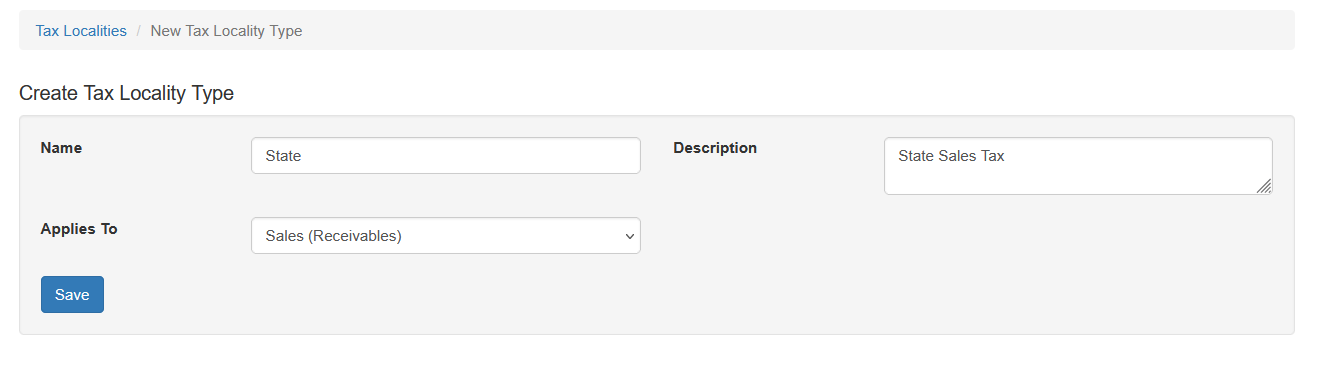
To add a new Locality Type click New Locality Type. Enter the name and a brief description of the type, then click save.
Tax Locality
A Tax Locality is the jurisdiction that collects a particular tax. The localities are assigned a specific locality type for grouping purposes.
The locality is assigned to a customer’s site and used to calculate taxes owed on an invoice.
Adding a new Tax Locality
Before adding a tax locality the user should first create the associated General Ledger account that will be associated with this locality. More information can be found in the GL documentation.
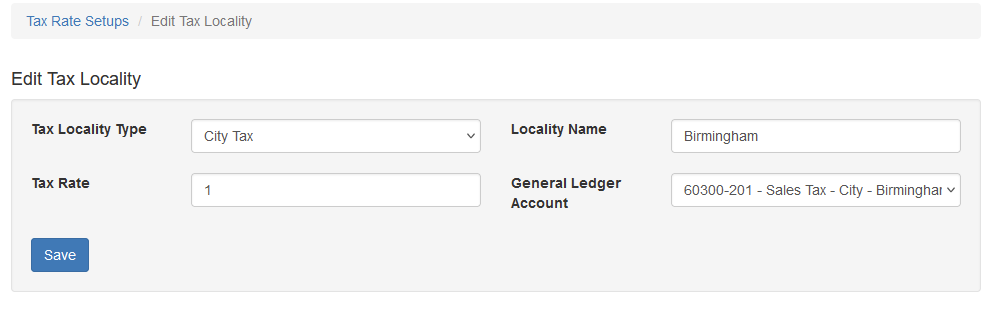
To add the new Tax Locality click New Locality. Choose the type that matches the jurisdiction. Enter a name and the tax rate percentage without a percent sign. Choose the GL Account and click Save.