Configuring Sales Tax
Taxes on sales are configured by creating localities and assigning that to customers and items.
Configuring Customers
To charge tax on an invoice, a customer must be configured with the correct localities. To set these localities open the customer and choose the site to configure. Across the top choose Locality.
In the drop down select the correct jurisdictions and save the record.
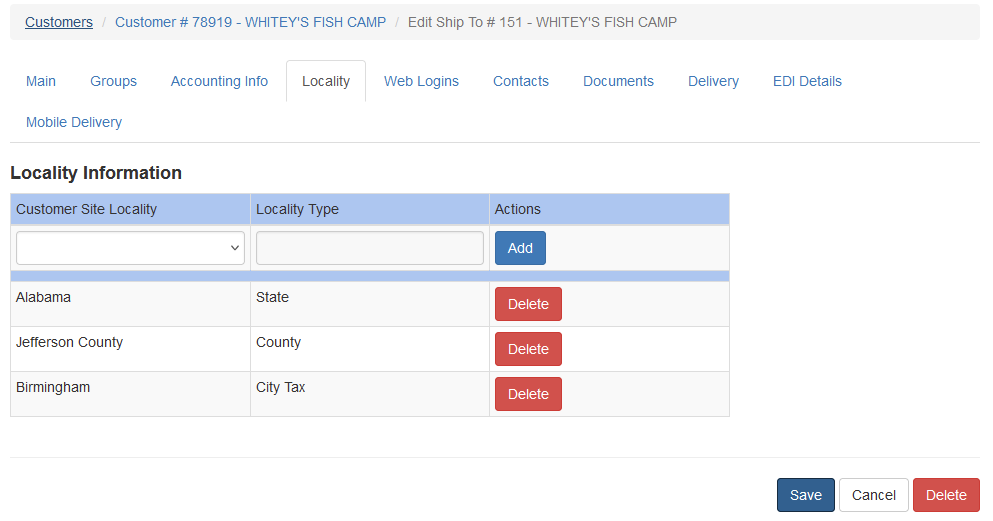
To remove a locality click the Delete button associated with the locality and save the entry.
Configuring Items
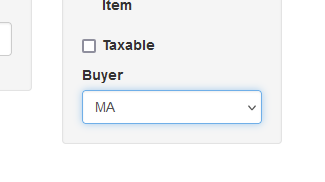
Items must be marked as taxable. This is found under the item Main tab. Check Taxable and then save the item
Tax Calculations
When an invoice for a customer is entered the total tax for taxable items is shown at the bottom. Only items that are marked as taxable are calculated. This follows the invoice throughout its life.
