Configuring Taxes on Purchases
Creating Tax Localities
Some jurisdictions, such as Canada, allow for refunding of certain taxes. To track these types of taxes Sprout has tax localities for purchases.
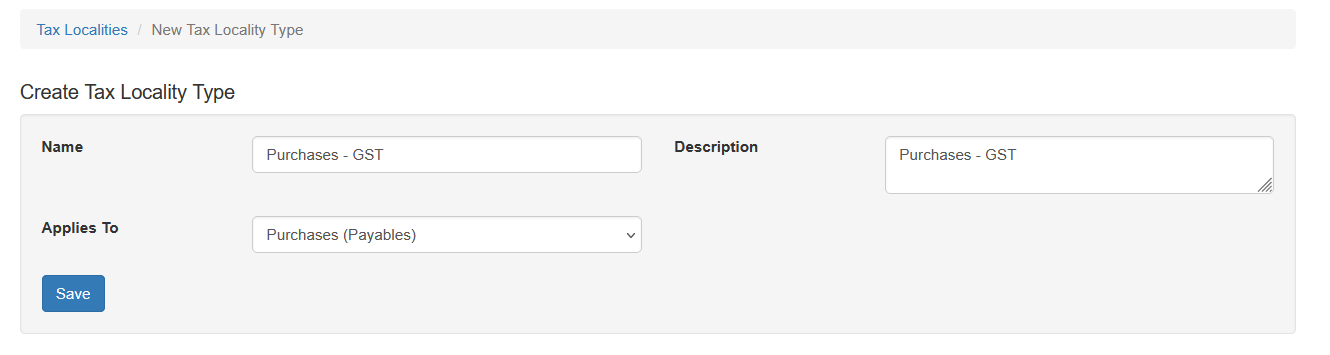
To track taxes, such as GST or PST, create a locality type for Purchases and set the Applies To option to “Purchases (Payables)”
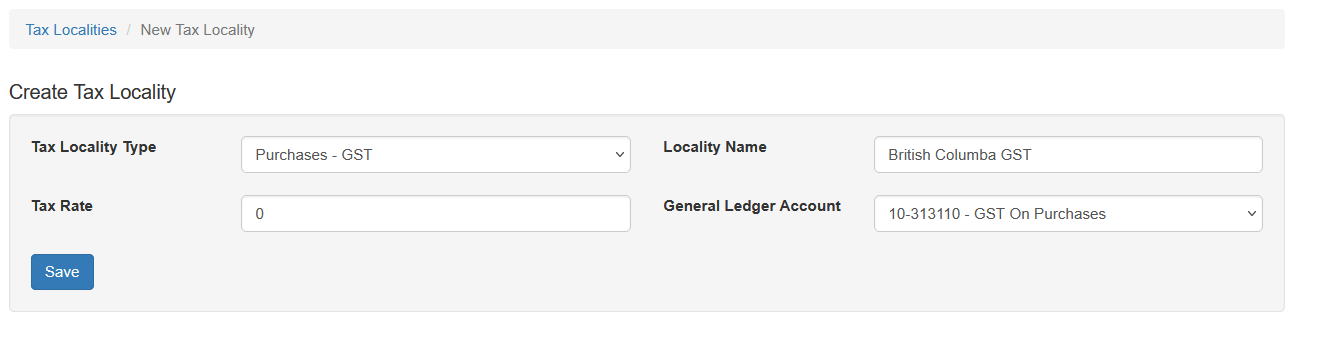
After the locality type is created a locality must also be added. Select New Locality, select the newly created locality type. Enter a name and select the General Ledger account associated with this locality. Typically the tax rate is zero.
Assigning Locality To Vendor
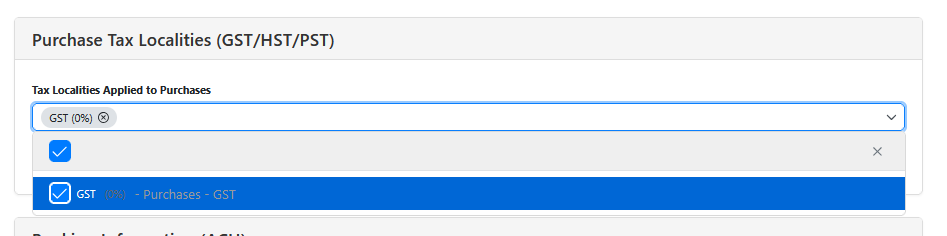
Once a purchases locality is created that must be assigned to the vendor. Locate the vendor and choose the accounting tab. Under Purchase Tax Localities select the newly created tax type and save the vendor
Apply GST to a purchase is covered in the Accounts Payable documentation. Note: The GST option will not show up on vendors if there is not at least one Type of Purchase configured.