Entering Payables with Taxes
Some payables, especially payables in Canada, are charged taxes such as GST. This particular tax is tracked for refund purposes. When a vendor is configured for GST tracking (covered in the Taxes in Sprout document) a box will appear allowing the user to enter the GST.
When entering a payable for these vendors a box to enter the GST will appear. The amount will then be allocated to the correct General Ledger account that is configured in the tax locality.
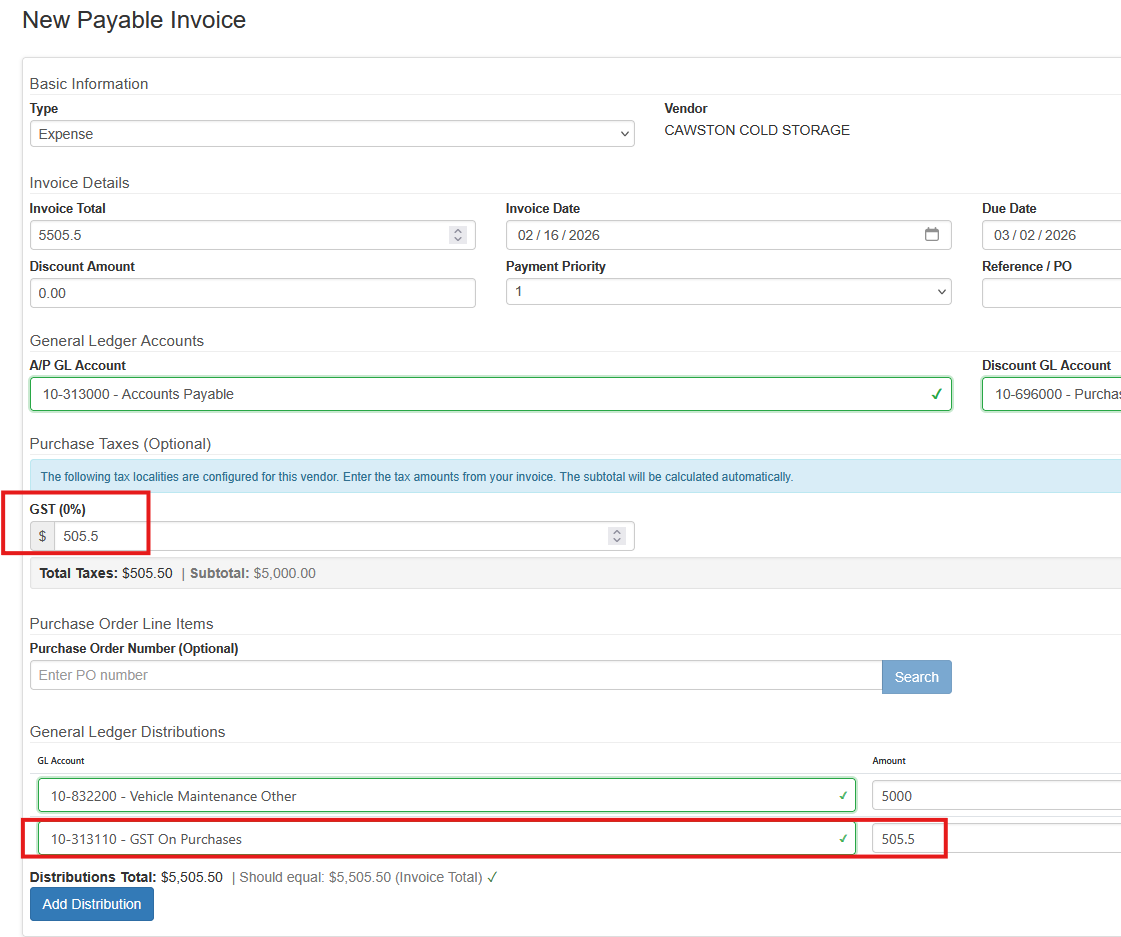
NOTE: If the vendor does not have a default expense account set the expense and GST distribution must be added using the Add Distribution button.
The rest of the payable is entered as normal.