Transportation
Sprout Transportation
Transportation Methods
Transportation methods tell the system how product is delivered or picked up. The methods also are used in routing to prevent unnecessary orders from showing.
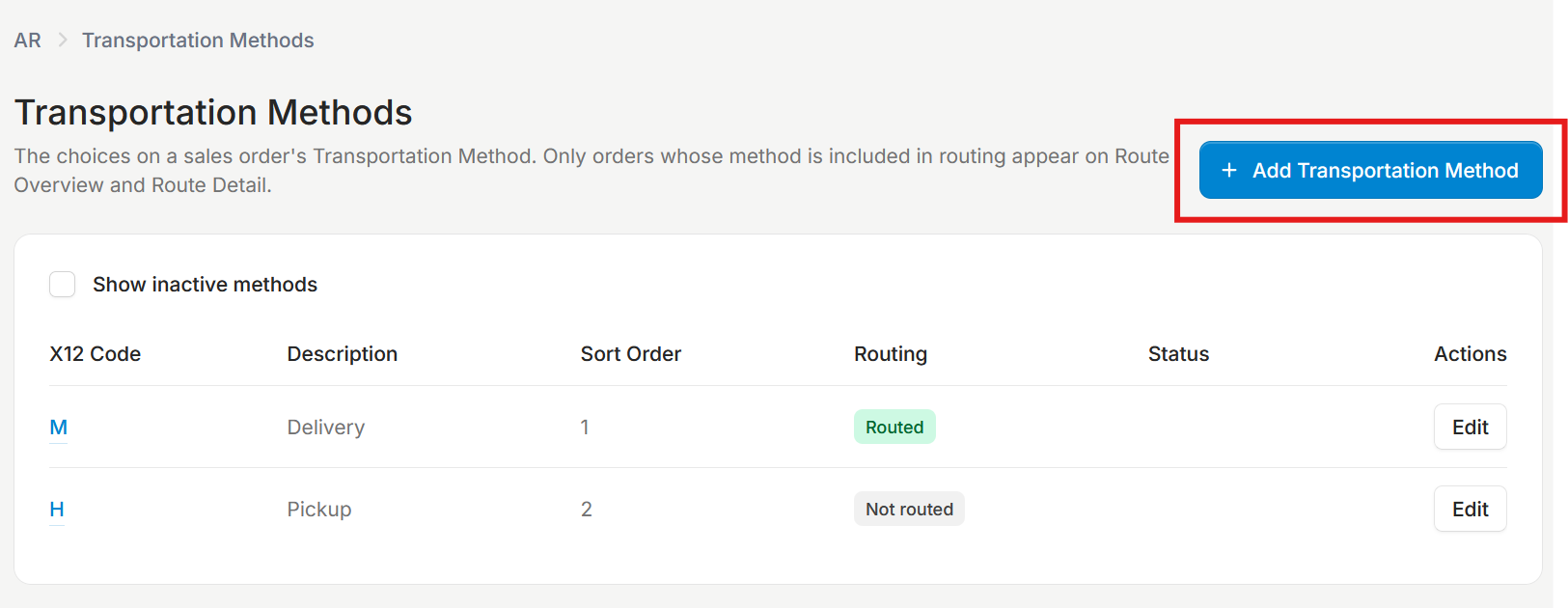
To view current Transportation Methods select AR - Transportation Methods and all current methods will be viewed. To add a new method click Add Transportation Method
Fill in the fields for the method:
X12 Code: This is the standardized X12 code to signify the transportation method on EDI transactions. These codes can be found here
Description: This is the description shown to users in Sprout
Sort Order: This determines the order that the method is shown on order entry, customer site setup, etc
Include In Routing: When checked, sales orders with this method are shown in the routing system
Active: Sets the method as active
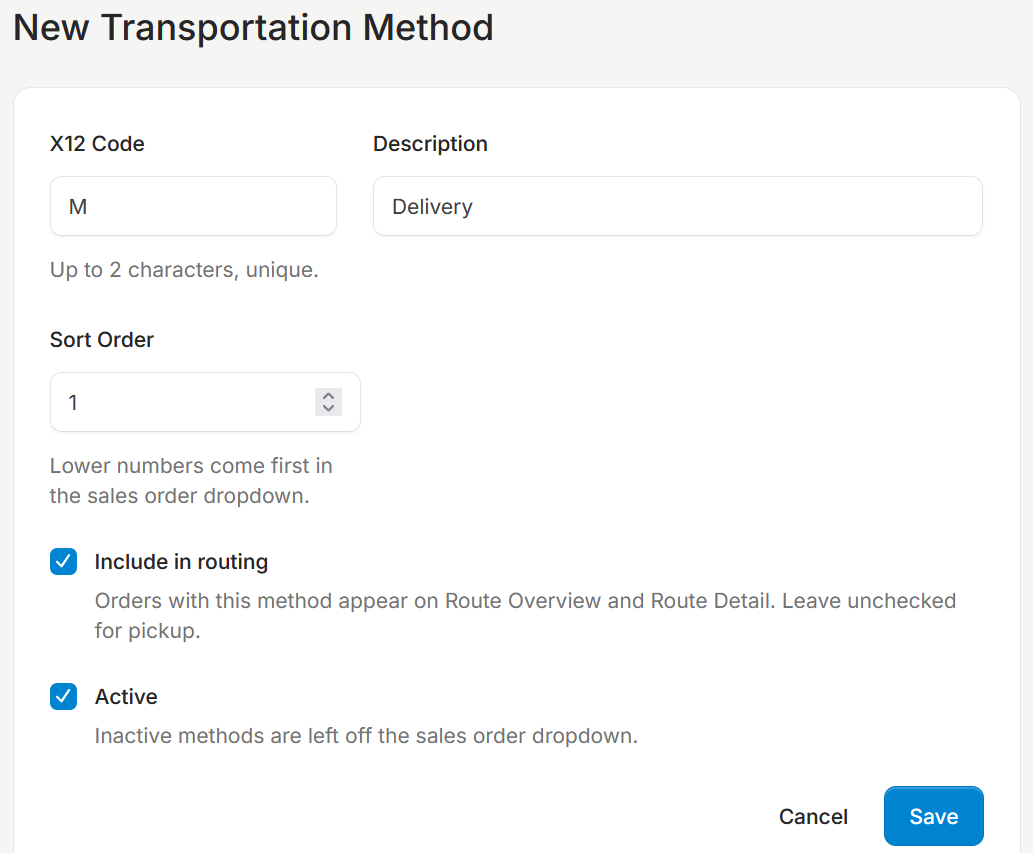
Once complete, click Save
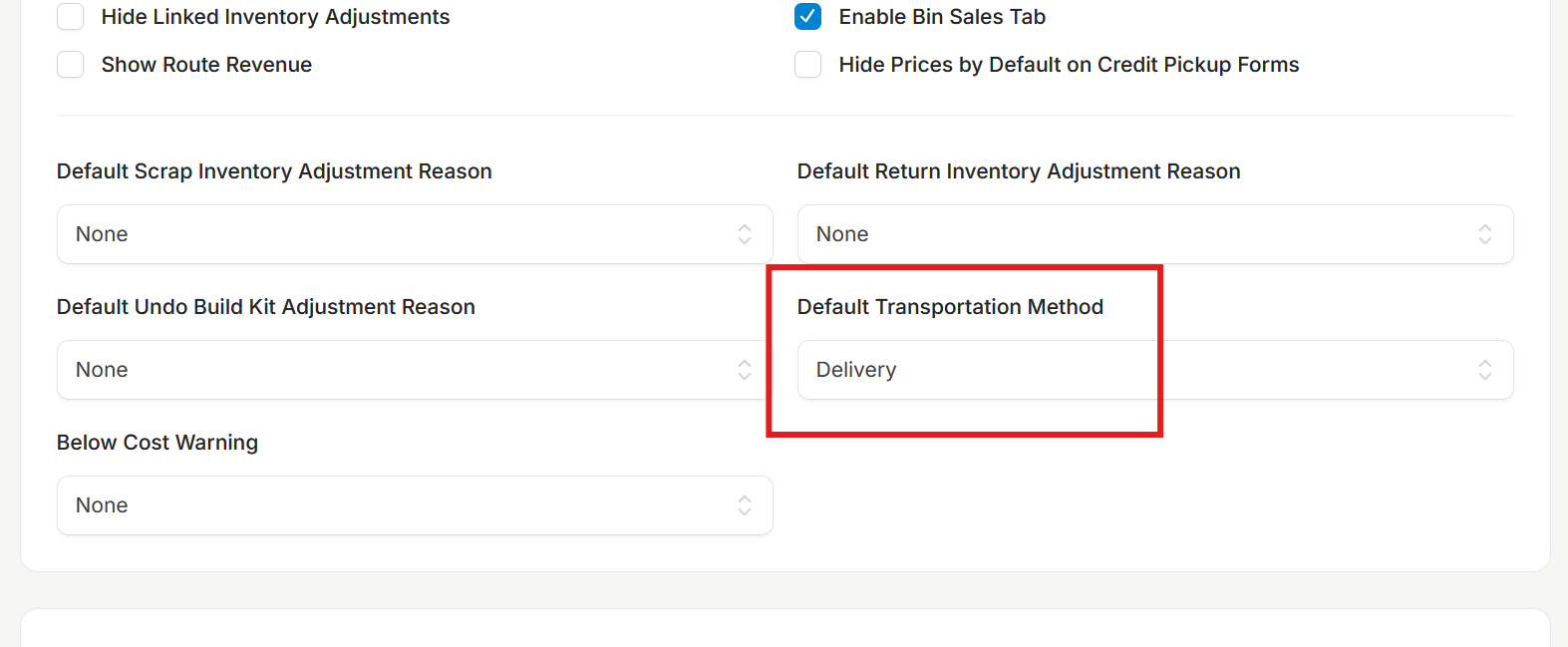
Company Site Default Transportation Method
On the Company Site settings, the default transportation method is set. If a default transportation method is set in Company Site a new customer will take that method by default. Sales orders for customer sites with no default method will also use the default transportation method.
Adding Trucks
To add a truck to Sprout visit System - Trucks. A list of current trucks and their details will be shown
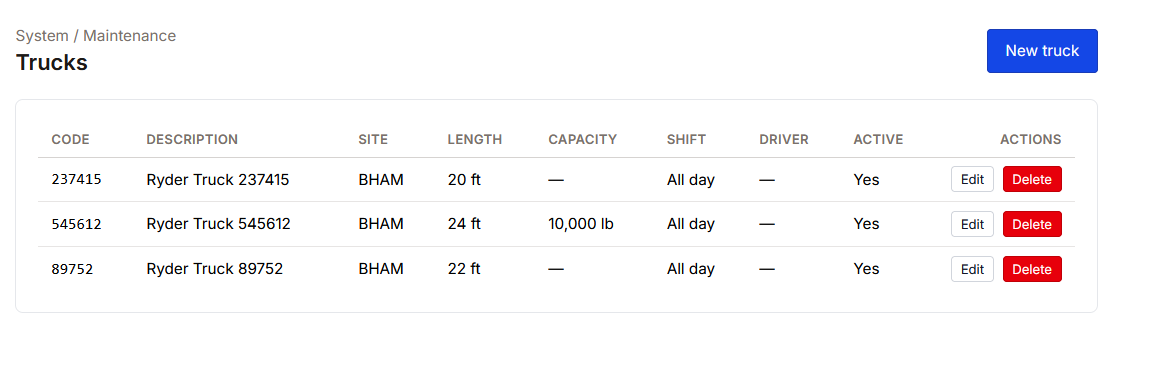
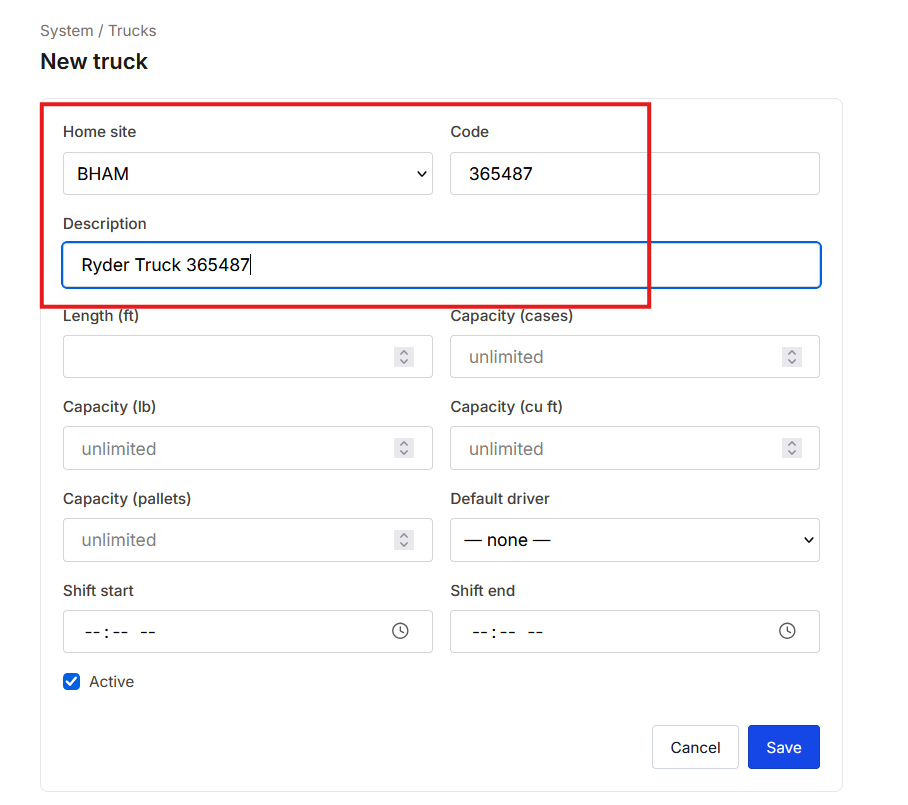
To add a new truck click New Truck. The warehouse, code and description must be entered. The rest is optional