Using The Staging System
Preparing Items for Staging
To use the staging system, first a sales order must be entered, the components for that sales order, plus WIP/secondary components, must be assigned to a production station. The assignment of the item to the production station is what populates the staging system with the list of items and their total components required.
Selecting the Staging Criteria
To use the staging system click on IC and Inventory Staging. The system will open with a screen similar to the one below.
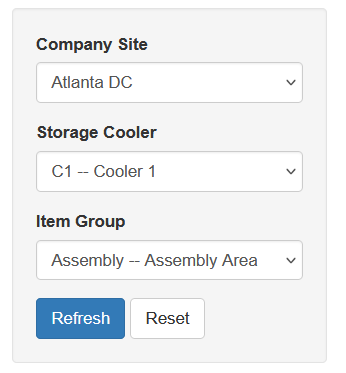
Company Site: is the location where you are working
Storage Cooler: This the current cooler you are working in to gather all required items stored in that selected cooler
Item Group: When a user is staging for multiple areas in a company these groupings help filter the items down. More on this is above in the Prerequisites section.
Refresh: Loads in to the staging system items meeting the selected criteria
Reset: Clears all current screens
Selecting Items
Once the user loads the screen a list of all items that are stored in the selected cooler will be presented.
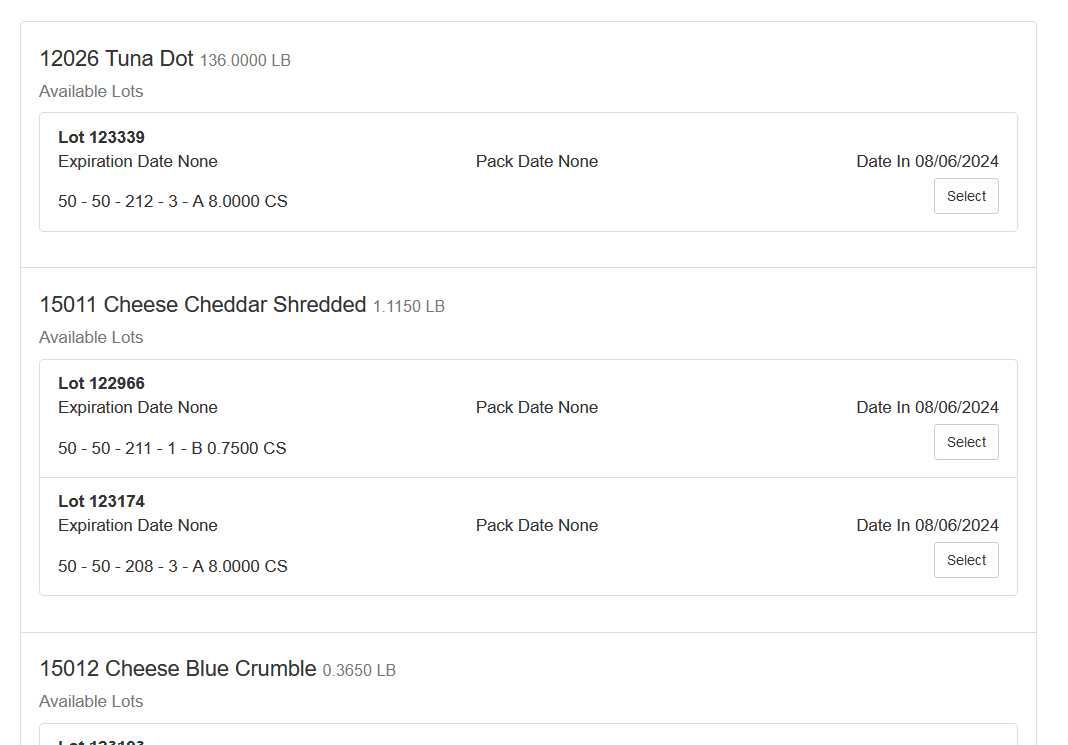
The user will see the item number, item name and the total required for all items that are produced that meet the criteria.
The next section shows the lots, as well as the expiration and pack date, if captured during receiving via WMS, as well as the date the item was received. The exact location of the lot as well as the total amount of inventory for that lot.
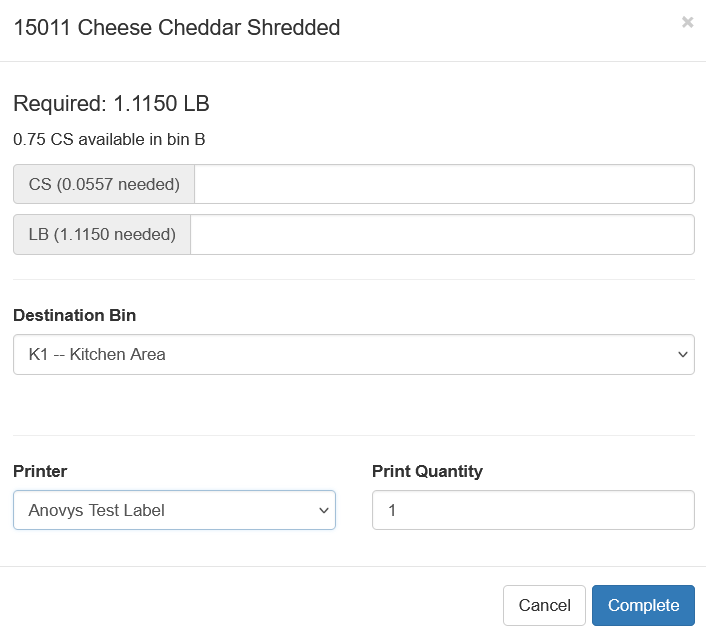
The user can choose the lot they wish to use by clicking the “Select” next to the lot.