Adding and Maintaining A Seeding Station
Adding a Station
To create a new seeding station go to IC - Seeing Stations and choose Add Seeding Station.
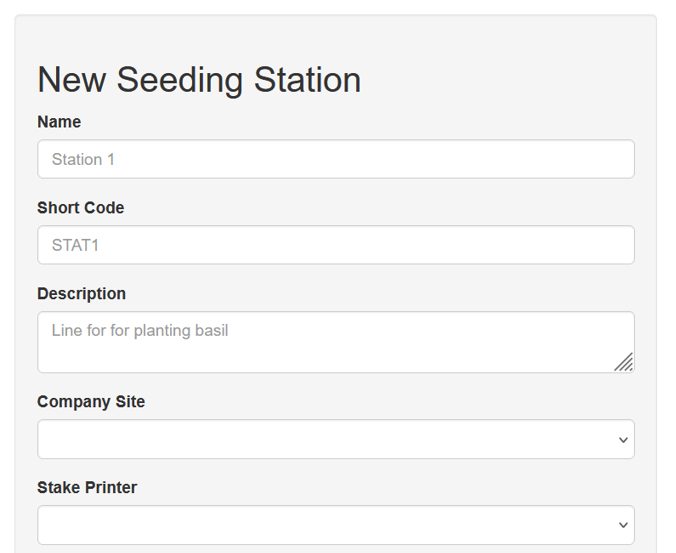
Give the station a descriptive name as well as a short code, which is an abbreviation, and a description of the station’s use. Seeding stations are specific to company sites, so select the company site.
If you use a stake printer, or similar, to print details of the seeded lot choose the Stake Printer here. Note: The printer must first be created under printers before it can be selected.
Be sure to save your settings before moving on.
Assigning Items to A Seeding Station
Once your seeding station is created you can add items to that station. Only items added to a station before use can be seeded. You can’t seed items ad-hoc.
To update a table, choose edit at the far right:

At the bottom of the seeding station maintenance screen is a list of items assigned to that table as well as a search box to add a new one.
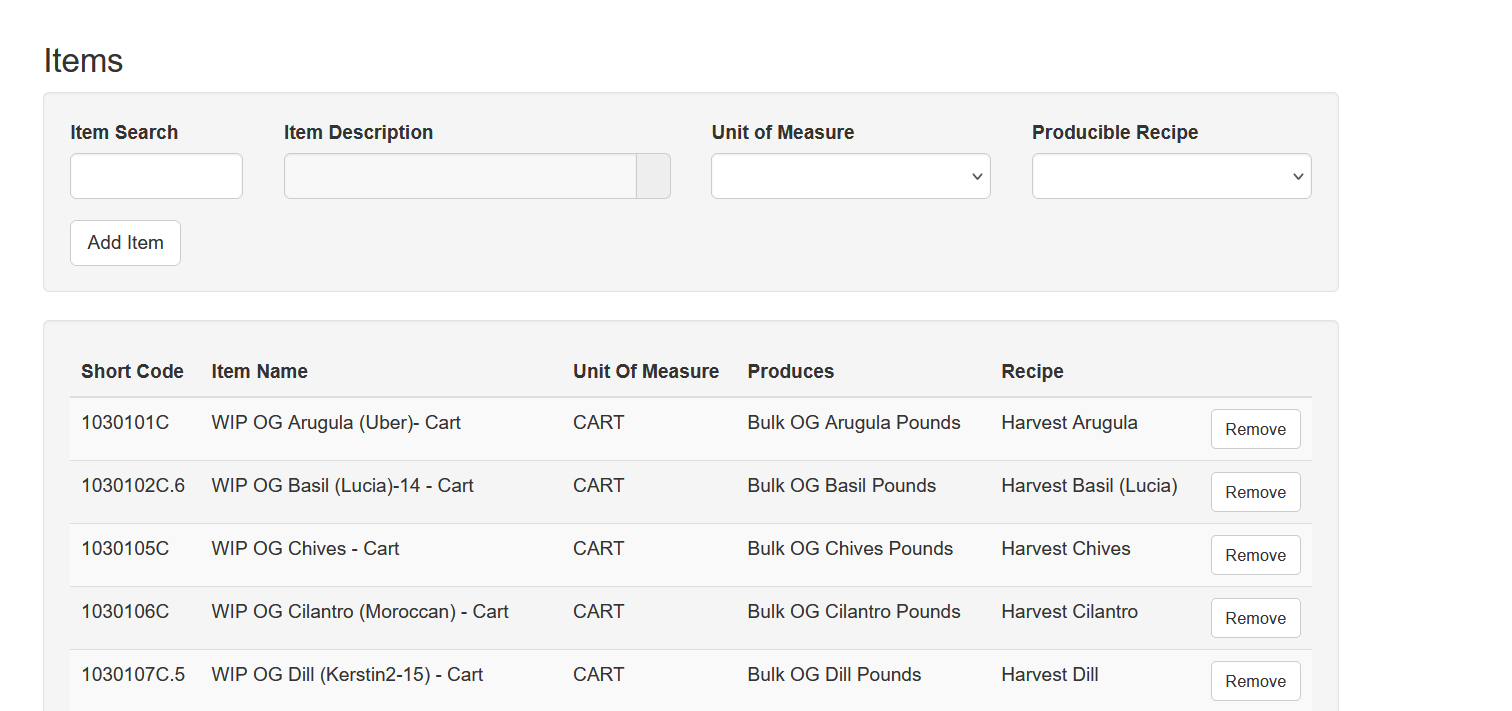
Item Search: Search using the item code, or part of the name
Item Description: The name of the item selected
Unit Of Measure: The unit of measure that will be seeded - this is a UOM from Item Setup
Producible Recipe: This is the item that the seeded lot is harvested into at the Harvest Station. This is used to tie the process together.
Remove Items From A Seeding Station
To remove an item click Remove. It is best to leave an item on the seeding station until all harvests of that lot are complete. If it must be removed the harvest users will have to search for the item they are harvesting.