Advanced Pricing Features
Advanced Pricing Utilities
Additional pricing parameter setup tools are found under Pricing - Advanced Price Utilities. These utilities allow the user to populate certain fields or add certain pads to items on a price level. Items can be selected by choose group combinations.
Additional Add on and Override %
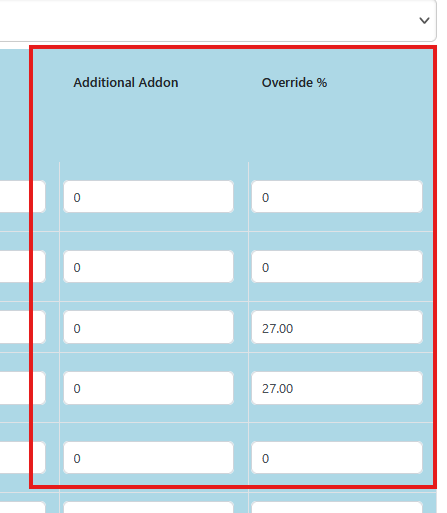
The additional add on and override percent, in the blue shading on the price level grid can be populated en masse with the Advanced Pricing Utility.
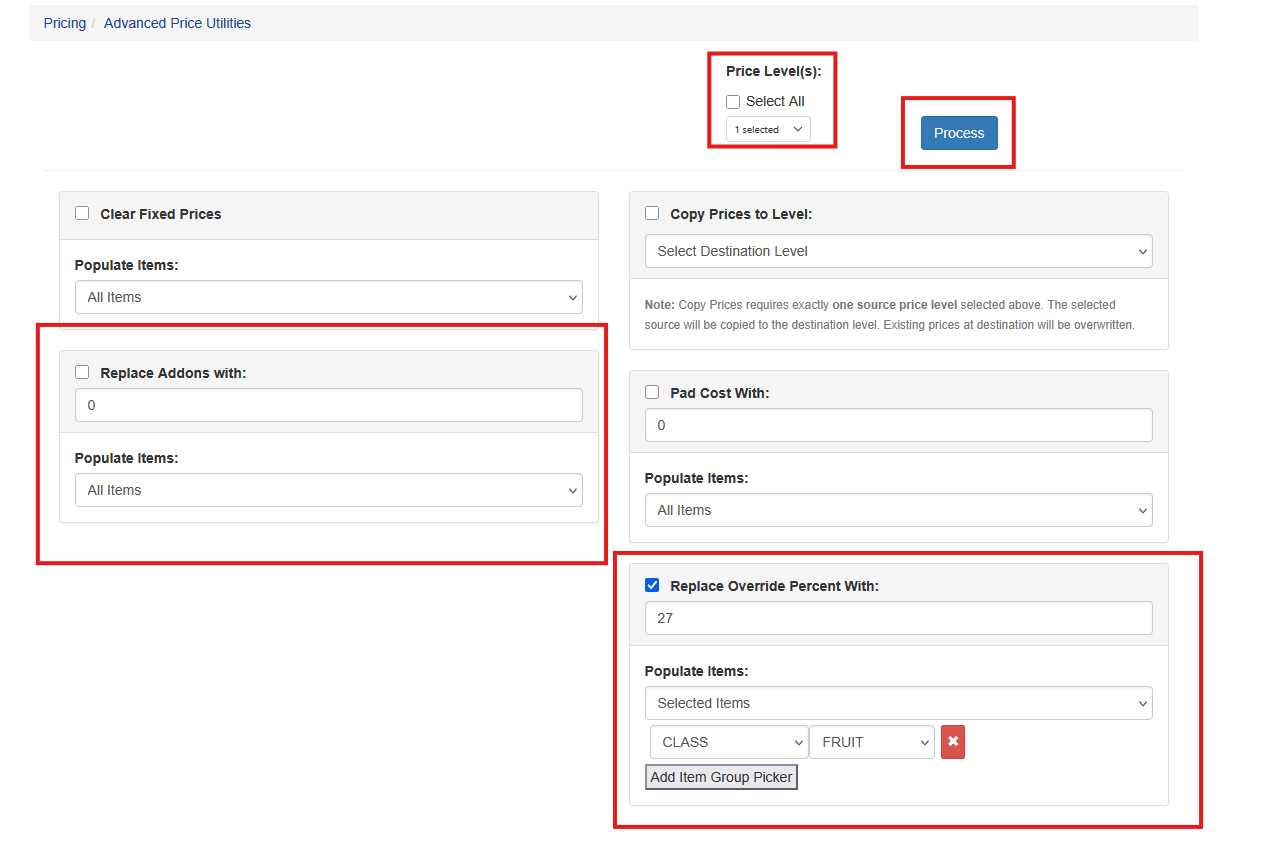
Select the price level(s), choose the criteria, such as specific group(s) and the value to add to the respective fields. Once all data is configured click Process.
These fields will stay populated through all future cost and pricing calculations until they are otherwise removed by the user.
Calculating Markup Percents
In Sprout, when marking up by a percentage there are two ways to process the calculation. The default option is to add percentage as a markup. The advanced option is to calculate the percentage to give the result as the gross profit margin. It is important that a user understand how this impacts price levels that are auditable if this advanced feature is used. It may result in a price different from a contract.
This is controlled with the Marup % as Gross Profit check box.
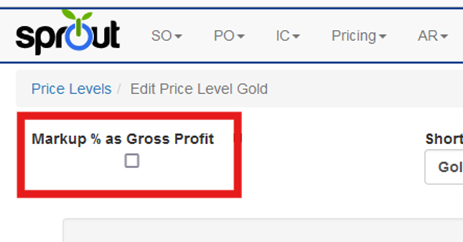
Do Not Markup Percent as Gross Profit
The default setting is to add the percentage on top of the cost base.
Assuming the cost for an item is $100 and the markup percentage is 25%, the resulting price calculation is:
$100 + ($100 * .25) = $125.00
Markup Percent as Gross Profit
The advanced option is to use the percentage as the desired profit margin. To enable this be sure to check the Markup % as Gross Profit check box.
Assuming the cost for an item is $100 and the markup percentage is 25%, the resulting price calculation is:
$100 + ($100 * 25/100) / (1 - (25/100)) = $133.33