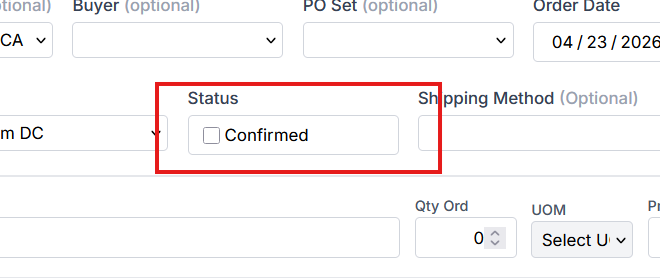
Confirmed PO Option
Sprout includes an optional PO Confirmed workflow. When enabled, a purchase order cannot be used for further processing until it has been confirmed.
For example, if PO Confirmed is required:
- the purchase order cannot be used for cost calculations
- the purchase order cannot be received
until the Confirmed checkbox is selected.
Enabling PO Confirmed
The PO Confirmed requirement can be enabled at the company site level.
To enable this option:
- Navigate to System → Company Sites.
- Edit the appropriate Company Site.
- Enable the Require PO Confirmed checkbox.
- Save the changes.
Confirming a Purchase Order
When the Require PO Confirmed setting is enabled, the Confirmed checkbox must be selected on the purchase order before the purchase order can be used for receiving or cost calculations.