Creating Purchase Orders
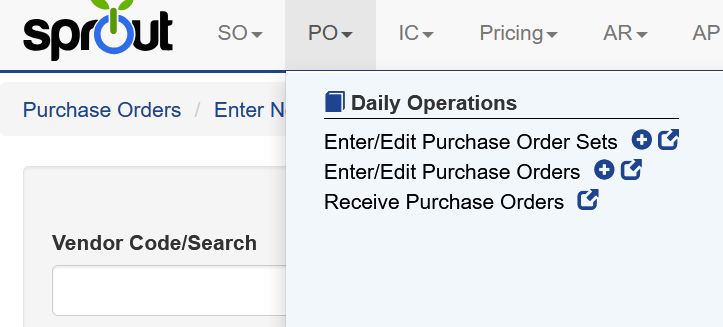
To create a new purchase order, select PO → Enter/Edit Purchase Orders from the main menu.
A new purchase order can also be started by clicking the plus icon (+) to immediately create a new PO, or by clicking the pop-out window icon, which opens the purchase order screen in a separate window and starts a new PO at the same time.
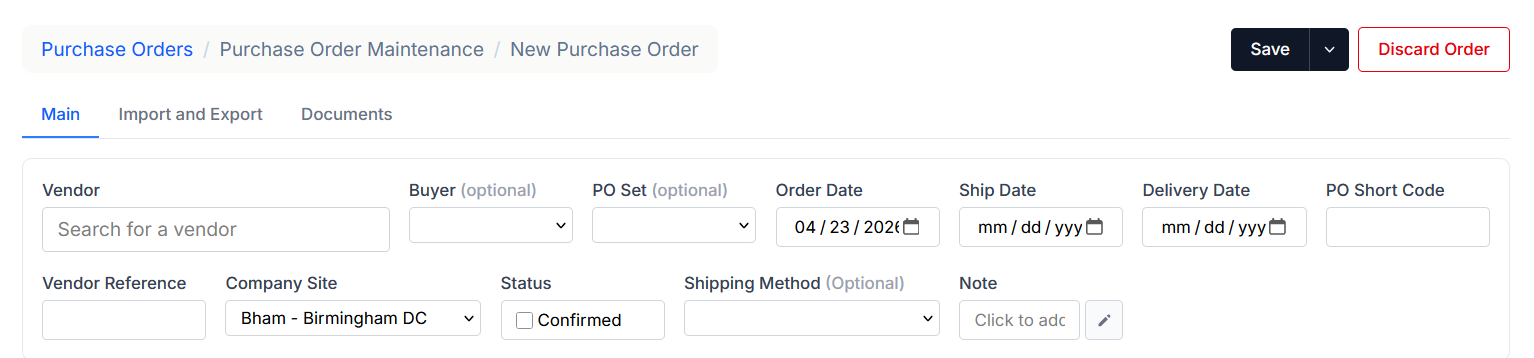
Several fields are required when creating a purchase order.
Vendor Code: The vendor must be selected when creating a purchase order. In the Vendor Code/Search field, users can type the vendor’s code, name, or part of the name to search for and locate the correct vendor.
Delivery Date: The expected delivery date for the purchase order.
Company Site: The company site receiving the purchase order.
Additional Options
Additional free-text fields are also available. These are not required but can be helpful later in the purchasing or receiving process.
Examples include:
- PO Short Code
- Vendor Reference
- Shipping Method
These fields may appear throughout the purchasing workflow and can be used for reporting, documentation, or internal reference.
Back Date Restrictions
Only users with specific rights can create a PO date with a prior date. Users without that right will see the calendar blocked out for prior dates. For example, the current date in the image below is 4/16/2026. All dates prior to 4/16/2026 are inactive
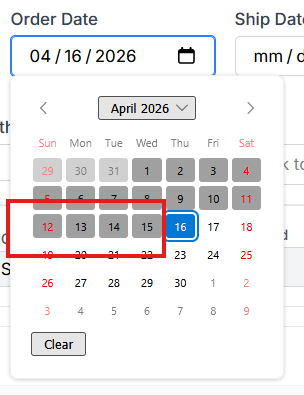
The right under PO named po.backdate will allow backdating.
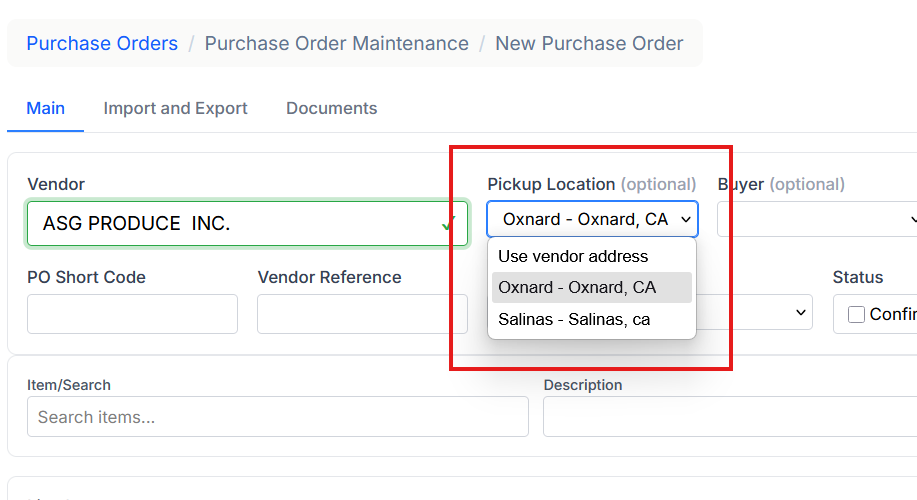
If a vendor has multiple pickup locations configured, the user can select which location the purchase order should be picked up from.
Pickup locations are maintained within Vendor Setup.
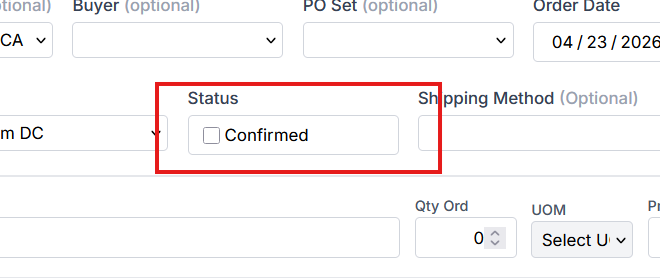
Confirmed PO
Sprout includes an optional PO Confirmed workflow. When enabled, a purchase order cannot be used for further processing until it has been confirmed.
For example, if PO Confirmed is required:
- the purchase order cannot be used for cost calculations
- the purchase order cannot be received
until the Confirmed checkbox is selected.
Enabling PO Confirmed
The PO Confirmed requirement can be enabled at the company site level.
To enable this option:
- Navigate to System → Company Sites.
- Edit the appropriate Company Site.
- Enable the Require PO Confirmed checkbox.
- Save the changes.
Confirming a Purchase Order
When the Require PO Confirmed setting is enabled, the Confirmed checkbox must be selected on the purchase order before the purchase order can be used for receiving or cost calculations.
Purchase Order Locking
Purchase orders currently being edited by other users are indicated with a lock icon. If a subsequent user attempts to edit a sales order that is locked

This lock is also shown by enabling the Lock column on the purchase order screen
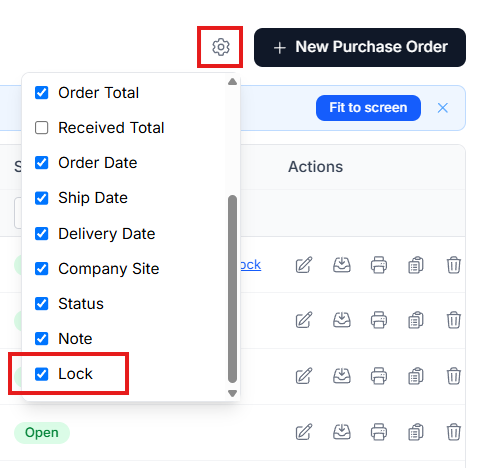

To unlock the purchase order click Unlock and confirm. Changes made by the previous user will be lost.