Cost Distribution
After purchase orders are added to the set, the Cost Distribution Style must be selected.
Available distribution options include:
Weight
Costs are distributed based on the weight of each item.
Pallets
Costs are distributed based on pallet quantities.
Items
Costs are distributed evenly based on the number of items.

Weight and pallet values are taken from Item Setup.
If weight or pallet information is missing for an item, those distribution methods cannot be applied to that item.
When using Item distribution, costs are distributed evenly by item count. This can sometimes produce results that may not accurately reflect shipping costs. For example, a case of potatoes, a case of lettuce, and a one-pound bag of basil would receive the same freight allocation.
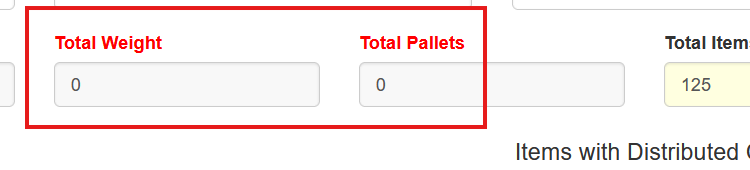
The total weight, item count, and pallets for the purchase order set are displayed in the header.
Ineligible Distribution Styles
Every item in the purchase order set must include weight or pallet values for those distribution methods to work correctly.
If one or more items do not have these values configured, the Weight or Pallet indicators will appear in red, indicating that the distribution method cannot be applied to those items.