Selecting Distributed Items
After all purchase orders have been added to the set, expand the details of the Freight PO and select the Distributed Costs checkbox for the applicable line item.
This identifies the line item as a cost that will be distributed to other items within the purchase order set.
If the cost should be distributed across all items, select Dist To All. The distributed amount will then appear for each item in the set.
Once the distribution is configured, click Save.
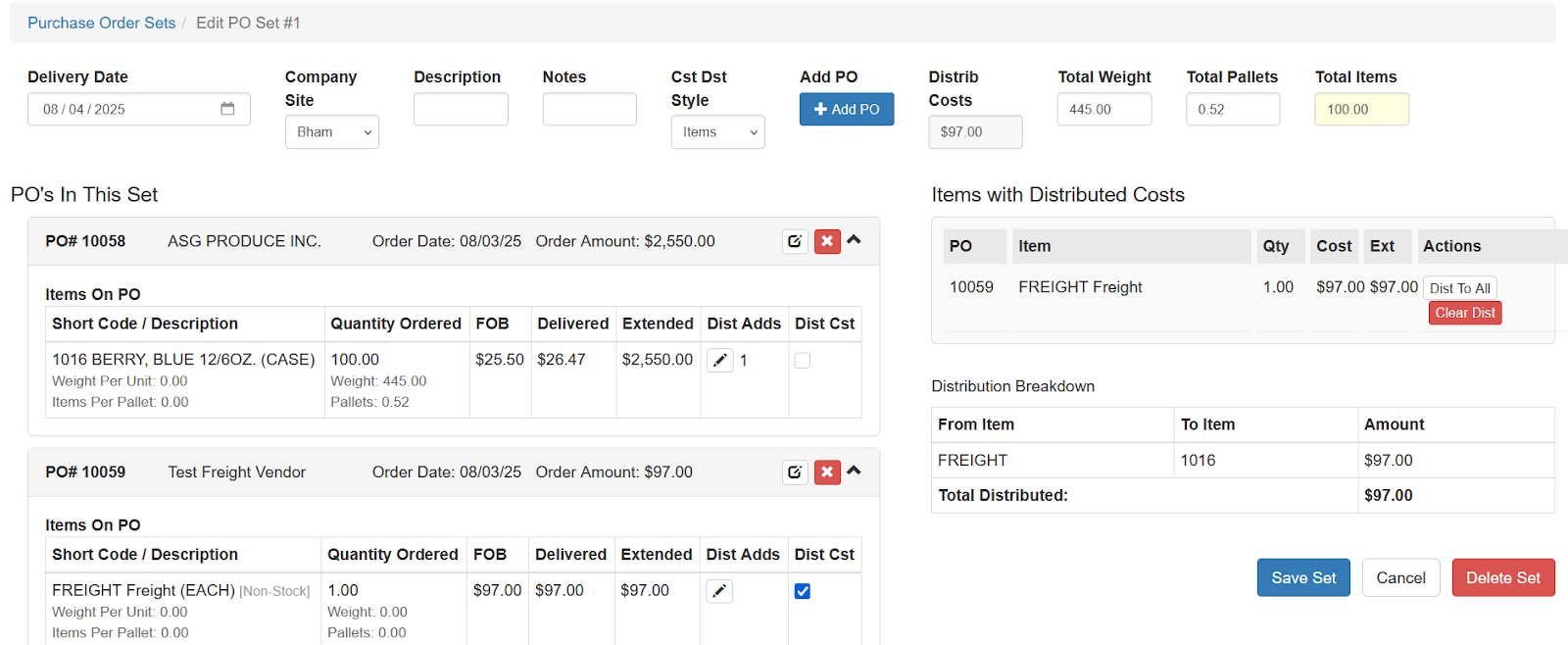
The FOB and Delivered fields will update to reflect the new costs, including any distributed items such as freight.
Distributing Costs to Certain Items
In some situations, a cost should only be applied to specific items rather than all items.
For example, a specific fee such as tetrol may apply only to certain products.
To distribute a cost to selected items:
- Mark the item as a Distributed Cost.
- Do not select Dist To All.
- Click the pencil icon.
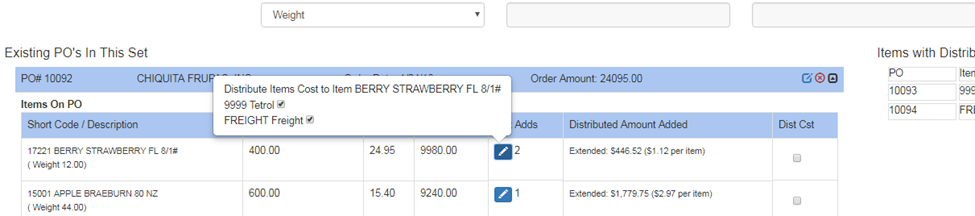
- Select the items that should receive the cost.
The cost will then be distributed only to the selected items while all other distribution settings remain unchanged.
After all distributions are configured, click Save Set.