Freight Dispatch
A Freight Dispatch can be created and printed based on a Purchase Order Set. This document is typically used to communicate shipment details to the carrier responsible for transporting the freight.
Before generating a Freight Dispatch, the purchase order that represents the freight vendor must be identified within the Purchase Order Set.
To do this:
- Open the Purchase Order Set.
- Select the purchase order that represents the freight vendor.
- In the top-right corner, mark this purchase order as the Freight PO.
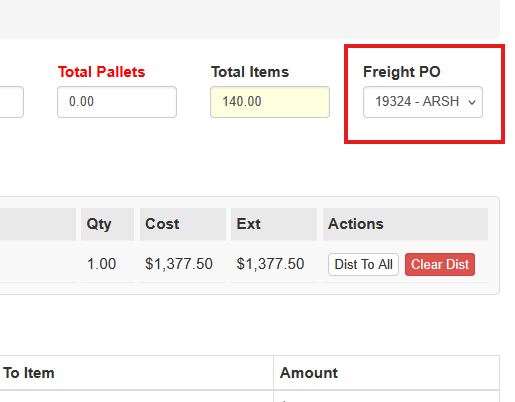
- Save the Purchase Order Set.
This identifies the vendor responsible for transporting the freight and displays that vendor on the Freight Dispatch document.
Generating a Freight Dispatch
To generate a Freight Dispatch:
- Navigate to PO → Enter/Edit Purchase Order Sets.
- Locate the Purchase Order Set.
- Click Generate Freight Dispatch.

Freight Dispatch Options
When generating the Freight Dispatch, the user can select the following options.
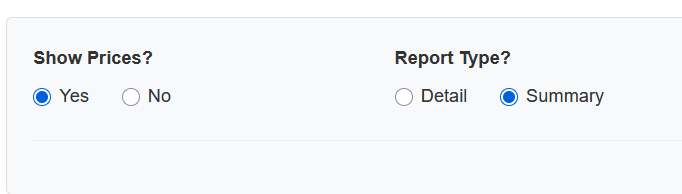
Show Prices
Displays the cost per item when the report type is set to Detail.
Report Type
Two report formats are available:
Detail Report
Shows each purchase order and line item included in the shipment.
Summary Report
Shows only the purchase orders and vendors included in the shipment.
Printing the Freight Dispatch
After selecting the desired options, click Print Report.
The report can be:
- printed directly
- saved as a PDF
- or both
This document can then be provided to the freight carrier or used internally for shipment documentation.