Holding Payments to Vendors
Holding Payments to Vendors
Occasionally a purchase order or payable needs to be held and not paid. In Sprout, both a Purhcase Order and a Payable Invoice can be marked as Payment Held. This prevents the payable from being approved to Pay.
Setting a PO As Payment Held
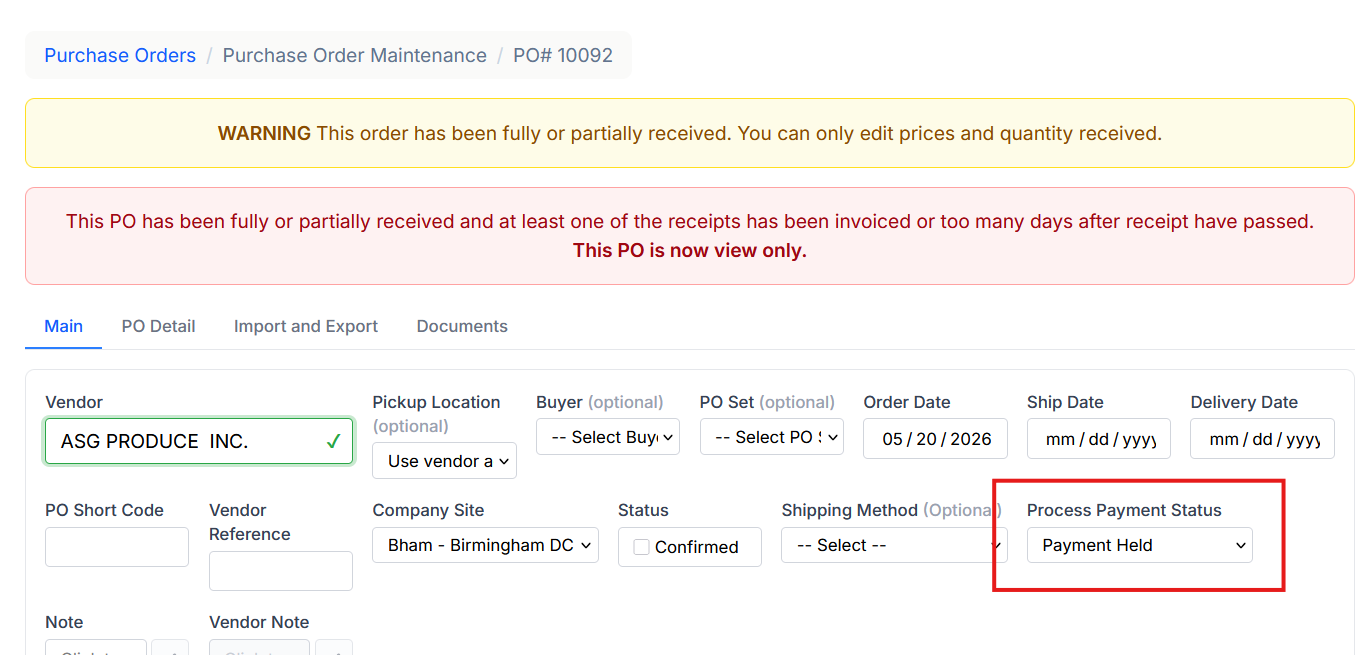
To mark an individual PO as Payment held, locate and edit the PO. Note, ifthe PO is received you must change the status to All.
Change the Process Payment Status to Payment Held. Note this change automatically saves, so even when a PO shows as View Only this setting does update.
Setting a Payable Invoice As Payment Held
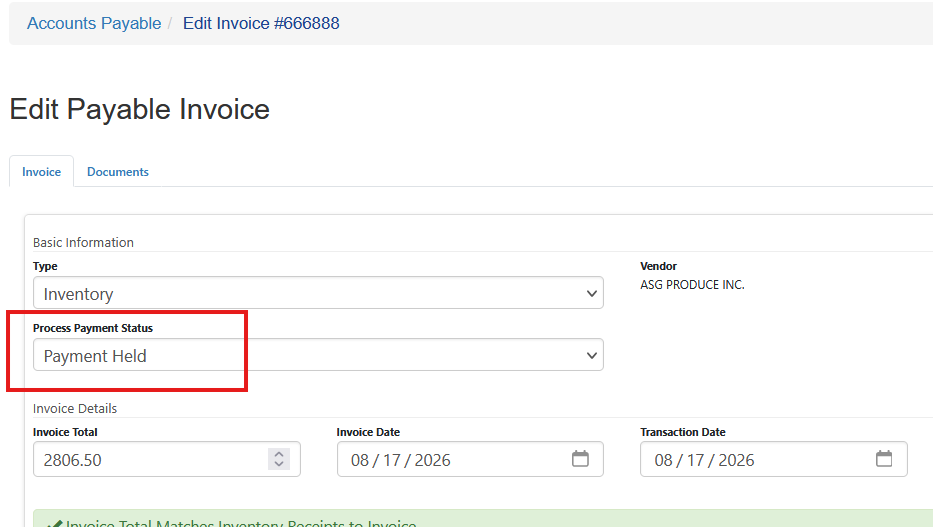
To mark a payable invoice as Payment held edit the Payable Invoice entry and change the Process Payment Status to Payment Held and save the updated payable invoice.
Approve To Pay Results
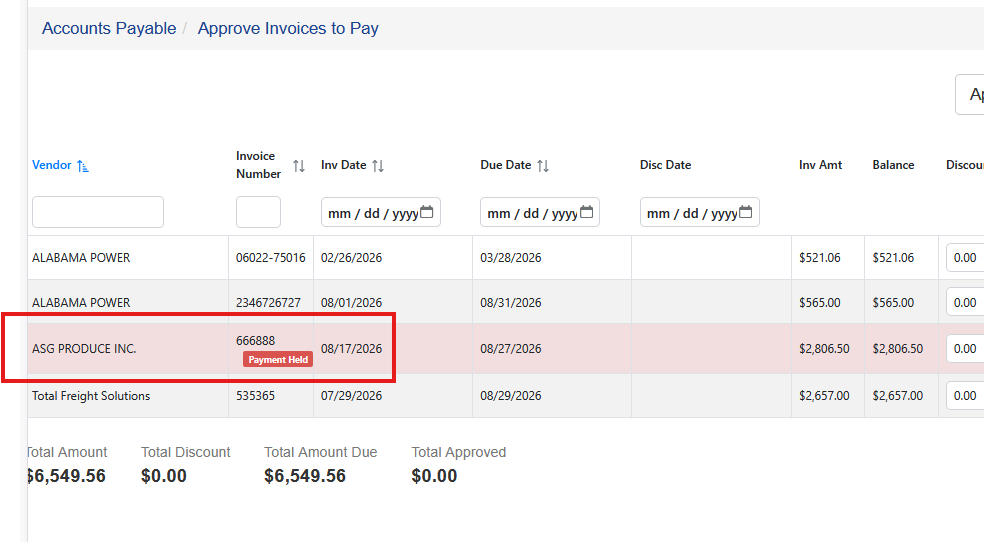
On the Approve to Pay screen, and payable invoice either marked as Payment Held or a Purchase Order that is a member of that payable invoice marked as Payment Held will show up in red and can't be approved for payment as long as the payment status is Payment Held.
Removing the Payment Held
Once the issue is resolved change the status back to Pay Normally on either the Purchase Order or the Payable Invoice.
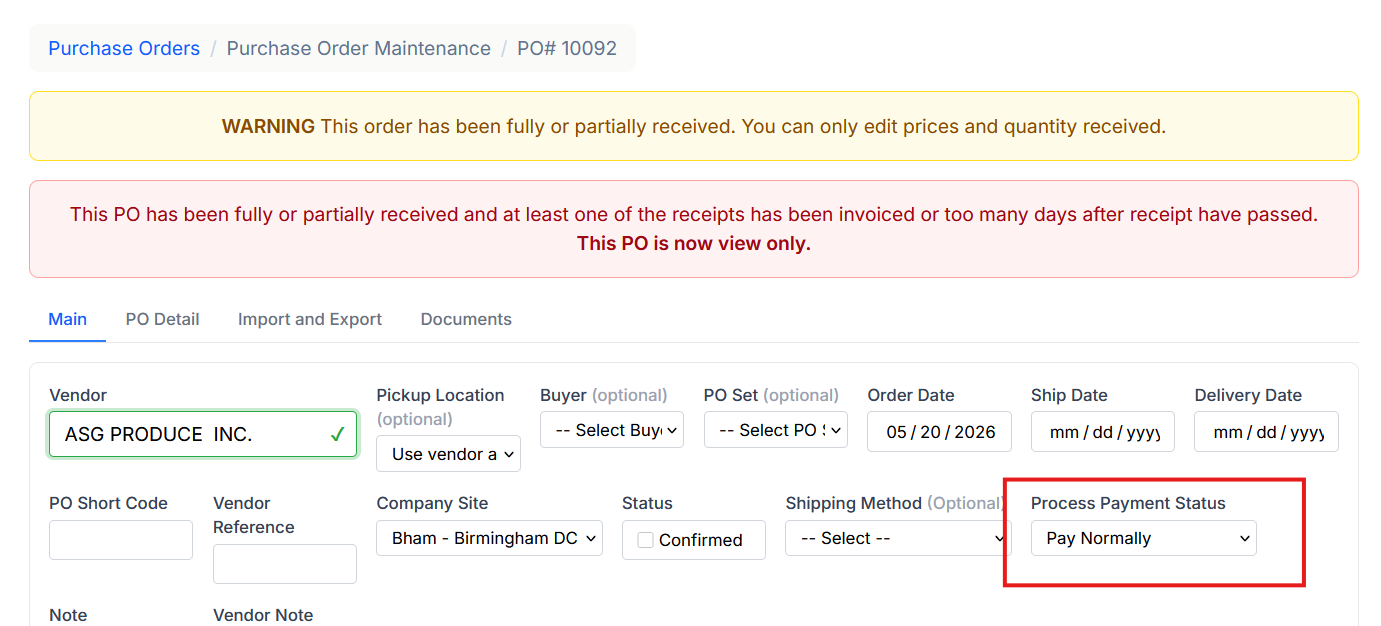
Updating the Payable Invoice to Pay Normally also updates the Purchase Order.