Import and Add Items
Purchase orders can also be populated using the Paste feature. This allows users to quickly import multiple line items into a purchase order.
To use the Paste feature:
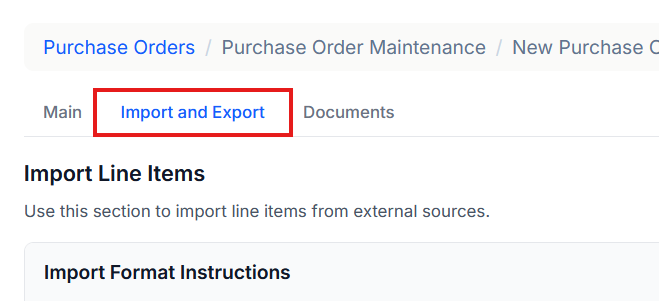
- Open the Import and Export section on the purchase order screen.
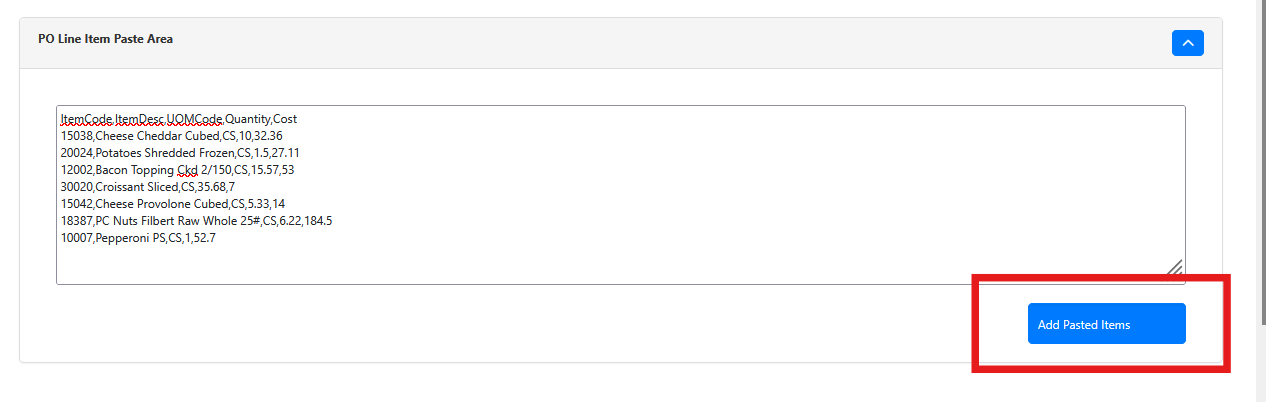
- Paste the PO data into the input box.
Data must be comma-separated and limited to 100 lines or fewer.
The required format is:
Item Code,Item Desc (optional),UOM Code,Quantity,Cost
The header row is optional and will be ignored if included.
Once the data is entered, click Add Pasted Items to populate the purchase order.
If any errors occur, a message will appear in the top-right corner of the screen explaining the issue.