Main
Frequently Used Fields in the Main Tab
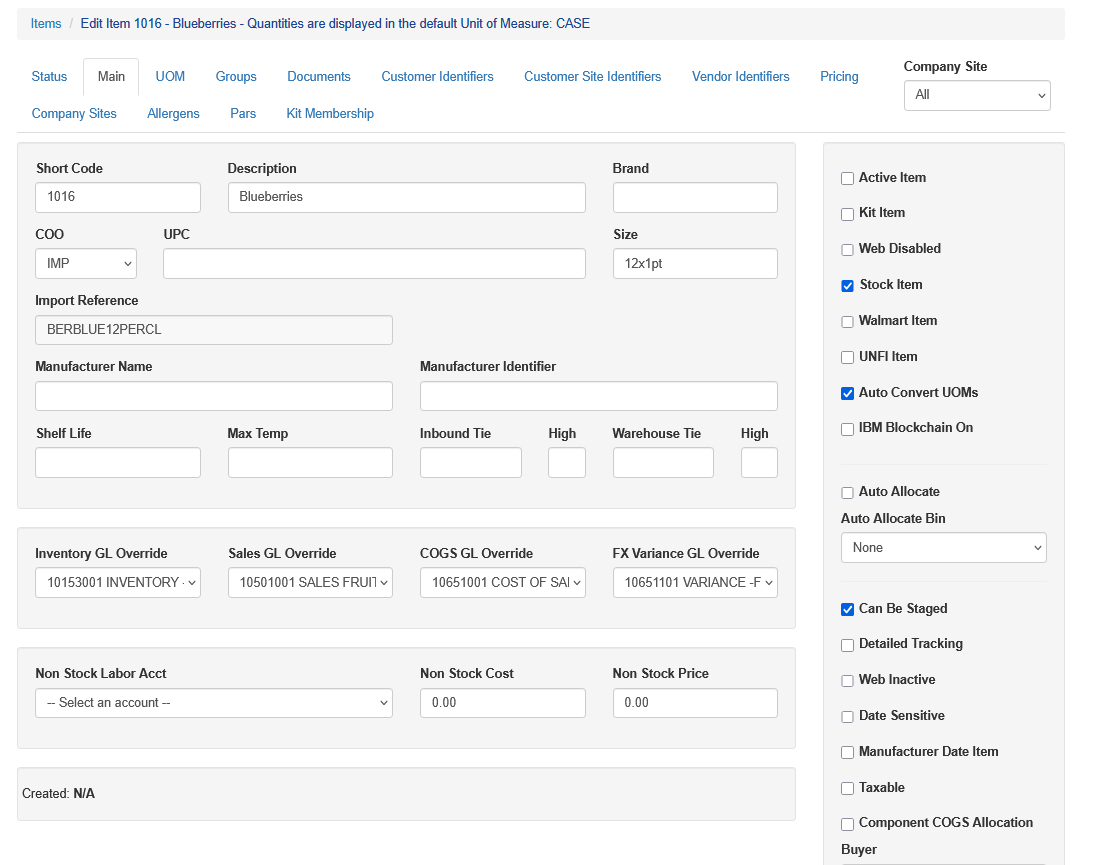
Short Code: 2-10 characters, numbers or letters, ideally no special characters, that indicates the item code or part number. This is what will print on documentation such as pick tickets, labels or invoices.
Description: A full description of the item’s master unit of measure. The maximum number of characters in the description is 50 characters.
Brand: You can store a brand here if it is a brand specific item, such as Driscoll raspberries. This can be left blank.
Country Of Origin: If an item typically or always comes from the same Country of Origin, you can set it here. This can be changed at the PO level as needed. The recommend country of origin codes are located in the Country of Origin EDI Code section.
UPC: The UPC-12 barcode typically used on a consumer item. This can be left blank if UPCs are not used, however it is highly recommended if this is an item with a UPC it should be entered here when created
Size: This is the product size description, often used for grouping and EDI purposes.
Pallet: This is the number of master cases that come on a pallet. This is used for truck building, freight distribution and other procurement functions.
Cube: This is the size, in cubic feet, of the master unit of measure
Sales, Inventory and COGS GL Override: This allows detailed GL controls for the item. When these fields are set, sales and purchases are charged to these specific GL accounts and not the company default GL accounts. The “Component COGS Allocation” check box works in tandem with these settings also. This can be required by enabling this under System - Company SIte and selecting Require Inventory GL Override Note only users with the ic.items.gl_overrides.edit right can edit the GL Overrides
WCO Harmonized Code: A "world harmonized code," also known as an "HS code" (Harmonized System code), is a standardized numerical system used to classify traded goods internationally, allowing countries to identify and categorize products consistently when exporting and importing them, facilitating smoother customs clearance and trade processes globally; it is managed by the World Customs Organization (WCO). This is used for shipping or receiving goods internationally. More can be found here: https://www.wcoomd.org/en/topics/nomenclature/overview/what-is-the-harmonized-system.aspx
Frequently Used Check Boxes
Active: This allows an item to be enabled or disabled for use. An inactive item still shows on reporting, however an inactive item can not be added to a PO or a Sales Order until it is activated. Note: Items with open POs or inventory on hand can't be marked as inactive until the inventory is zero.
Kit: This tells the system it is an item that is a kit - in other words created within Sprout. When checked the Kit tab appears in Item Setup. More information on kits is in future videos
Web Disabled: If this is checked, the item will not show up in Sprout web order entry
Stock: If an item is an item with inventory, this must be checked. When an item is not checked as stock it is considered a Nonstock Item. See below for more information.
Auto Convert UOM: When an item has multiple units of measure under the UOM tab, this tells Sprout’s inventory system to use the case equivalency to decrement inventory
Auto Allocate: When the new item is used in a kit, seeding, or WIP creation, the auto allocate consumes this in a FIFO method and doesn’t require each lot to be scanned. If the Auto Allocate Bin is selected the system automatically chooses product from this bin if the Production Station’s Source Bin does not contain the item.
Detailed Tracking: This tells Sprout that during production individual created units are tracked at a highly detailed level. Typically this is not checked.
Component COGS Allocation: This box is used during kit building. When the Component COGS Allocation box is checked, the COGS accounts for components are used. This can be set recursively down through any WIPs of WIPs as well. More on this is under the Component COGS Allocation section below.
Inactive Items
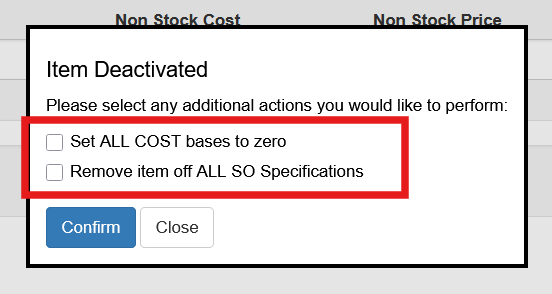
When an item is set as inactive the user will be presented with a prompt to remove all costs from the system cost bases and remove items from sales order specifications. This is optional. If Yes is selected all costs are set to zero and the item is removed from specs. If No is selected the item is marked inactive but existing costs remain and the item stays on the spes.
Import Reference
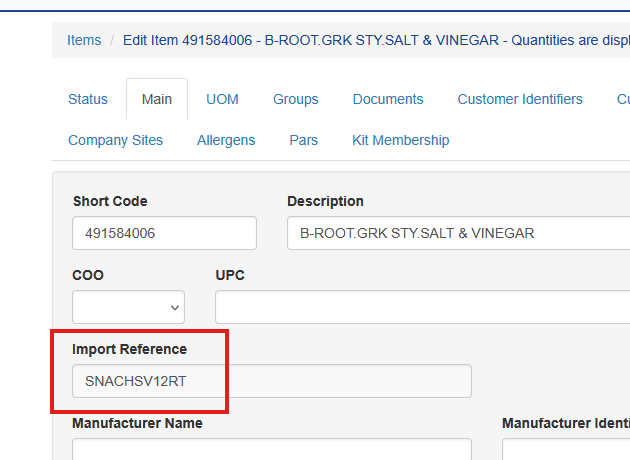
When companies switch ERPs they often create new item numbers to clean up years of old numbers. Sprout allows companies to display that original item as an import reference on the item maintenance screen
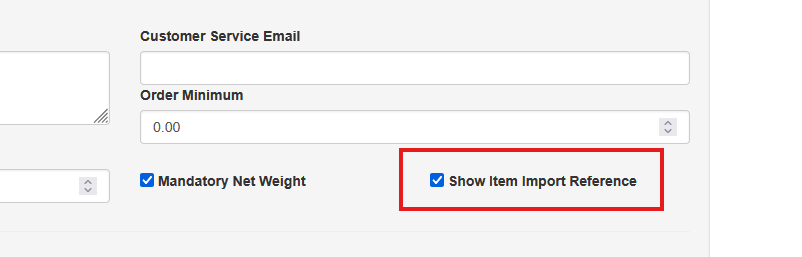
To enable this select System - Company Site. Choose the company site in question and check the “Show Item Import Reference” box