Manual Entries
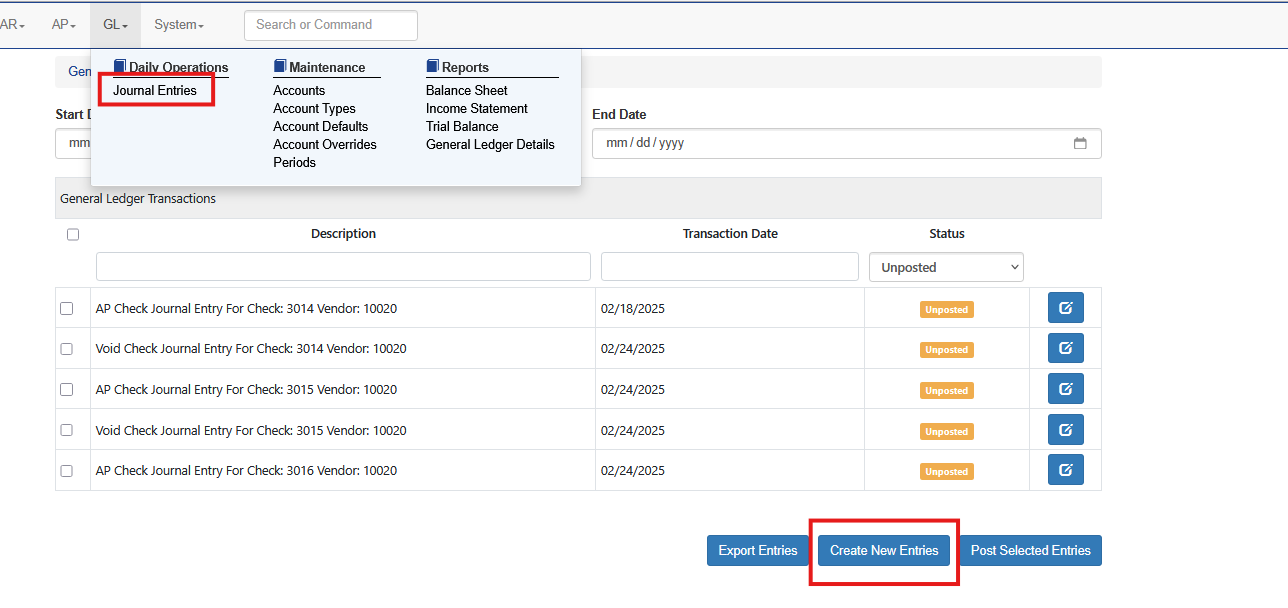
To create a manual entry in Sprout select GL and Journal Entries. Then click Create New Entries
Enter a description and choose the date

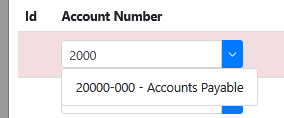
Select the Green Plus to add GL distributions. The user can search for the GL to use by entering the account number or the name. Select at least two ledger accounts.
Enter the debits and credits as needed. If you need a third or more lines again use the green plus. To remove a line use the red minus. Once the entries balance the bar at the bottom will turn green.
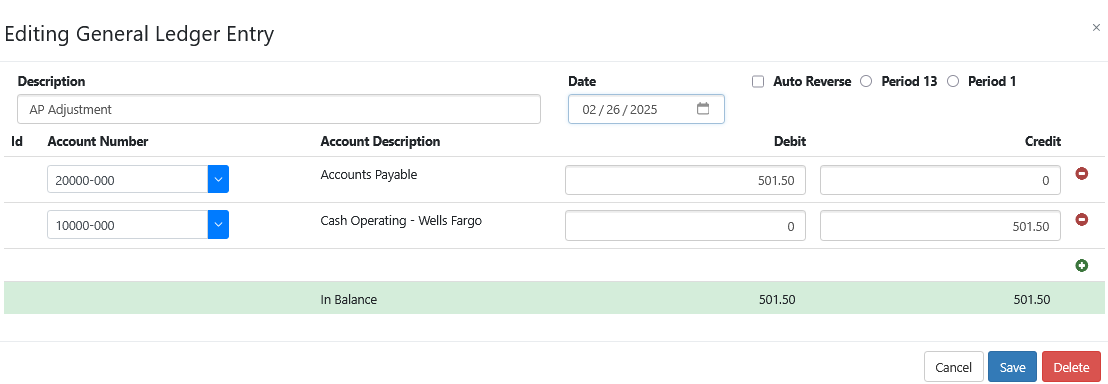
Once the entries are complete click Save. The entry will now be in the journal entry screen pending posting to the ledger.