Pasteurized Compost
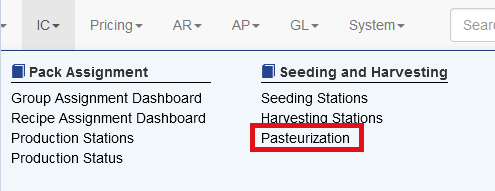
To create the Phase II, or pasteurized compost visit IC and choose Pasteurization
Search for the item being built. Sprout will then locate any source lot that is used in that kit.
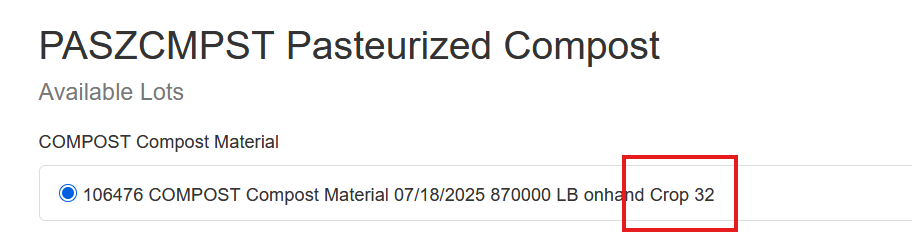
Choose the lot that will be used to make the pasteurized compost WIP. Note, the crop number entered the comment is shown as well.
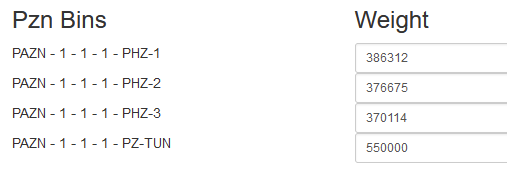
The next step shows all bins that have the Pzn Dest attribute checked. This was created in the bin creation step in the section above.
Enter the Wet Weight that was recorded when the compost.
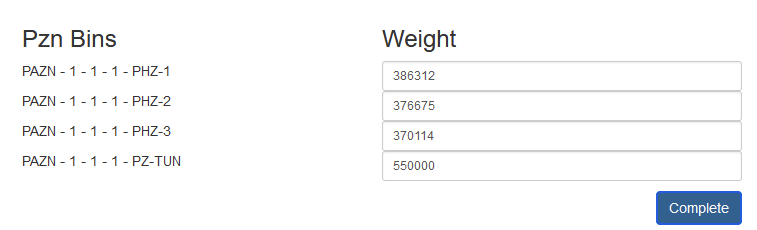
When the user clicks complete a warning message is displayed. Confirm that the numbers are correct because this step can’t be easily undone.
Logic Behind Pasteurized Compost Creation
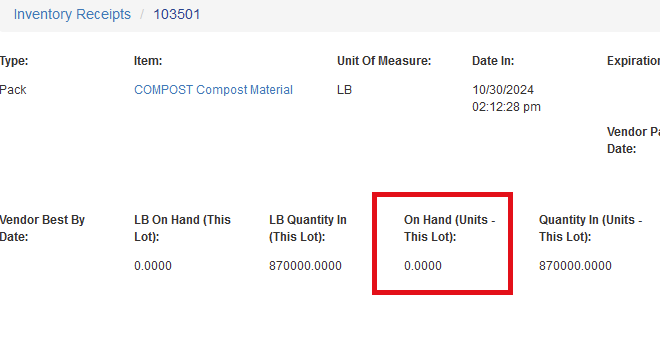
When the pasteurization rooms are loaded, the source inventory is depleted proportionally to the total weight of the created pasteurized lot. In our example above, lot 103501 consisted of 870,000 pounds of compost assembled from subcomponents.
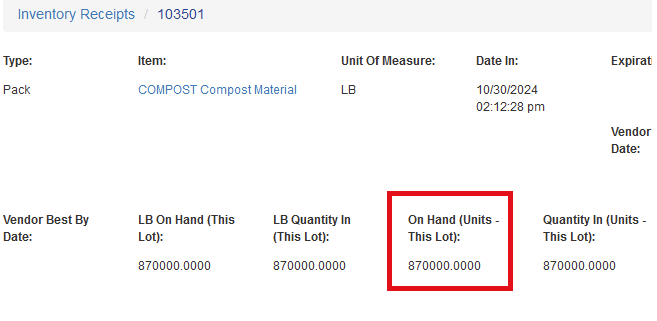
Each of the pasteurization rooms has a weight captured by a scale showing the amount of compost, in its wet form.
Once the task is completed the source lot is reduced to zero:
And in this case four new lots are created, one lot for each pasteurization bin/room:

The associated costs for the compost WIP, which includes the associated costs for the subcomponents are proportionally allocated to the newly created lots. From the newly created lot the user can trace all the way back to the PO that any individual component was purchased on.