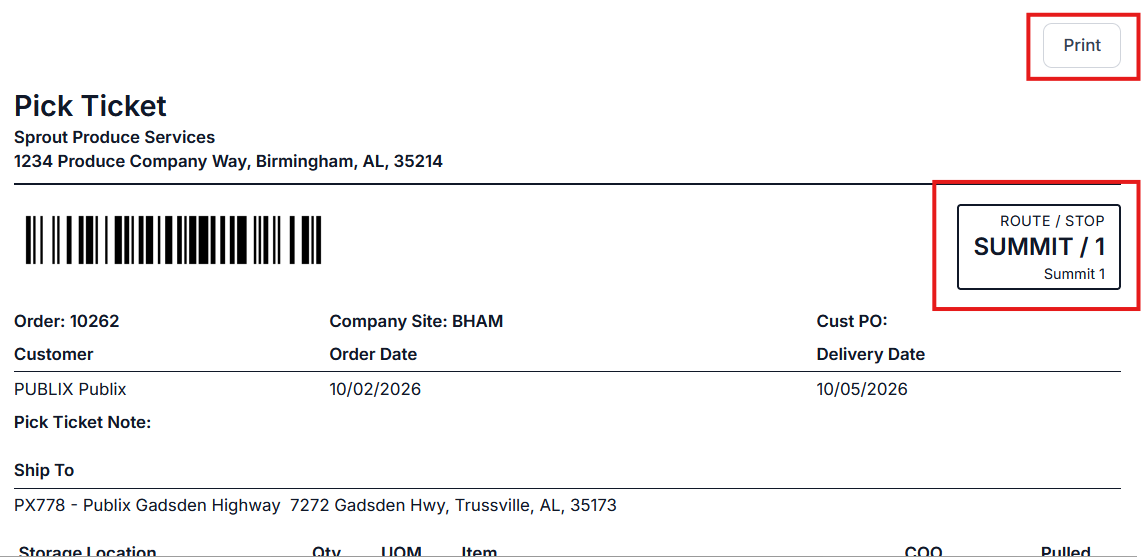
Printing Pick Tickets
Printing Pick Tickets
When a sales order is entered users can print pick tickets immediately, however in most cases the pick tickets are printed during the order selection process. The pick ticket shows the order and stop number on them, so the ideal process is to print tickets after the initial routing has been completed.
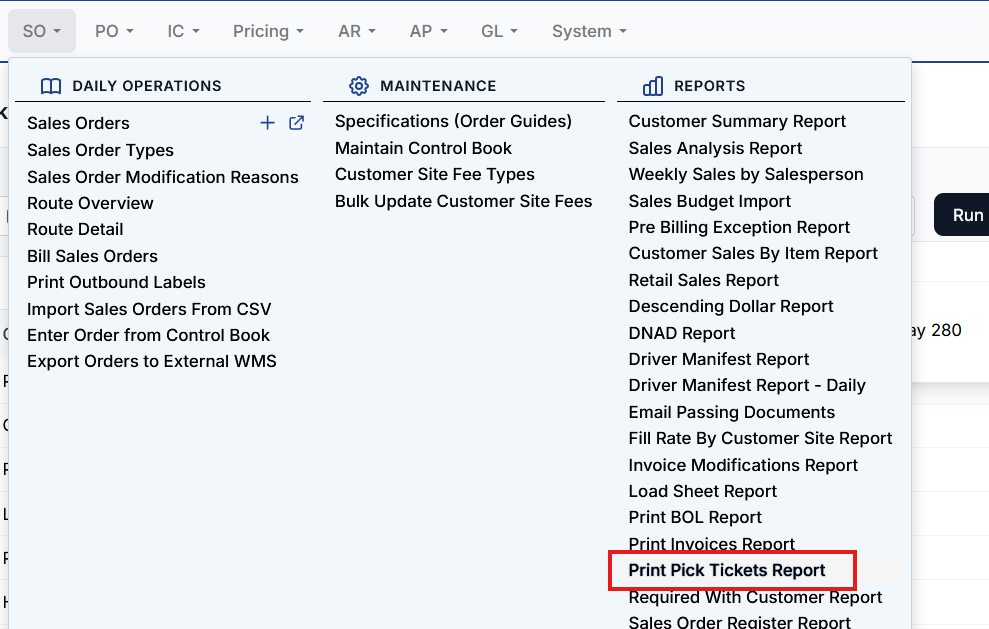
To print pick tickets for an entire route visit SO - Print Pick Tickets Report.
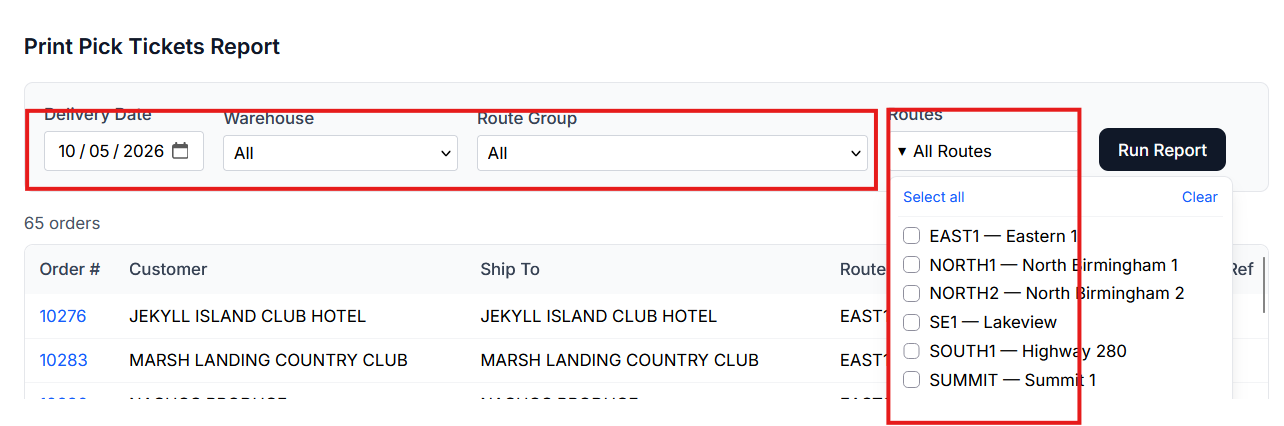
Select the delivery date, warehouse and route groups. Then individual routes can be selected
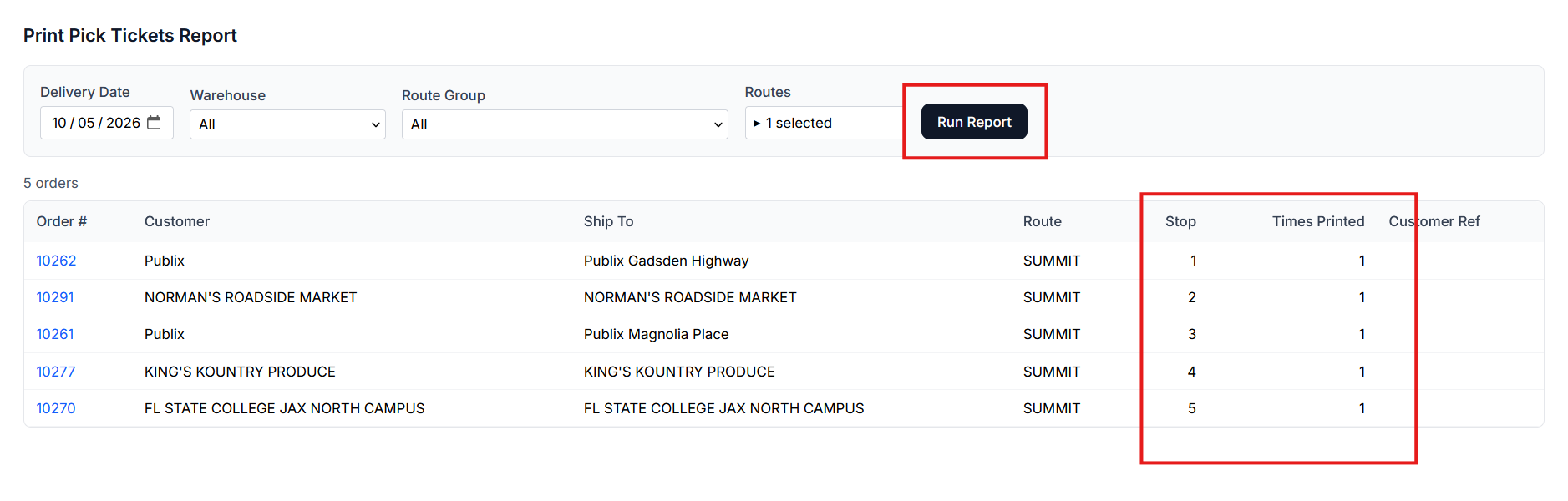
The route's order will be shown as well as the number of times the pick ticket has been printed. This is use just as an internal reference so users can see what has and hasn't been printed.
Once the criteria is selected click Run Report
Review the route and stop information, making sure all the customers are in the correct order. Then click Print.