Warehouse Mangagement
Warehouse Management System Setup and Use
Sprout has a built-in warehouse management system, typically called WMS. This tells inventory control teams and order selectors where a given item is, what lot it is, the date it was received and other item specific information. WMS keeps track of the movements of products within a facility.
In Sprout WMS we think of a warehouse storage in five organizational units.
Cooler - the cooler is the large room/enclosure that is the biggest area in a warehouse
Aisle - the aisle is the space between to racks where the forklift
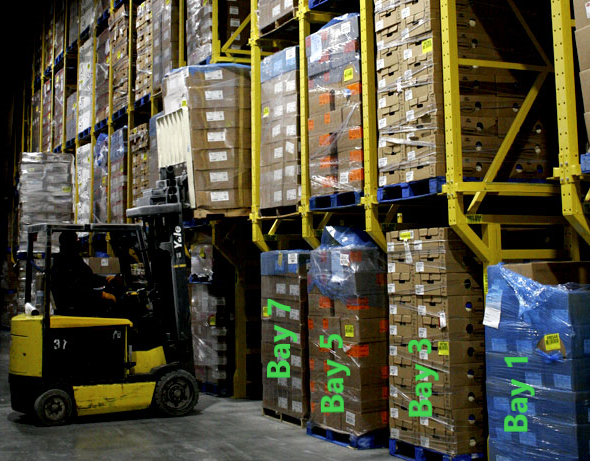
Bay - The bay is the single pallet position wide space within a rack. For dual side aisles the bays alternate odd even on the preferred pack path
Shelf - The shelf is the horizontal level of a single pallet position wide section of the rack. The floor is typically 1
Bin - The bin is the picking area on a single pallet at the shelf position. It is usually numerical based on the pick path flow so the lowest number or letter is the first one a puller comes to
There is also depth. This is for rack systems that are 2+ deep. This defines the depth position in a drive in or push back racking system.
Configuring the Logical Warehouse within Sprout
As a general rule a warehouse contains coolers; coolers contain aisles; aisles contain bays; bays have shelves; and shelves have bins. The bin is typically where the picker picks product from and many bays only have a single bin. Like all things in food, some items don’t fit nicely into this arrangement. Some items are stored in unique ways, such as iced collard greens, Sprout will handle that uniqueness with ease.
Coolers
The biggest organizational unit in your facility is likely a cooler. A cooler may contain one set of racks or multiple sets. Often a cooler is the same temperature range throughout the entire space, however some can be zoned with curtains. We will help you determine your exact layout as expected in Sprout.
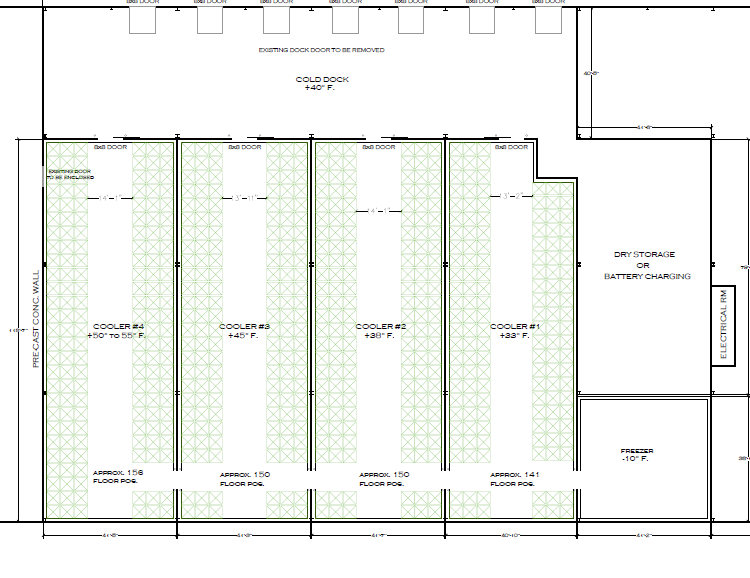
Looking at the floor plan below, this facility has seven cooler organizational units. Even though Dry Storage isn’t necessarily a cooler, we think about it in the same way for consistency because we do allow items to be pulled from that location for orders.
- Cold Dock
- Cooler 1
- Cooler 2
- Cooler 3
- Cooler 4
- Dry Storage
- Freezer
Aisle
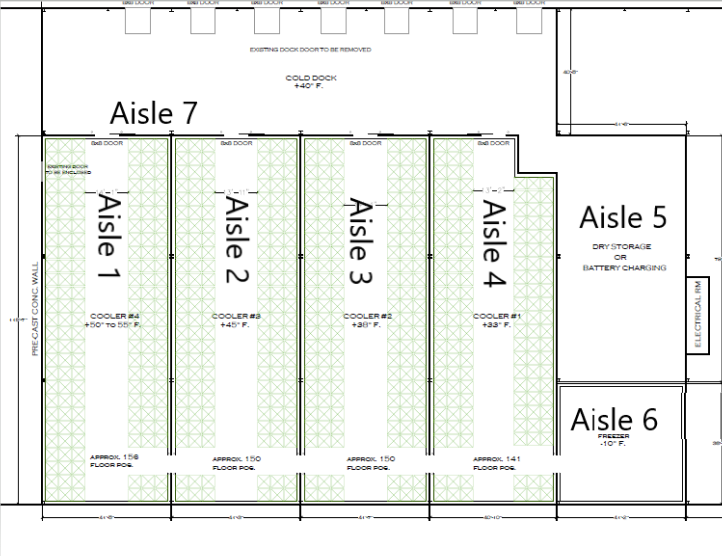
The next unit is the Aisle. This is the aisle that makes up your pick path. The lowest number is where your pick path should start. An aisle number never repeats in a facility. Aisle 1 is only used once, once for example.
Aisle and Pick Path
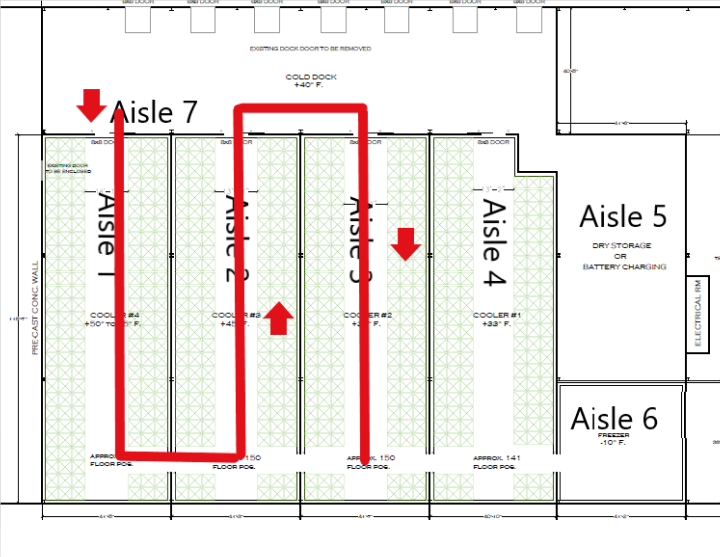
In this example we would start picking in cooler one and end on the dock. An aisle makes up all the racking or shelving on the left and right side of an aisle, or drive path.
Bay
The Bay is the next unit. It will contain multiple shelves (mentioned below) and is frequently one pallet wide, but contains multiple vertical shelf units.. For a aisle with racking on both sides the bay numbering alternates even on one side, odd on the other. This facilities the numerical pick path process, keeping your selector working sequentially through the facility. The lowest number is where the pick path starts. Even starts on the right side of the starting point if there are pick positions on both sides of the aisle. In the picture below, the pick path is going in the direction the camera is looking, there is racks on both sides the forklift is in bay 9.
Shelf
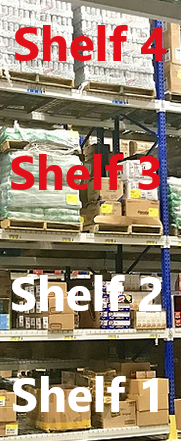
The next unit is the shelf. The shelf is within a bay and contains bins.The shelf is typically a pallet position wide with no maximum height, though most warehouses, if storing full pallets are two or three high. However, certain small quantity items, such as microgreens, specialty fruit, or similar, may be on very small bays and could be in the 10s or 20s.
Shelf 1 is always the lowest level or the floor depending on your rack system. The rack below has four shelves
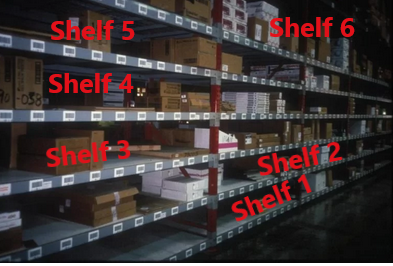
Speciality Shelf Examples
This smaller rack for speciality and low volume items and has multiple pick shelves
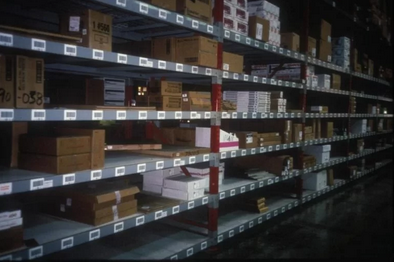
Bin
The final organizational unit is the bin. For an item stored in pallet increments the bin is always 1. For smaller volume items the bin is a logical location on a shelf where items can be stored separately from one another on the same shelf in the same bay, on the same aisle in the same cooler. In the image below each white barcode label is a bin. We will help you design your bin layout.
Default Locations
Once you have created all your coolers there is a special setting in Company Sites for Default Dock Location. This is where inbound inventory is stored temporarily until it is put away. This allows the system to always know where your inventory is.
To set this go to System - Company Sites
Receiving Dock Bin: This is the bin received product goes until it is moved to its storage bin
Shipping Dock BIn: This bin is used for shipping processes. Returned items also go here
Post Vacuum Cool Bin: During farming operations post cooled product goes in this bin
Bin Sales Default Bin: For Bin Sales the system looks in this bin for product by default
