Adding a New Customer
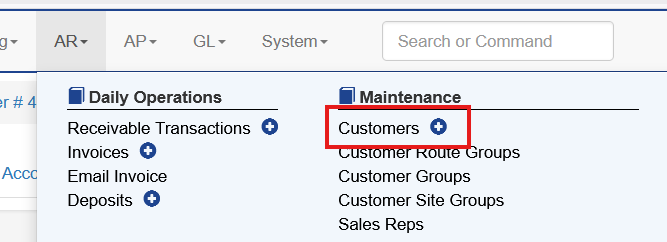
To add a new customer choose AR - Customers. Clicking the blue plus sign immediately starts a new entry.
The customer settings have many fields, at minimum the Short Code and Name must be configured.
There are multiple tabs across the top that contain sections within Customer setup.
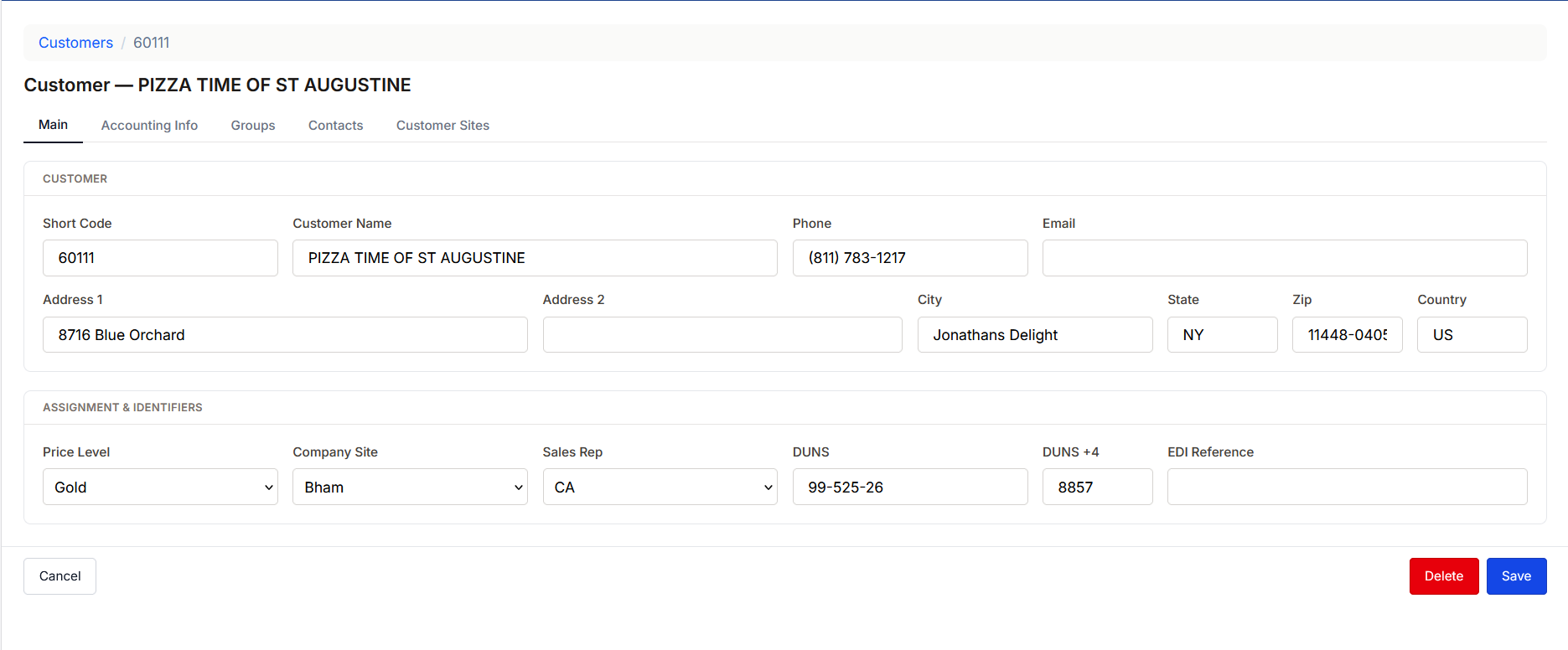
Tab Description
Main: Basic Demographics and Customer Settings
Groups: Groups for reporting are added here
Accounting Info: Details for the accounting settings, such as terms
Customer Sites:Lists the customer sites for this customer
Web Logins: Used to setup web order entry
Contacts: Used to define certain contacts and the use
Documents: Links to saved documents for the customer. This is only shown when Document Imaging is enabled.
Main Tab
This contains basic information for the customer. The fields that are more unique are defined below
Short Code: This is similar to an account code. It groups customers and customer sites together. This can be changed at any time and all existing history will update automatically
Price Level: This is the default price level a customer and all customer sites are assigned.
Company Site: For users with more than one facility this allows the defalt facility to be set.
DUNS: This is the DUNS number assigned to the customer
DUNS+4: For customers using the DUNS+4 this is the unique location’s +4
EDI Reference: Used for certain EDI transactions. Leave this field blank unless you are setting up EDI for a customer. If so, Anovys will assist you with this field.
Accounting Tab
The accounting tab has information about the financial relationship with a customer. This is for every customer site that is a part of this customer.
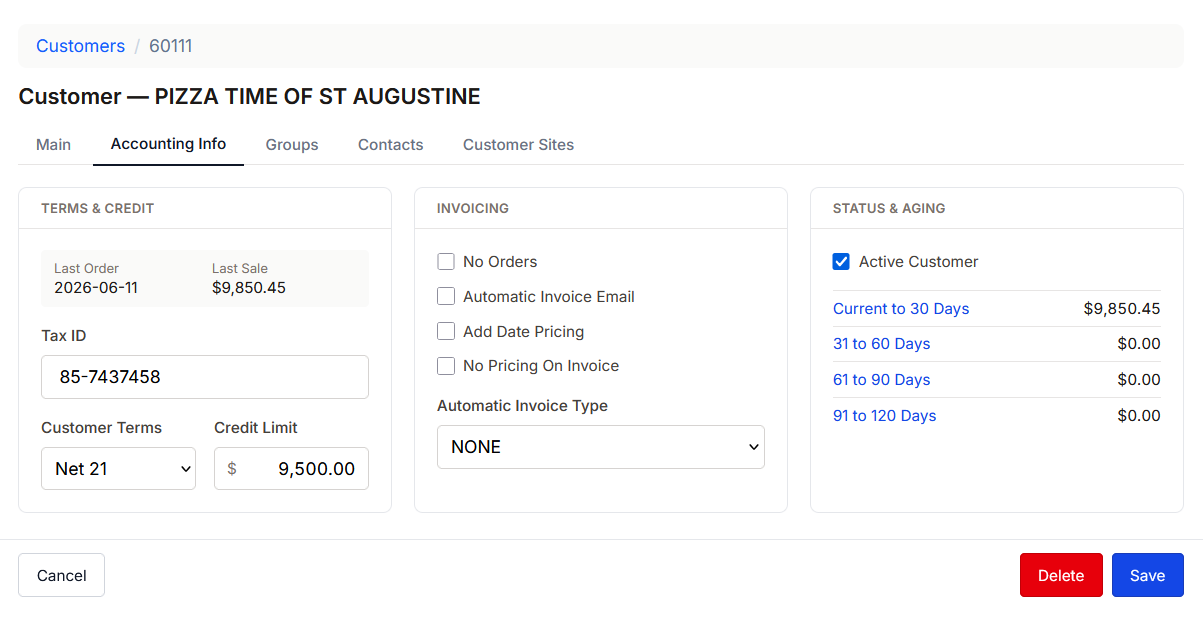
Tax ID: This is used to store the customer's Tax ID
Customer Terms: Used to choose the terms for this customer
Credit Limit: The total credit limit for all customer sites
No Orders: This prevents this customer from having orders entered.
Automatic Invoice Email: The configures the invoice email process.
Add Date Pricing: This sets the price on the invoices to be effective based on the date the order is entered. By default the pricing is based on the delivery date
No Pricing on Invoice: This hides pricing on invoices
Group Tab
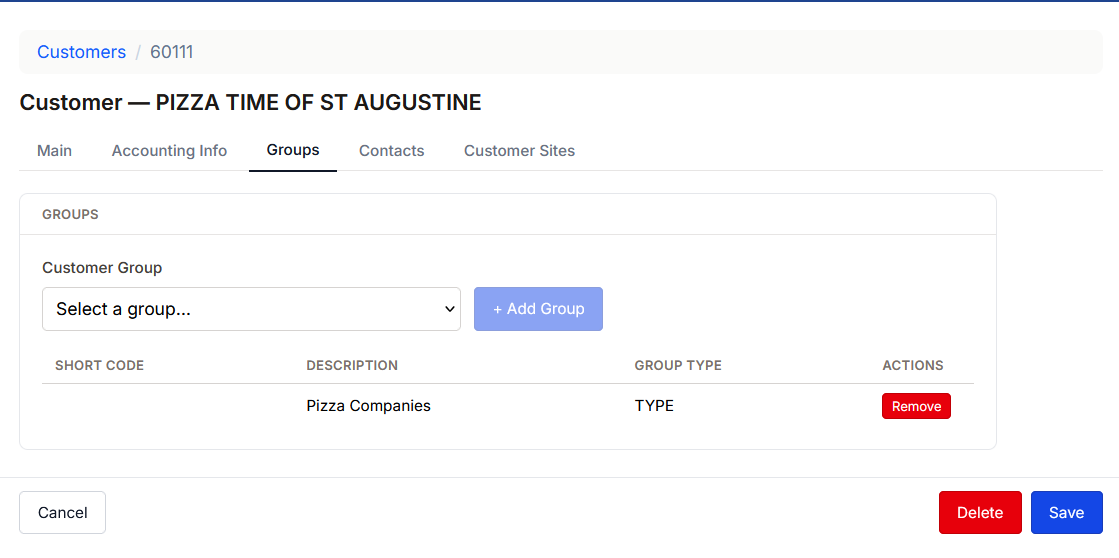
The groups tab allows the user to group customers by multiple different groups. These are maintained under customer groups and any number can be added to a customer.
Adding a Customer Site
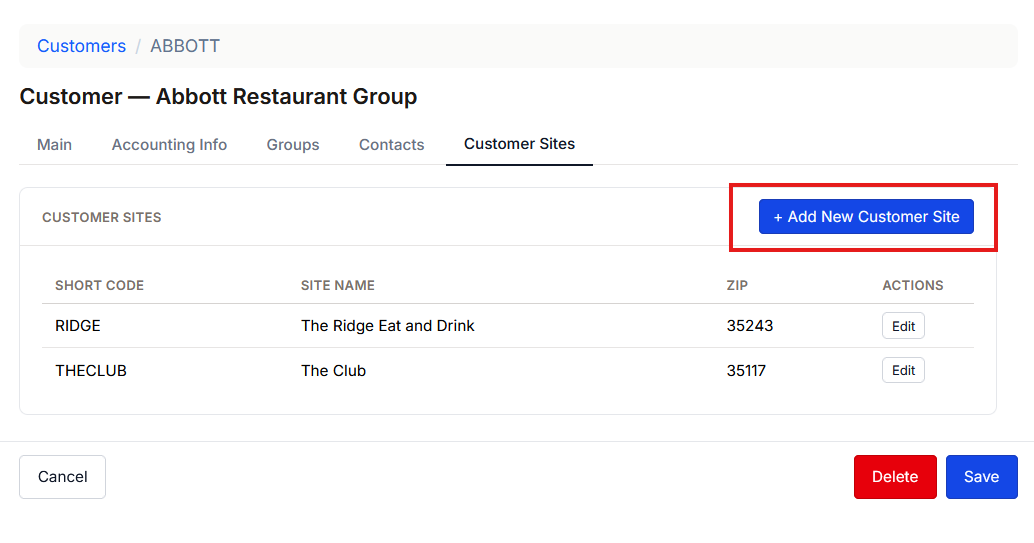
A customer site is the location that receives an actual order. All customers have at least one customer site. To add a customer site choose the Customer Sites tab and choose Add New Customer Site
Many of these fields are similar to the customer setup and function the same way. At minimum the Short Code and Name must be configured.
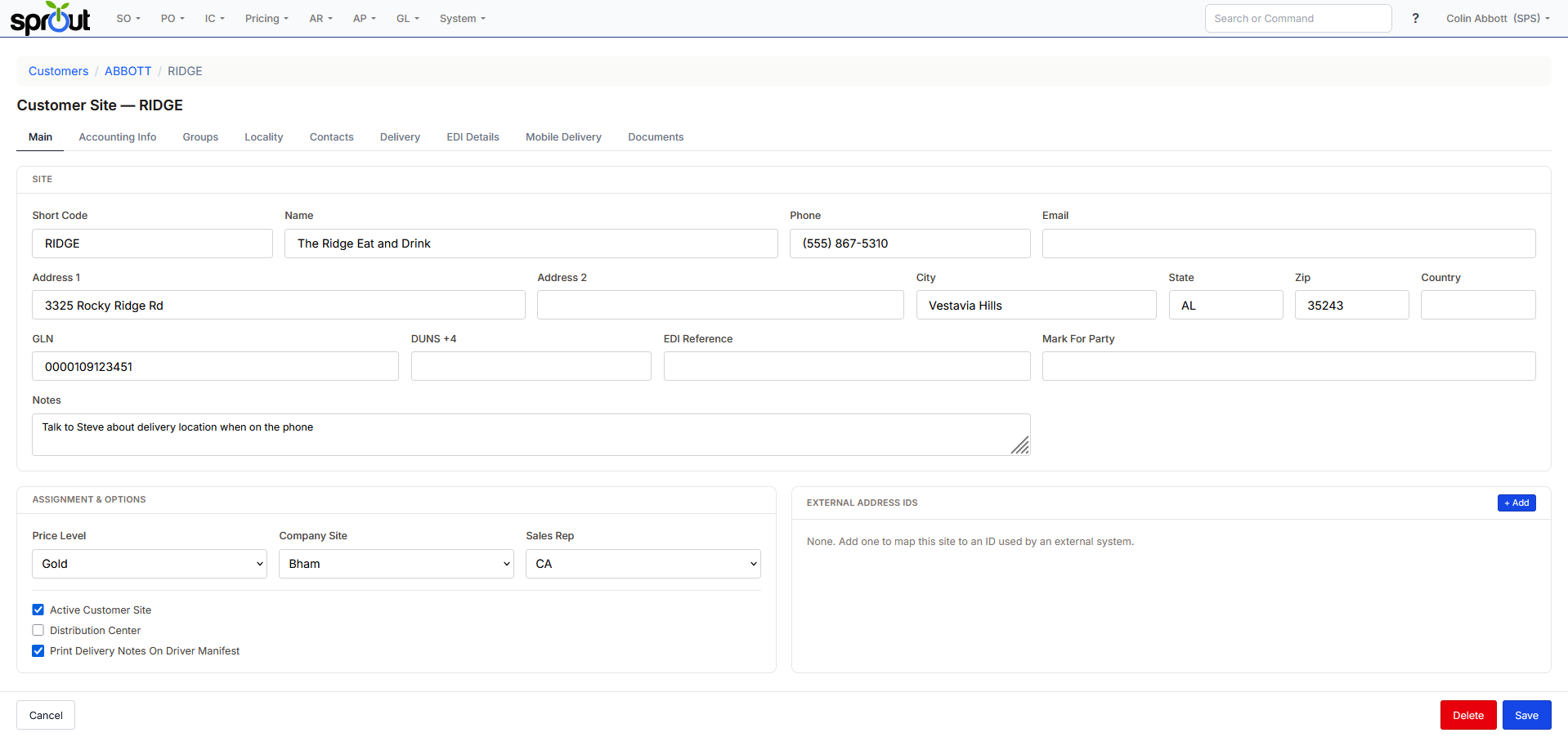
Active Customer Site: When checked this customer site shows up for orders and other uses, unchecked hides the site from many functions
Distribution Center: This is used for certain EDI tasks involving Mark For Party order transmission. Anovys will assist you in setting this up
Print Delivery Notes on Driver Manifest: This enables the Driver Notes system and prints the notes on the drivers manifest
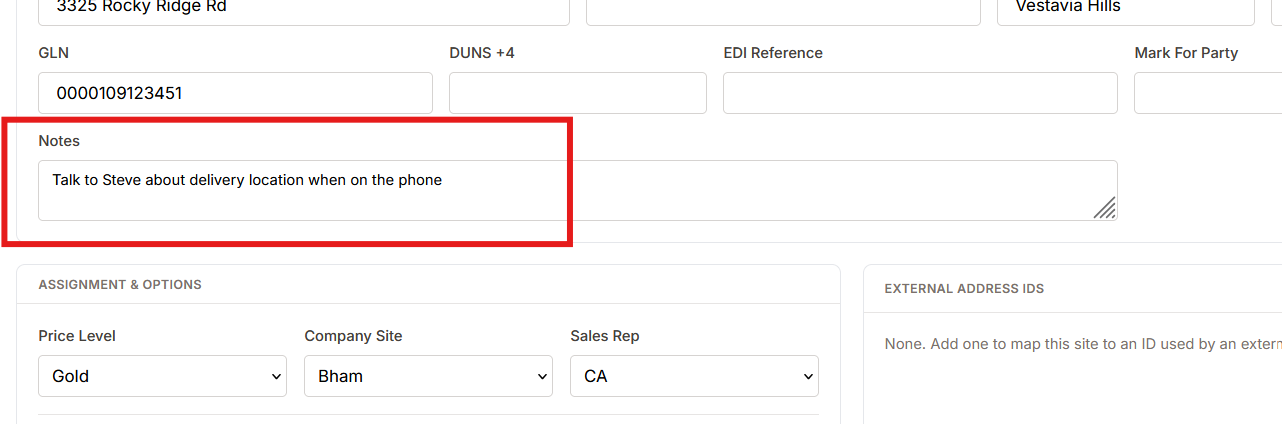
Customer Site Notes
The Customer Site Notes can be edited on customer maintenance. This is a free-text note section that can be edited and changed.
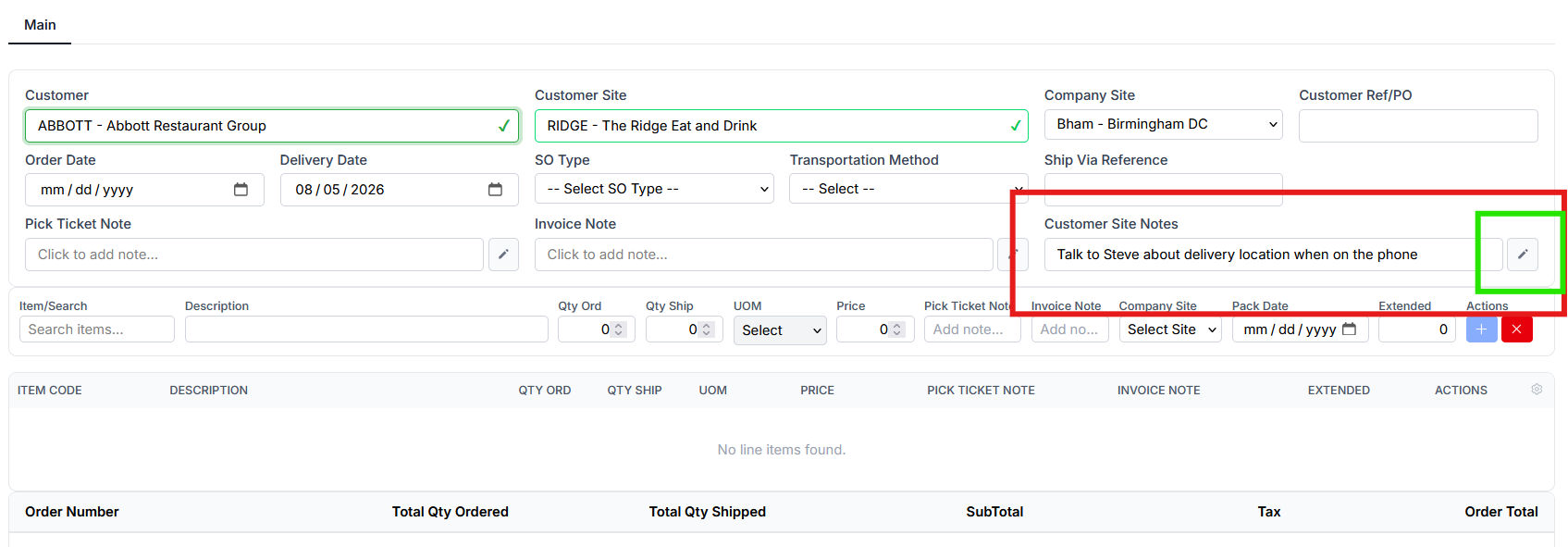
The notes also show on order entry. The user can edit the note with the pencil. It will then update the record and show in the future. This note is never printed anywhere for the customer to see. It is only internal.
Tab Description
Main: Basic Demographics and Customer Settings
Groups: Groups for reporting are added here
Accounting Info: Details for the accounting settings, such as terms
Locality: Tax settings for the customer site
Web Logins: Used to setup web order entry
Contacts: Used to define certain contacts and the use
Documents: Links to saved documents for the customer
Delivery: This is where details for the delivery are stored
EDI Details: Settings related to EDI transactions for this customer site
Mobile Delivery: Settings related to the drivers