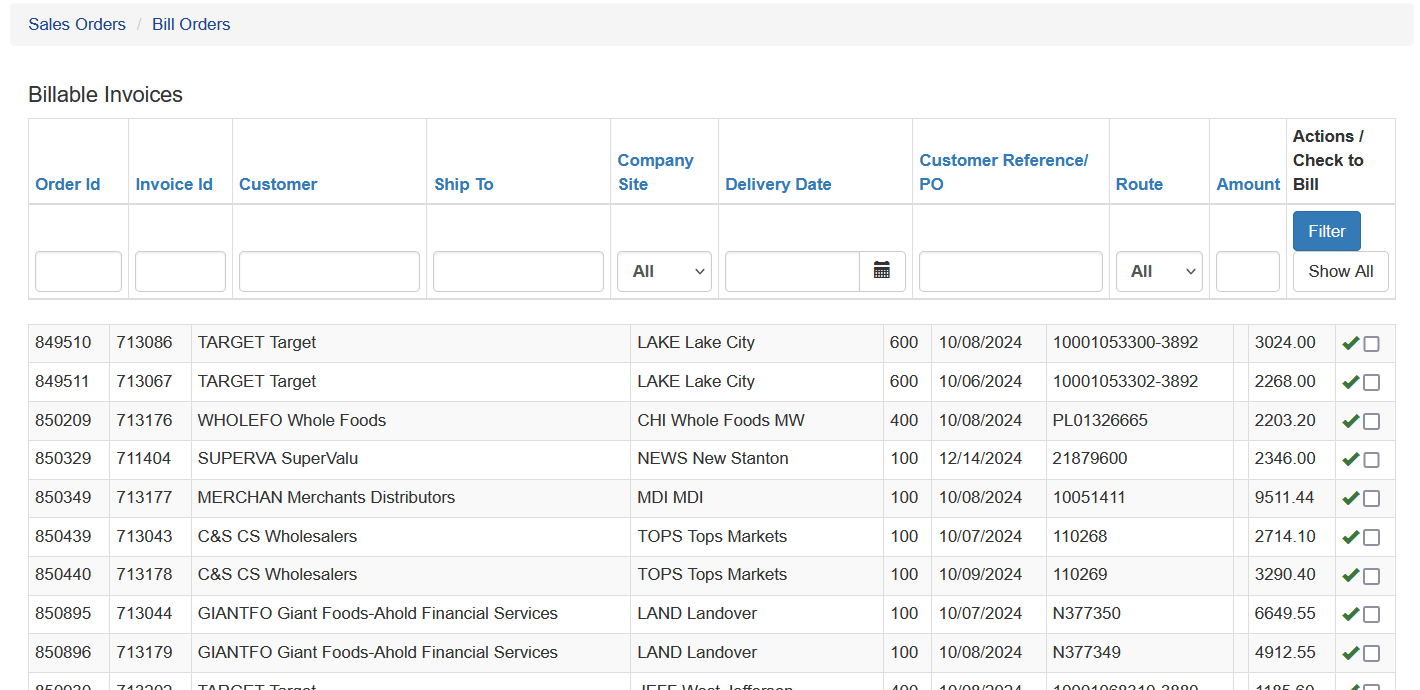
Billing Orders and Inventory Allocation
Once an order has been delivered, the invoice must be billed.
Billing the order performs two important functions:
- Moves the invoice into Accounts Receivable.
- Allocates the inventory lots used for the order and removes that inventory from stock.
Billing Module
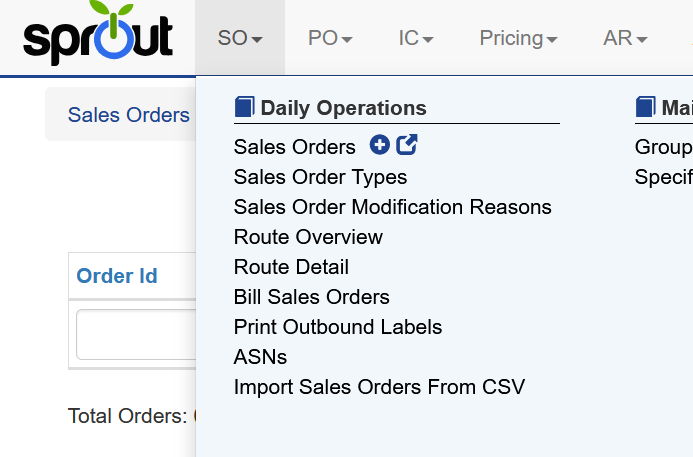
To access the billing module:
SO → Bill Sales Orders
Selecting Invoices to Bill
All sales orders with an assigned invoice number appear in the Bill Orders screen.
Users can apply filters to display only the invoices they want to work with. For example, a user might filter by:
- Delivery Date
- Route
- Company Site
Selecting Show All removes all filters and displays every eligible invoice.