Fees on Sales Orders
Fees On Sales Orders
Sprout has the ability to automatically add fees to sales orders based on criteria such as minimum orders, off day deliveries or on all deliveries. This is configured at the individual customer site level and each item and fee can be different from customer to customer. Fees can be removed or edited by within the order system as well.
Fees are applied the same when keyed in or imported via Sprout's web order entry system or transmitted from the customer.
Basic Fee Configuration
Before a fee can be added to the system the item must be created. The system uses a standard non-stock item for fees. This item can be mapped to a specific GL to track overall fees collected on your financial statements. Before creating fees, create your non-stock items
Fee Configuration
To add a fee, select a customer, customer site and then choose the Accounting Info tab. The fees are shown under Delivery Fees.
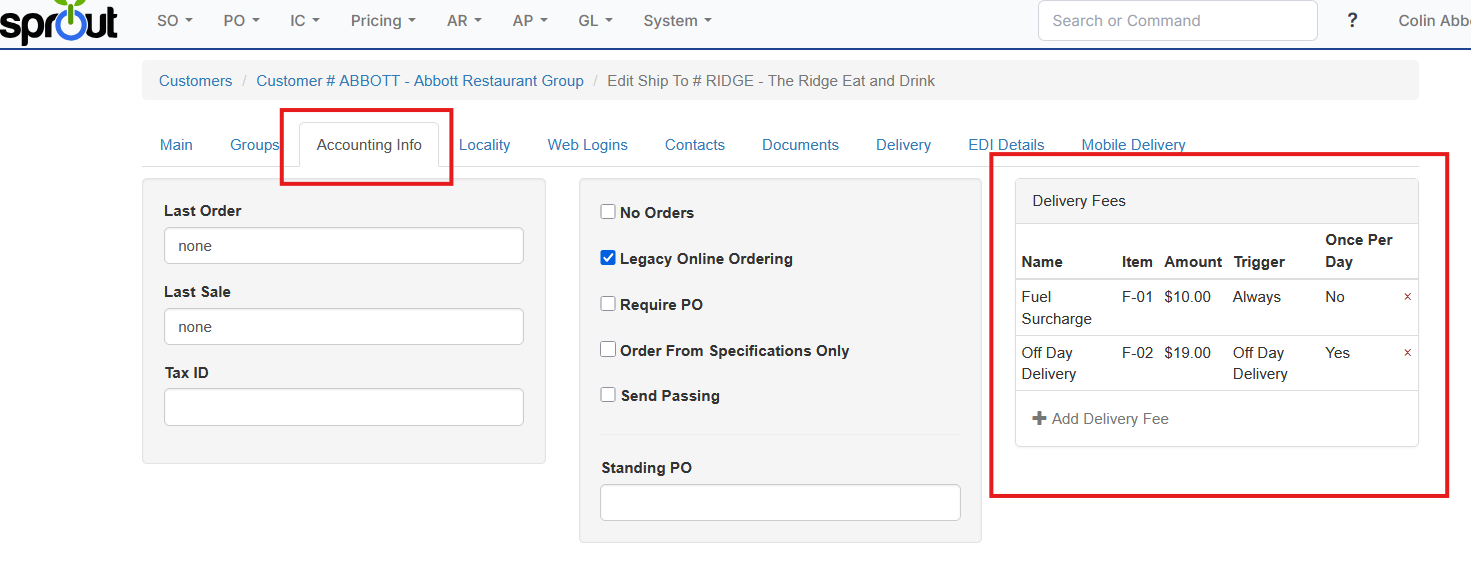
To add a new fee choose Add Delivery Fee. Enter the required information
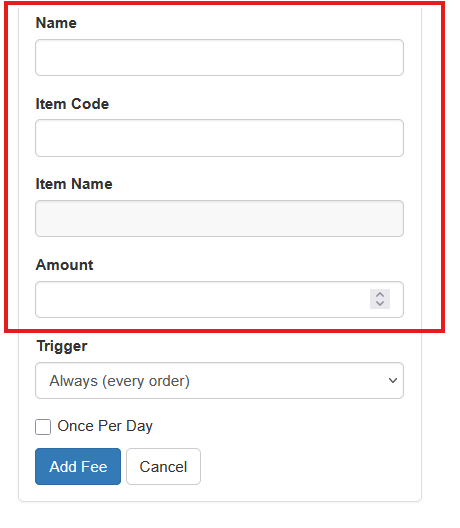
Name: This is the name of the item that will appear on the invoice
Item Code: Enter the item code to use
Amount: Enter the amount of the fee
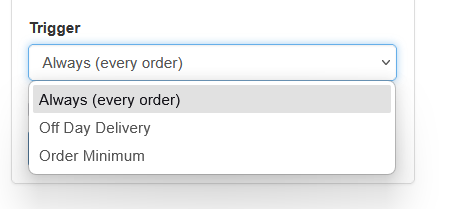
Setting the Trigger
The trigger setting is how the order is applied.
To apply the fee only once on a given calendar day, choose the Once Per Day box
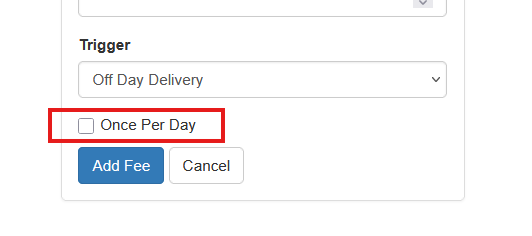
Once all options are set click Add Fee and Save the customer.
Off Day Delivery Fees
The Off Day delivery fee uses the Delivery tab in Customer Sites.
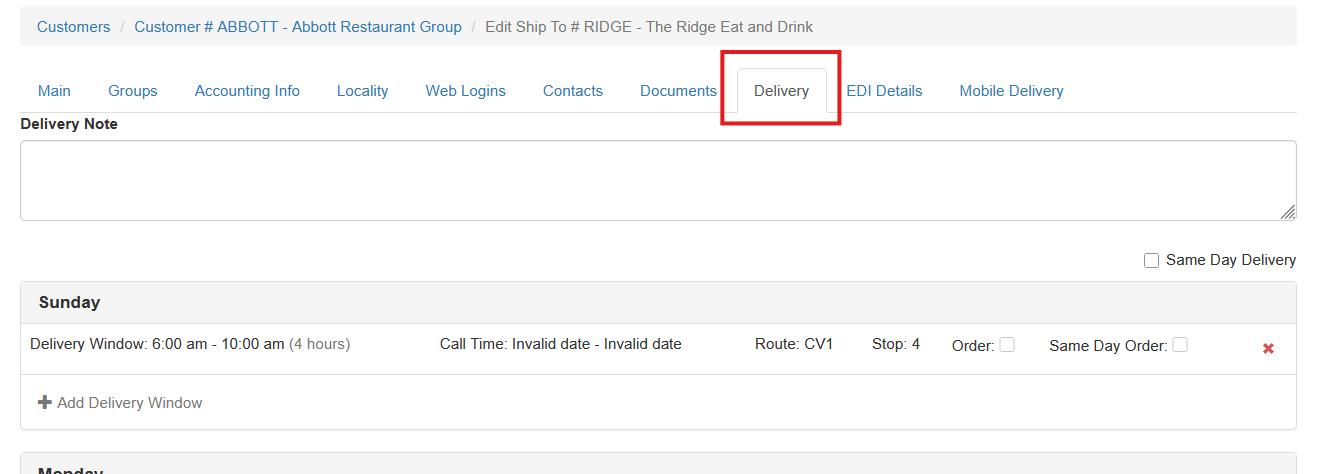
If an order is put in for a day of the week that does not have a delivery window configured the fee will be added to the order.
Order Minimum Fees
When the order minimum trigger is selected two additional options are displayed.
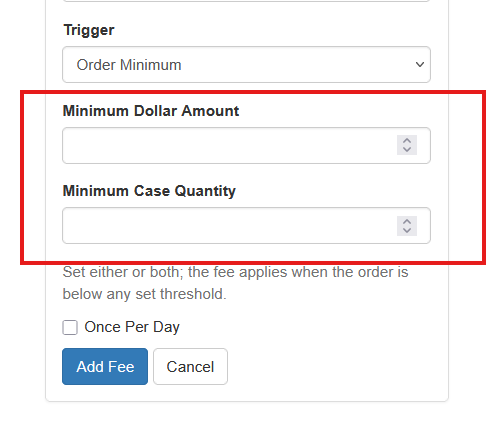
The minimum dollar is the total amount, without taxes or fees. The minimum case quantity is the total number of cases, splits use their associated case equivalency to total up to full cases, on the order. Both can be set or set individually.