Assigning Customer Sites to Default Routes
Customer sites can be assigned a default route and stop. When these are set, any order created for that customer site will automatically appear on the assigned route. This routing can still be changed manually during final route planning
Setting A Default Route
To set a default route, open the customer site record and select the Delivery tab.
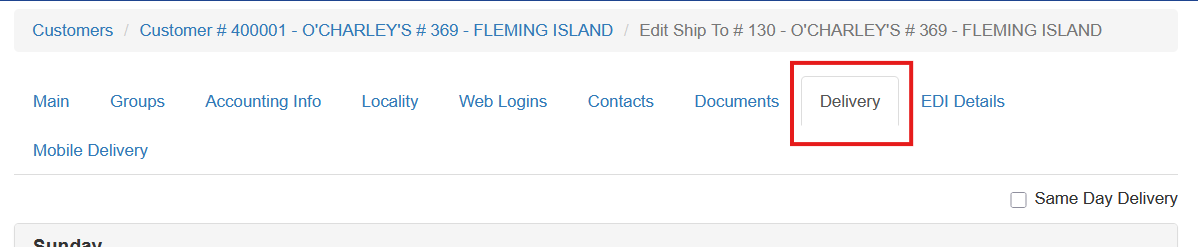
Each day of the week is shown separately so that different default routes can be assigned by day. Select the appropriate day, then click Add Delivery Window.
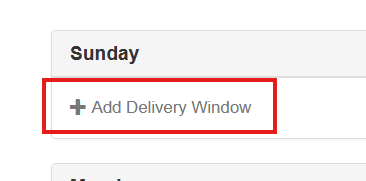
Enter the following information:
- delivery window start time
- delivery window end time
- route
- stop
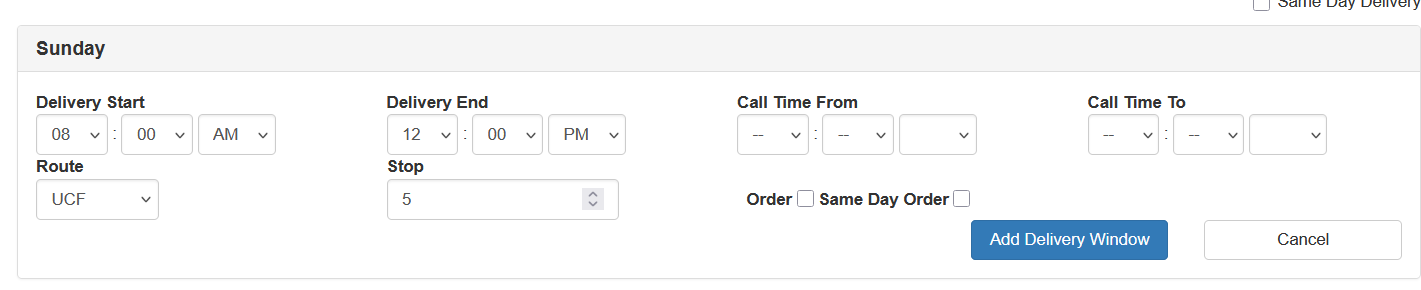
The delivery window start and end times indicate when the customer can accept delivery. This helps users route orders according to customer expectations and track on-time performance.
Multiple customers can share the same stop number on a route. Stop sequencing can be adjusted by the routing team before the truck is dispatched. 
The call time field is optional and is covered in the Customer Setup and Maintenance documentation.