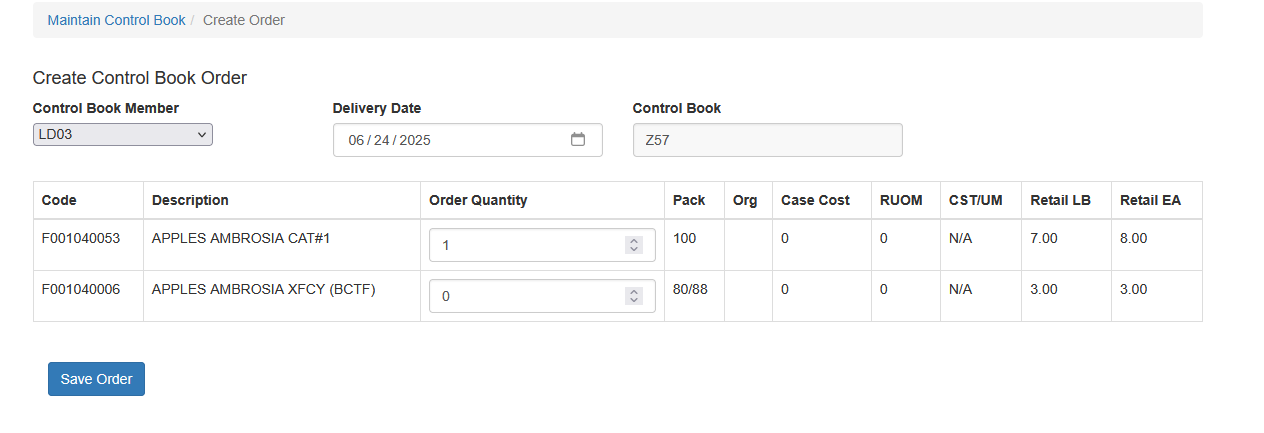
Entering Orders From A Control Book
To create a sales order using a Control Book:
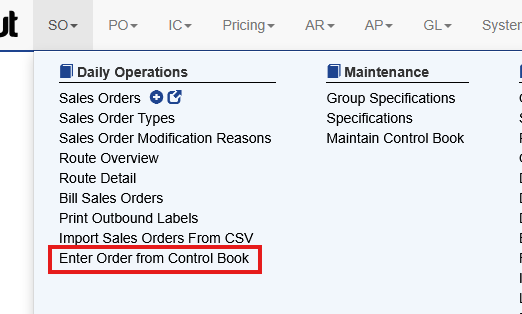
- Select SO → Enter Order from Control Book.
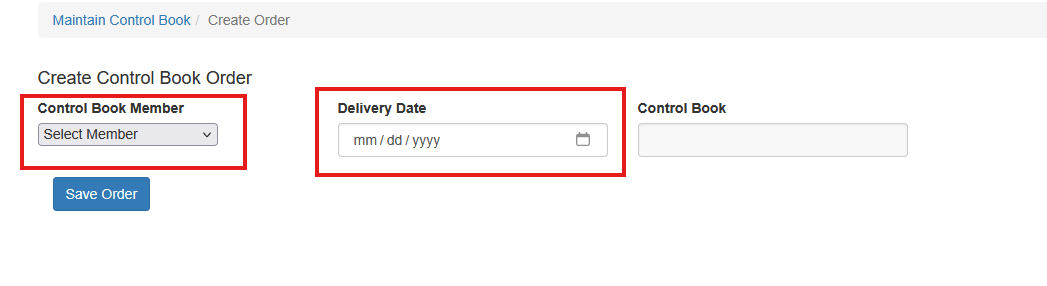
- Choose the Customer Site.
- Enter the Order Date.
- Enter quantities for the items the customer is ordering.
- Click Save Order.
Items with a quantity of 0 will be removed automatically when the order is saved.