Updating Item Details For Control Books
RUOM Field
The Retail Unit of Measure, or RUOM, field on the control book tells the customer Gross Margin for that item is. The logic is as follows:
- Cost Price / RUOM = Cost Price per RUOM
- 74.45 / 12 = 6.204
- (Retail Price per EA - Cost Price per RUOM) / Retail Price Per EA
- (7.99 - 6.20) / 7.99 = 0.224
- Rounded
- 0.224 = 22%
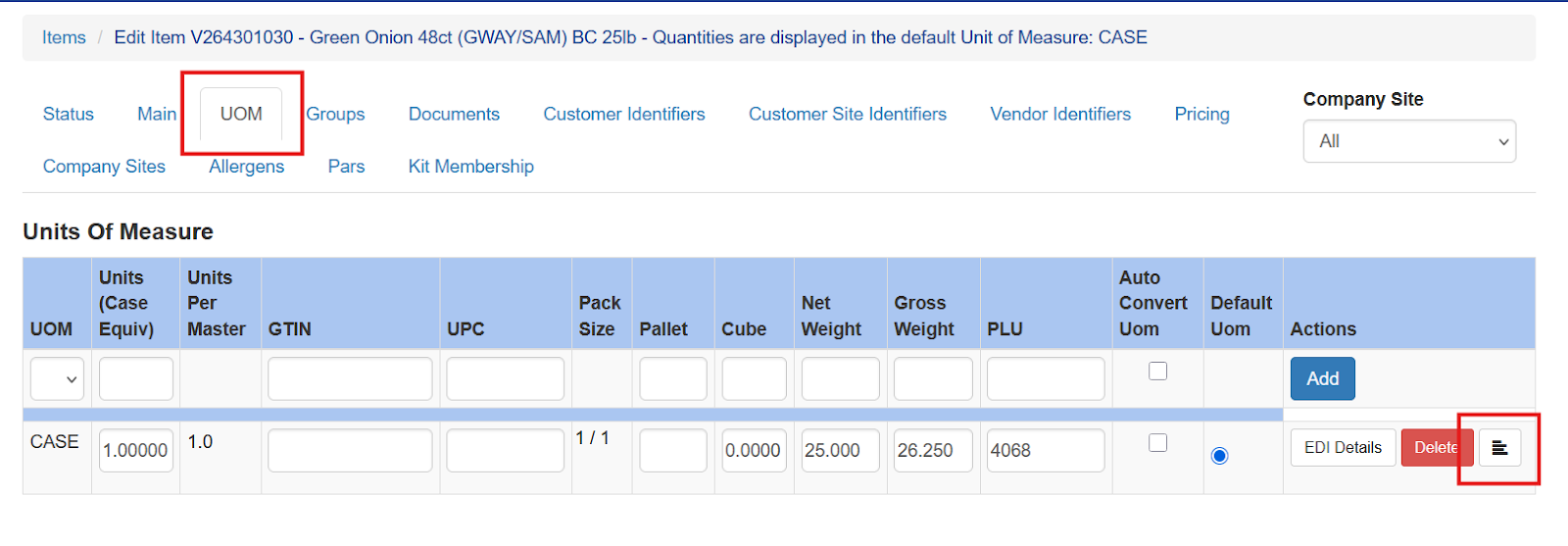
The RUOM data comes from the item Unit Of Measure tab. Open the item in question and select the UOM tab. Then choose the Additional Information Icon
The RUOM field is pulled from the Units Per Pack field
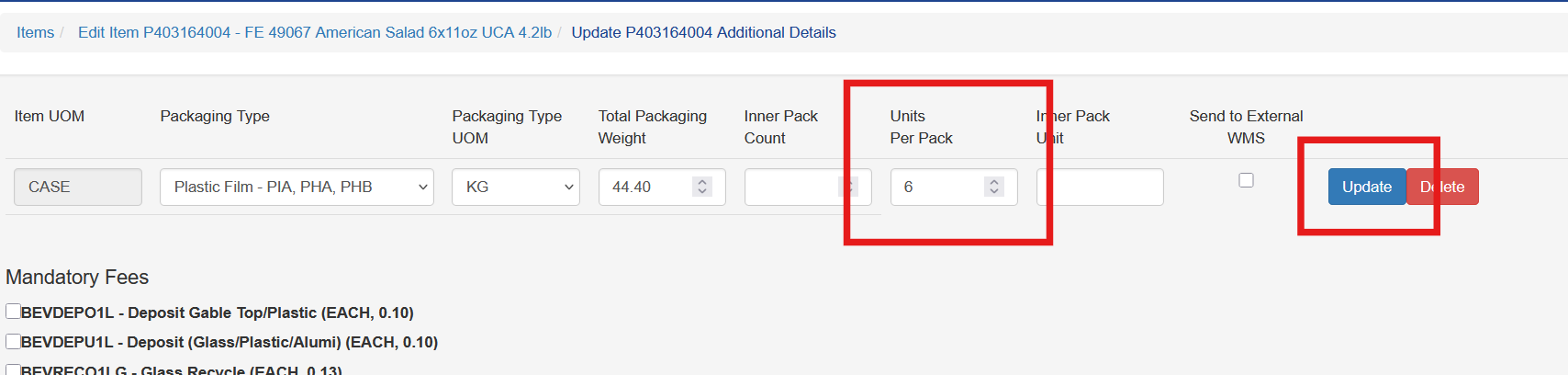
Once entered click Update.