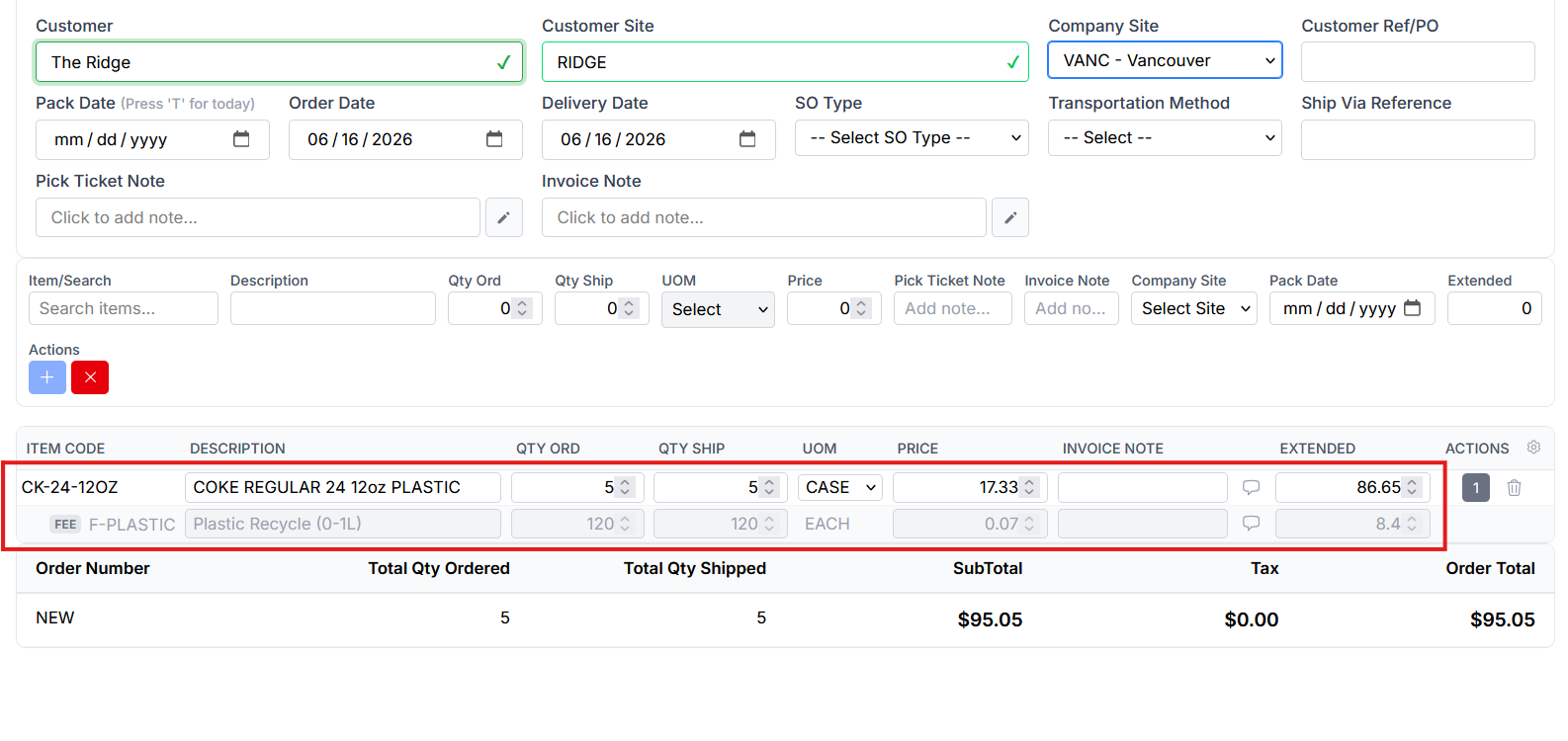
Mandatory Fees
Mandatory Fees on Sales Orders with Specific Items
Mandatory Fees let Sprout automatically add regulatory charges — bottle deposits, recycling fees, and similar — to sales orders. Once a fee is set up and attached to an item, every sales order that includes that item gets the correct fee lines added automatically, with quantities and amounts calculated by the system.
Mandatory fees can never be added, edited or removed by a user manually. Changes are controlled by the settings and quantity orderd.
Creating The Mandatory Fee Item
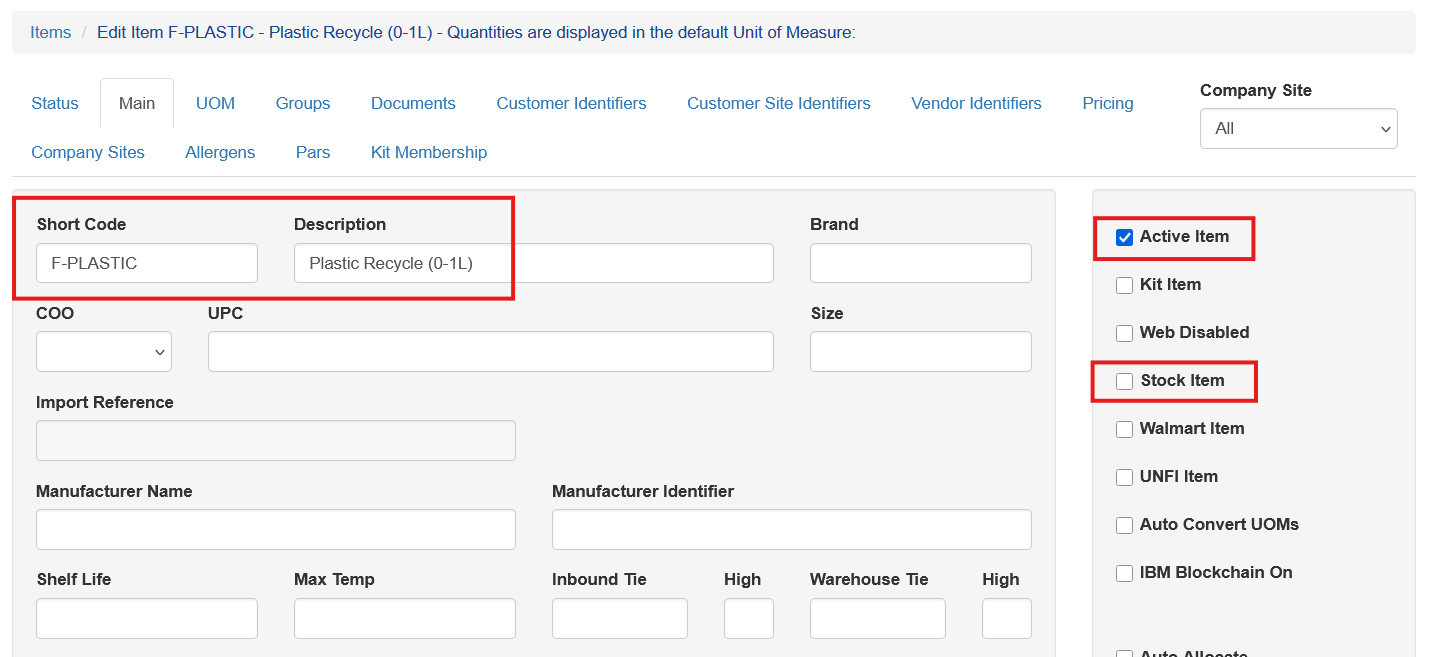
Before a mandatory fee can be added a Non Stock item must first be created. Follow the standard procedure for creating new items making sure that the new item is not selected as a Stock Item. Add a single unit of measure, typically EACH or similar.
Create The Mandatory Fee
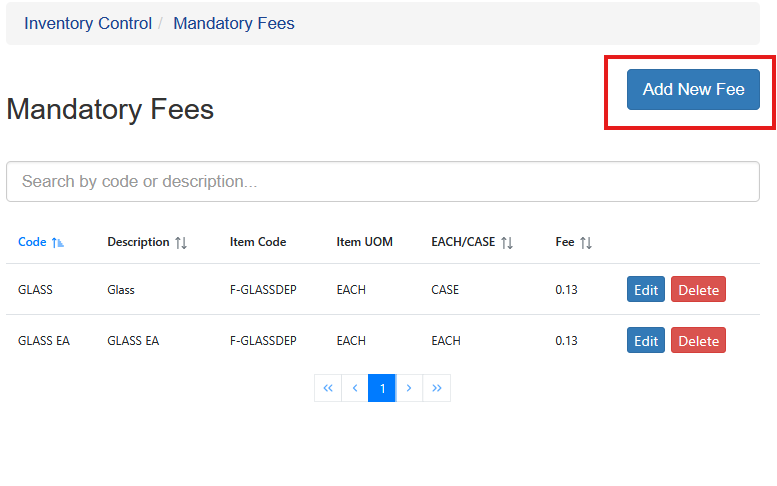
Once the mandatory fee item is created the mandatory fee can be created. The mandatory fee uses the item created above for the actual item on the sales order. To add the fee visit IC - Maintenance - Mandatory Fees. Current fees will be shown. To add a new one click Add New Fee.
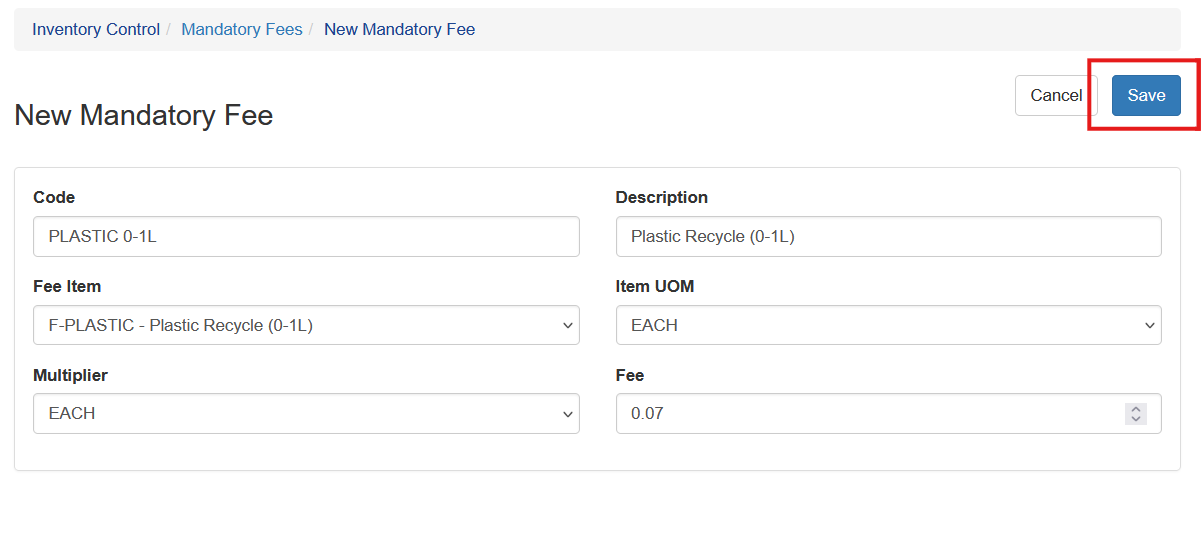
All fields are required. The fields uses are:
Code: A short handle for the fee (e.g. PLASTIC 0-1L ). Must be unique.
Description: Shown in lists and used as the fee line's description on orders.
Fee Item: The non-stock item created in the first step
Item UOM: The UOM used for the fee - typically each
Multiplier:EACH or CASE - See below for details on the multiplier
Fee: The amount charged per unit
Once all fields are entered, click Save.
Multiplier
The multiplier determines if the fee is applied as a single price to the case, or if Sprout uses additional setup in the item's unit of measure to account for each single unit inside a case. For most recyclable items the fee is charged for every item within the case, so the EACH multiplier selection is used. Sprout uses the inner pack units multipled by the units per pack to determine how many individual items are in a given case. The fee is then applied based on that quantity.
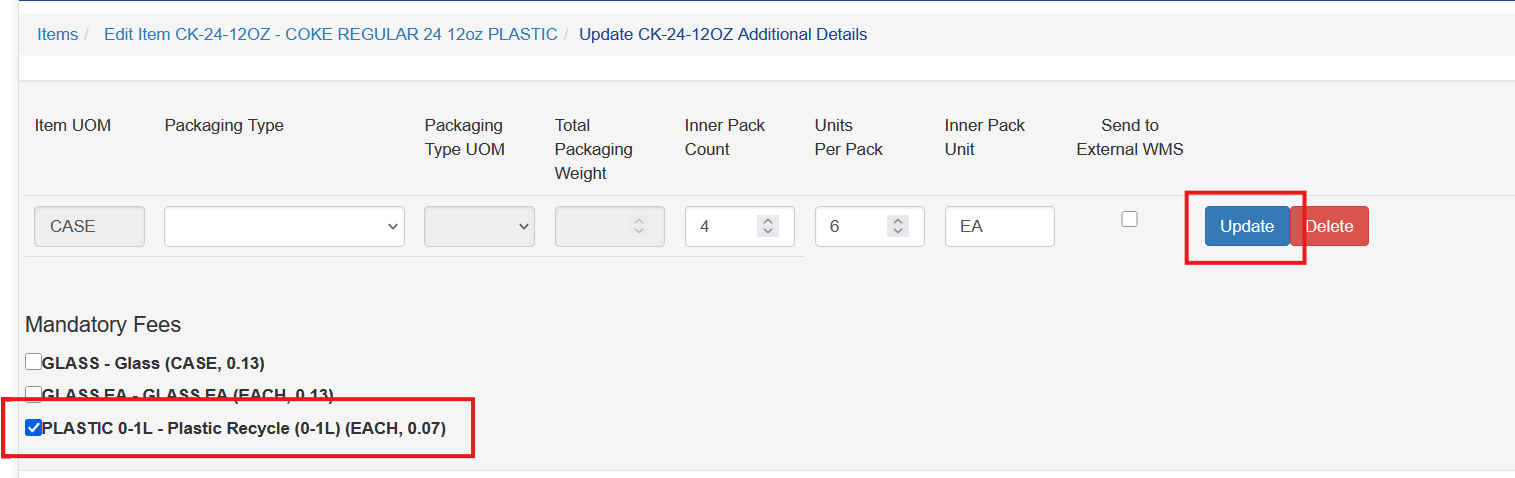
For example, if the item was a case of 12 ounce coke cans packaged in four six packs there inner pack would be 4, the units per pack would be 6

In this example, if the sales order was for two cases the fee calculation would be CASES ORDERED multiplied by UNITS PER PACK multiplied by INNER PACK COUNT multiplied by Fee for a result of (2 x 6 x 4) x 0.07 = $3.36
The units per pack and inner pack count is covered in Unit Of Measure setup in more detail.
Applying the Mandatory Fee To An Item
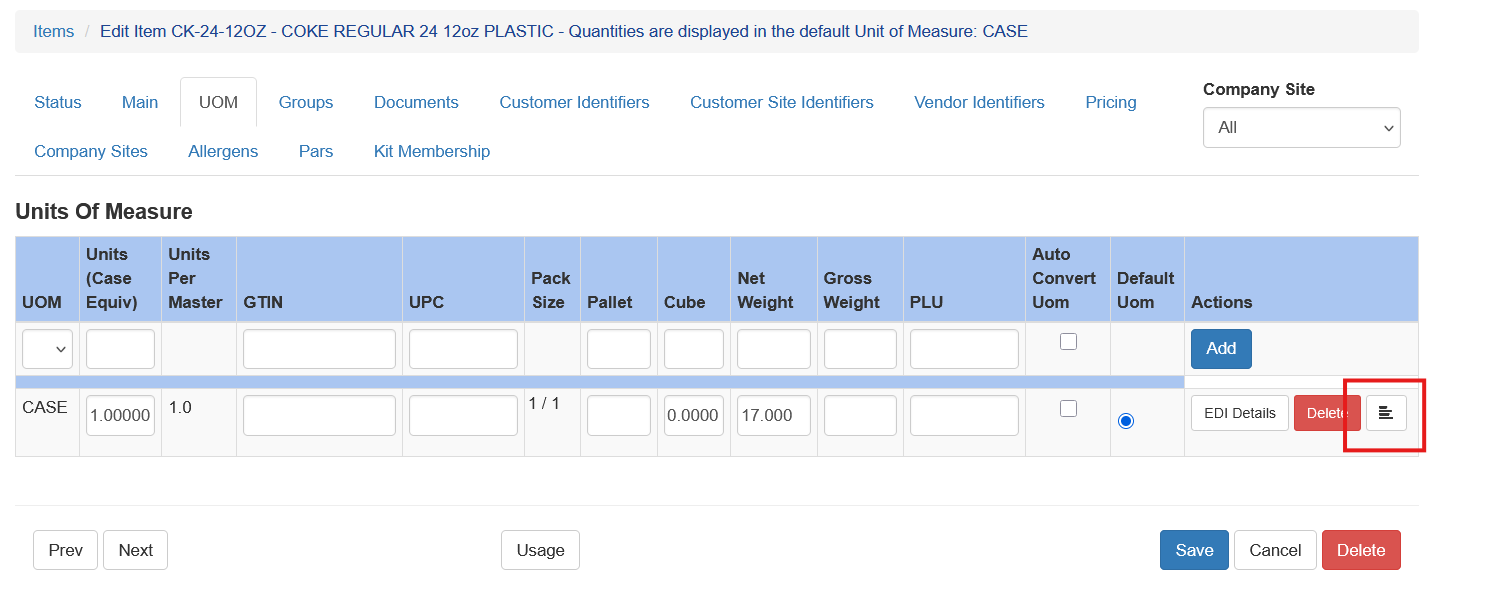
Once the item and fee are created the it. Open the item, choose UOM and select the Additional Fields option on the UOM line the mandatory fee will be applied to
Select the Mandatory Fees by checking the box(s) next to the fees. Multiple fees can be added and they will then all will apply to the item on the sales order. Be sure to click Update when complete.
Adding Items To A Sales Order With Mandatory Fees
When a sales order is entered for an item with a mandatory fee, the fee gets automatically added to the sales order.