Reviewing and Editing Results
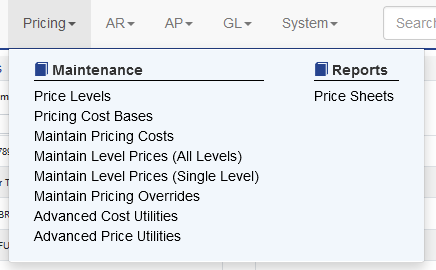
Once the cost bases are updated the results can be viewed and manipulated via Pricing - Maintain Pricing Costs
A grid view will appear for all cost bases.
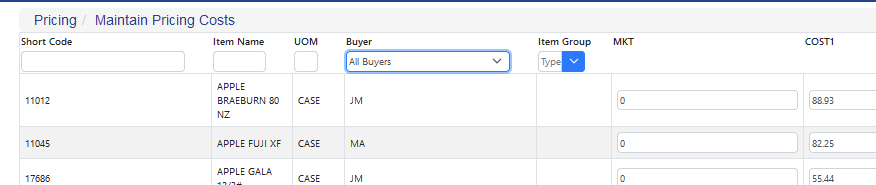
Filters can be applied by buyer, group membership or a mix of both. Direct edits can be made to the cost bases here.
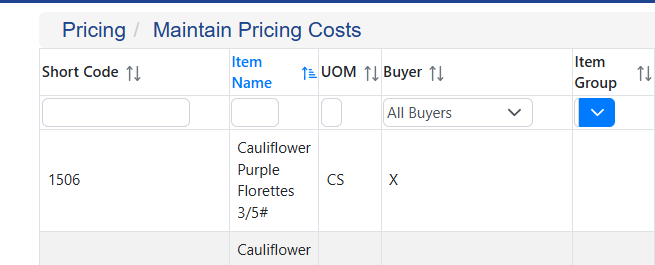
Columns can be sorted and filtered by Code, Name, UOM, Buyer or Item Groups. The Up/Down arrow allows sorting to be applied.
Manipulations for cost bases will not take effect until Update Price Level Costs is run for a price level(s).
Zero Current Cost Base Values
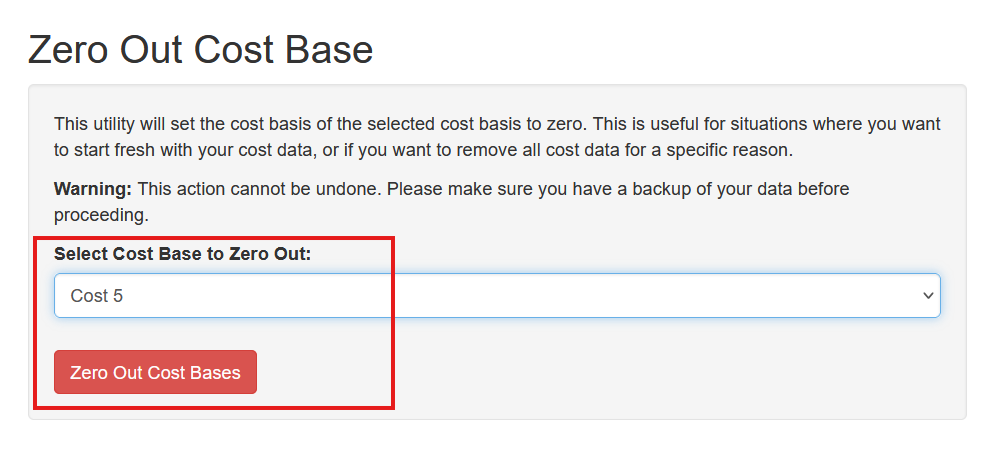
To remove all costs from an existing cost base select Pricing - Remove All Cost Base Values. Select the price level and click the Zero Out Cost Base button, confirm your selection on the pop up.
Inactive Items
Items that are inactive will appear at the bottom of the cost list and display in red.
